The Web Push Notifications Platform

Webpushr is the fastest growing web push notifications platform that marketers love & developers rely on. More than 20,000 websites from around the world use Webpushr to send push notifications to more than 400 million subscribers everyday!

Sign Up for Free

WordPress based sites can download our plugin here.

See Web Push in Action

Loading...

Welcome
Message

Discount
Alert

Black
Friday Sale

Product
Announcement

Remarketing

News Alert

What are Web Push Notifications?

A few reasons to use Webpushr

Key Features

Data Privacy & Ownership

Your trust is the most important thing to us. It is also the guiding principle in how we design our platform and store information. Learn more.

Effortless Migration

Your subscribers from your current push provider will automatically transfer to Webpushr once integration is complete. No manual work is needed.

Scalability

Our cloud based platform is reliable, resilient and scales as you grow. We currently support 10,000+ businesses and billions of push notifications.

Powerful User Segmentation

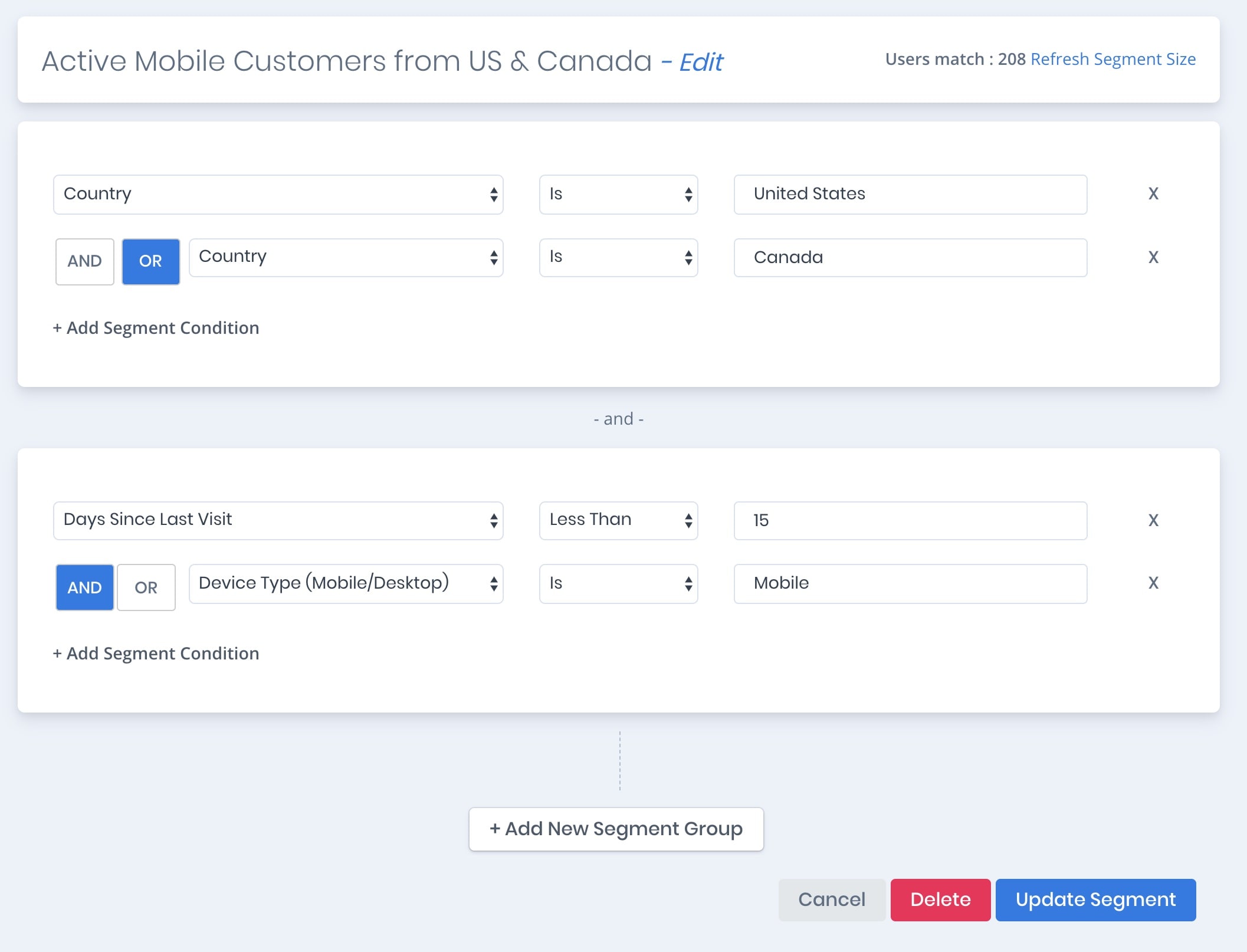
You can create user segments based on location, user interest, demographic information, etc. to send highly personalized push notifications.

AMP Support

We are one of the first service providers to offer push notification support for AMP based websites. Learn more

Automatic Web Push

With over 1000+ integrations, you can easily set integrate Webpushr to enhance any existing user journey, or create a new one.

Apple Safari Enabled

Our platform is world's first to provide push support to all browsers including Apple Safari. Reaching out to Safari users has never been more easy.

Affordable Pricing

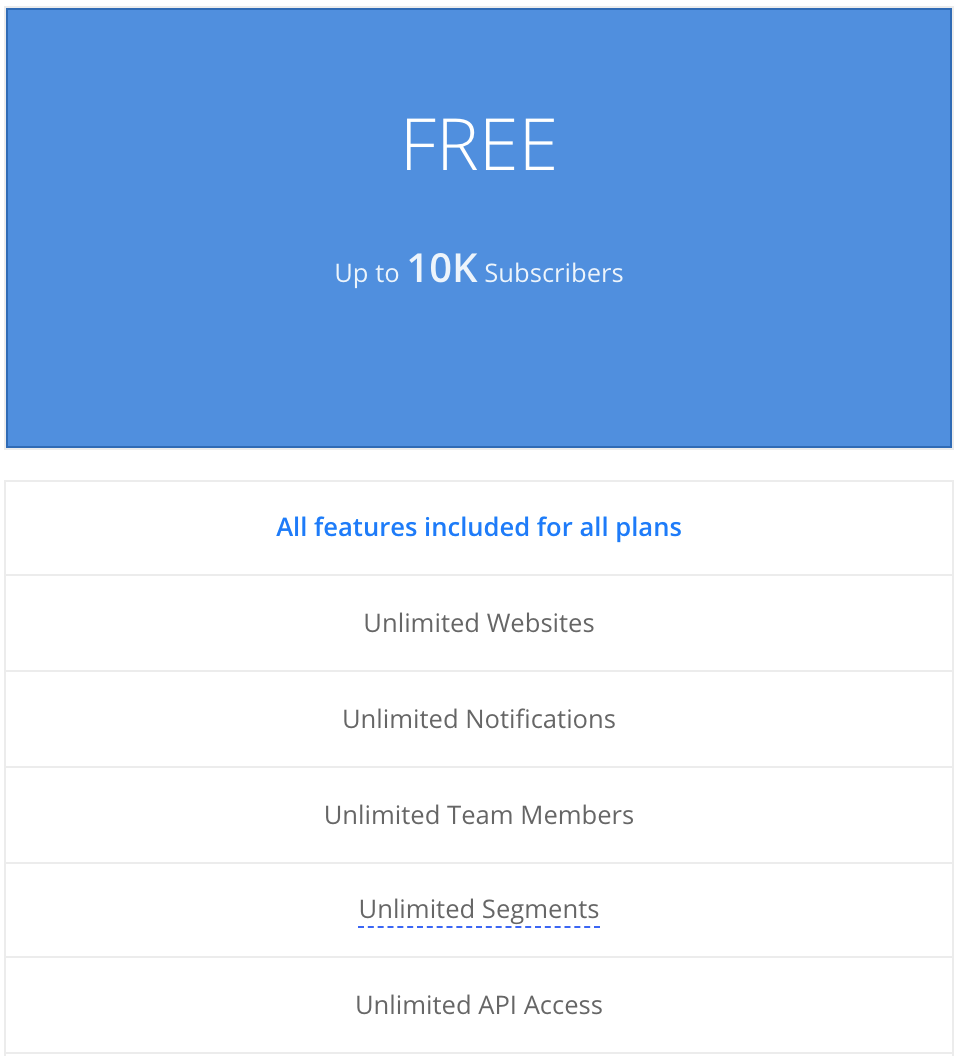
We are here to help you grow and be successful. We will remain free for small companies & publishers.
Learn more

Simple Integration

We offer simple integration with Wordpress, Shopify, Drupal, etc. Simply copy our code snippet into your website and you are all set to go.

Powerful API

We build our APIs to be incredibly simple to use, yet highly flexible. You can integrate Web Push in your application in under 5 minutes.

Non-HTTPS Support

Although web push notification standard does not support non-HTTPS sites - our proprietary technology is able to support web push for non-HTTPS sites.

WordPress Plugin

Seamless integration with WordPress & WooCommerce. The plugin will automatically send push messages for new posts and abandoned carts.


We offer multiple methods of sending web push

  •    Webpushr Dashboard

    You can use our intuitively designed web console to manually send browser push notifications to your users - anytime you want.

    Key Features

    • Multi-device Preview
    • Best-in-class Segmentation (By Geo Location, Site Behavior, Length of Subscription, Custom Attributes, etc.)
    • Scheduled Delivery
    • Large Image & Emoji Support
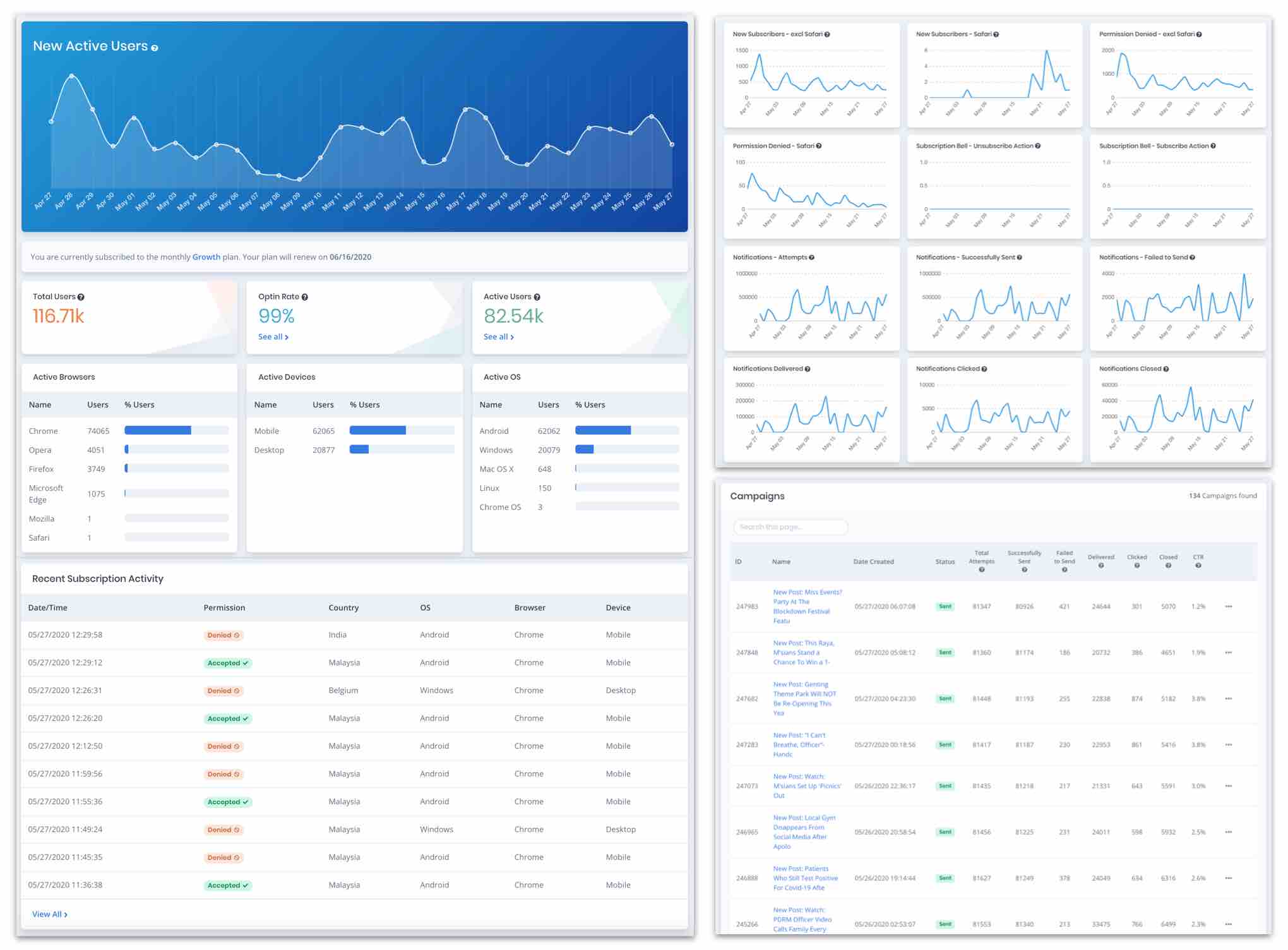
    • Realtime Reporting
  •   REST API

    Web Push Notifications can be sent programmatically by your backend server(s) via our powerful yet lightweight REST API. You can easily integrate Web Push into your existing workflows and with your favorite web apps using Zapier integration.

    Key Features

    • Target a single subscriber using a unique Push ID
    • Target by Custom Segment(s) (based on location, page visits, device type, etc.)
    • Target by Custom Attribute(s) (user ID, e-mail, etc.)
    • Check status of previously sent web push notification(s)
  • Icons8 RSL Colored Part 10   WordPress Plugin

    WordPress sites can leverage our WordPress Plugin to enable web push notifications. The Plugin can be configured to automatically send web push notifications whenever a new post is published or an existing post is updated.

    Key Features

    • One-click integration for WordPress sites
    • Change settings/configurations directly from your WordPress Admin console

Send Push Notifications using our REST API

Because we eliminate needless complexity and extraneous details, you can start sending web push notifications programmatically in just a couple of minutes. Try some of the API calls in the Webpushr API Playground.

  • POST Authentication
    curl -X POST \
    -H "webpushrKey: <YOUR REST API KEY>" \
    -H "webpushrAuthToken: <YOUR AUTHENTICATION TOKEN>" \
    -H "Content-Type: application/json" \
    https://api.webpushr.com/v1/authentication
    $end_point = 'https://api.webpushr.com/v1/authentication';
    $http_header = array( 
    	"Content-Type: Application/Json", 
    	"webpushrKey: <YOUR REST API KEY>", 
    	"webpushrAuthToken: <YOUR AUTHENTICATION TOKEN>"
    );		
    $ch = curl_init();
    curl_setopt($ch, CURLOPT_HTTPHEADER, $http_header);
    curl_setopt($ch, CURLOPT_URL, $end_point );
    curl_setopt($ch, CURLOPT_POST, 1);
    curl_setopt($ch, CURLOPT_RETURNTRANSFER, true);
    $response = curl_exec($ch);
    echo $response;
    import requests
    
    headers = {
        'webpushrKey': '<YOUR REST API KEY>',
        'webpushrAuthToken': '<YOUR AUTHENTICATION TOKEN>',
        'Content-Type': 'application/json',
    }
    
    response = requests.post('https://api.webpushr.com/v1/authentication', headers=headers)
    var request = require('request');
    
    var headers = {
        'webpushrKey': '<YOUR REST API KEY>',
        'webpushrAuthToken': '<YOUR AUTHENTICATION TOKEN>',
        'Content-Type': 'application/json'
    };
    
    var options = {
        url: 'https://api.webpushr.com/v1/authentication',
        method: 'POST',
        headers: headers
    };
    
    function callback(error, response, body) {
        if (!error && response.statusCode == 200) {
            console.log(body);
        }
    }
    
    request(options, callback);
    extern crate reqwest;
    use reqwest::header;
    
    fn main() -> Result<(), Box<dyn std::error::Error>> {
        let mut headers = header::HeaderMap::new();
        headers.insert("webpushrKey", "<YOUR REST API KEY>".parse().unwrap());
        headers.insert("webpushrAuthToken", "<YOUR AUTHENTICATION TOKEN>".parse().unwrap());
        headers.insert("Content-Type", "application/json".parse().unwrap());
    
        let res = reqwest::Client::new()
            .post("https://api.webpushr.com/v1/authentication")
            .headers(headers)
            .send()?
            .text()?;
        println!("{}", res);
    
        Ok(())
    }
    package main
    
    import (
    	"fmt"
    	"io/ioutil"
    	"log"
    	"net/http"
    )
    
    func main() {
    	client := &http.Client{}
    	req, err := http.NewRequest("POST", "https://api.webpushr.com/v1/authentication", nil)
    	if err != nil {
    		log.Fatal(err)
    	}
    	req.Header.Set("webpushrKey", "<YOUR REST API KEY>")
    	req.Header.Set("webpushrAuthToken", "<YOUR AUTHENTICATION TOKEN>")
    	req.Header.Set("Content-Type", "application/json")
    	resp, err := client.Do(req)
    	if err != nil {
    		log.Fatal(err)
    	}
    	bodyText, err := ioutil.ReadAll(resp.Body)
    	if err != nil {
    		log.Fatal(err)
    	}
    	fmt.Printf("%s\n", bodyText)
    }
    
  • POST Send Push to All Subscribers
    curl -X POST \
    -H "webpushrKey: <YOUR REST API KEY>" \
    -H "webpushrAuthToken: <YOUR AUTHENTICATION TOKEN>" \
    -H "Content-Type: application/json" \
    -d '{"title":"notification_title","message":"notification message","target_url":"https://www.webpushr.com"}' \
    https://api.webpushr.com/v1/notification/send/all
    	$end_point = 'https://api.webpushr.com/v1/notification/send/all';
    	$http_header = array( 
    		"Content-Type: Application/Json", 
    		"webpushrKey: <YOUR REST API KEY>", 
    		"webpushrAuthToken: <YOUR AUTHENTICATION TOKEN>"
    	);
    	$req_data = array(
    		'title' 			=> "Notification title", //required
    		'message' 		=> "Notification message", //required
    		'target_url'	=> 'https://www.webpushr.com', //required
    	);
    	$ch = curl_init();
    	curl_setopt($ch, CURLOPT_HTTPHEADER, $http_header);
    	curl_setopt($ch, CURLOPT_URL, $end_point );
    	curl_setopt($ch, CURLOPT_POST, 1);
    	curl_setopt($ch, CURLOPT_POSTFIELDS, json_encode($req_data) );
    	curl_setopt($ch, CURLOPT_RETURNTRANSFER, true);
    	$response = curl_exec($ch);
    	echo $response;
    import requests
    
    headers = {
        'webpushrKey': '<YOUR REST API KEY>',
        'webpushrAuthToken': '<YOUR AUTHENTICATION TOKEN>',
        'Content-Type': 'application/json',
    }
    
    data = '{"title":"notification_title","message":"notification message","target_url":"https://www.webpushr.com"}'
    
    response = requests.post('https://api.webpushr.com/v1/notification/send/all', headers=headers, data=data)
    
    var request = require('request');
    
    var headers = {
        'webpushrKey': '<YOUR REST API KEY>',
        'webpushrAuthToken': '<YOUR AUTHENTICATION TOKEN>',
        'Content-Type': 'application/json'
    };
    
    var dataString = '{"title":"notification_title","message":"notification message","target_url":"https://www.webpushr.com"}';
    
    var options = {
        url: 'https://api.webpushr.com/v1/notification/send/all',
        method: 'POST',
        headers: headers,
        body: dataString
    };
    
    function callback(error, response, body) {
        if (!error && response.statusCode == 200) {
            console.log(body);
        }
    }
    
    request(options, callback);
    
    extern crate reqwest;
    use reqwest::header;
    
    fn main() -> Result<(), Box<dyn std::error::Error>> {
        let mut headers = header::HeaderMap::new();
        headers.insert("webpushrKey", "<YOUR REST API KEY>".parse().unwrap());
        headers.insert("webpushrAuthToken", "<YOUR AUTHENTICATION TOKEN>".parse().unwrap());
        headers.insert("Content-Type", "application/json".parse().unwrap());
    
        let res = reqwest::Client::new()
            .post("https://api.webpushr.com/v1/notification/send/all")
            .headers(headers)
            .body("{\"title\":\"notification_title\",\"message\":\"notification message\",\"target_url\":\"https://www.webpushr.com\"}")
            .send()?
            .text()?;
        println!("{}", res);
    
        Ok(())
    }
    
    package main
    
    import (
    	"fmt"
    	"io/ioutil"
    	"log"
    	"net/http"
    	"strings"
    )
    
    func main() {
    	client := &http.Client{}
    	var data = strings.NewReader(`{"title":"notification_title","message":"notification message","target_url":"https://www.webpushr.com"}`)
    	req, err := http.NewRequest("POST", "https://api.webpushr.com/v1/notification/send/all", data)
    	if err != nil {
    		log.Fatal(err)
    	}
    	req.Header.Set("webpushrKey", "<YOUR REST API KEY>")
    	req.Header.Set("webpushrAuthToken", "<YOUR AUTHENTICATION TOKEN>")
    	req.Header.Set("Content-Type", "application/json")
    	resp, err := client.Do(req)
    	if err != nil {
    		log.Fatal(err)
    	}
    	bodyText, err := ioutil.ReadAll(resp.Body)
    	if err != nil {
    		log.Fatal(err)
    	}
    	fmt.Printf("%s\n", bodyText)
    }
    
  • POST Send Push to a Single Subscriber
    curl -X POST \
    -H "webpushrKey: <YOUR REST API KEY>" \
    -H "webpushrAuthToken: <YOUR AUTHENTICATION TOKEN>" \
    -H "Content-Type: application/json" \
    -d '{"title":"notification_title","message":"notification message","target_url":"https://www.webpushr.com","sid":"64546"}' \
    https://api.webpushr.com/v1/notification/send/sid
    	$end_point = 'https://api.webpushr.com/v1/notification/send/all';
    	$http_header = array( 
    		"Content-Type: Application/Json", 
    		"webpushrKey: <YOUR REST API KEY>", 
    		"webpushrAuthToken: <YOUR AUTHENTICATION TOKEN>"
    	);
    	$req_data = array(
    		'title' 			=> "Notification title", //required
    		'message' 		=> "Notification message", //required
    		'target_url'	=> 'https://www.webpushr.com', //required
    		'sid'			=> '2343' //required - unique ID of the subscriber
    	);
    	$ch = curl_init();
    	curl_setopt($ch, CURLOPT_HTTPHEADER, $http_header);
    	curl_setopt($ch, CURLOPT_URL, $end_point );
    	curl_setopt($ch, CURLOPT_POST, 1);
    	curl_setopt($ch, CURLOPT_POSTFIELDS, json_encode($req_data) );
    	curl_setopt($ch, CURLOPT_RETURNTRANSFER, true);
    	$response = curl_exec($ch);
    	echo $response;
    import requests
    
    headers = {
        'webpushrKey': '<YOUR REST API KEY>',
        'webpushrAuthToken': '<YOUR AUTHENTICATION TOKEN>',
        'Content-Type': 'application/json',
    }
    
    data = '{"title":"notification_title","message":"notification message","target_url":"https://www.webpushr.com","sid":"64546"}'
    
    response = requests.post('https://api.webpushr.com/v1/notification/send/sid', headers=headers, data=data)
    
    var request = require('request');
    
    var headers = {
        'webpushrKey': '<YOUR REST API KEY>',
        'webpushrAuthToken': '<YOUR AUTHENTICATION TOKEN>',
        'Content-Type': 'application/json'
    };
    
    var dataString = '{"title":"notification_title","message":"notification message","target_url":"https://www.webpushr.com","sid":"64546"}';
    
    var options = {
        url: 'https://api.webpushr.com/v1/notification/send/sid',
        method: 'POST',
        headers: headers,
        body: dataString
    };
    
    function callback(error, response, body) {
        if (!error && response.statusCode == 200) {
            console.log(body);
        }
    }
    
    request(options, callback);
    
    extern crate reqwest;
    use reqwest::header;
    
    fn main() -> Result<(), Box<dyn std::error::Error>> {
        let mut headers = header::HeaderMap::new();
        headers.insert("webpushrKey", "<YOUR REST API KEY>".parse().unwrap());
        headers.insert("webpushrAuthToken", "<YOUR AUTHENTICATION TOKEN>".parse().unwrap());
        headers.insert("Content-Type", "application/json".parse().unwrap());
    
        let res = reqwest::Client::new()
            .post("https://api.webpushr.com/v1/notification/send/sid")
            .headers(headers)
            .body("{\"title\":\"notification_title\",\"message\":\"notification message\",\"target_url\":\"https://www.webpushr.com\",\"sid\":\"64546\"}")
            .send()?
            .text()?;
        println!("{}", res);
    
        Ok(())
    }
    
    package main
    
    import (
    	"fmt"
    	"io/ioutil"
    	"log"
    	"net/http"
    	"strings"
    )
    
    func main() {
    	client := &http.Client{}
    	var data = strings.NewReader(`{"title":"notification_title","message":"notification message","target_url":"https://www.webpushr.com","sid":"64546"}`)
    	req, err := http.NewRequest("POST", "https://api.webpushr.com/v1/notification/send/sid", data)
    	if err != nil {
    		log.Fatal(err)
    	}
    	req.Header.Set("webpushrKey", "<YOUR REST API KEY>")
    	req.Header.Set("webpushrAuthToken", "<YOUR AUTHENTICATION TOKEN>")
    	req.Header.Set("Content-Type", "application/json")
    	resp, err := client.Do(req)
    	if err != nil {
    		log.Fatal(err)
    	}
    	bodyText, err := ioutil.ReadAll(resp.Body)
    	if err != nil {
    		log.Fatal(err)
    	}
    	fmt.Printf("%s\n", bodyText)
    }
    
  • POST Send Push to Segment(s)
    curl -X POST \
    -H "webpushrKey: <YOUR REST API KEY>" \
    -H "webpushrAuthToken: <YOUR AUTHENTICATION TOKEN>" \
    -H "Content-Type: application/json" \
    -d '{"title":"notification_title","message":"notification message","target_url":"https://www.webpushr.com","segment":[<SEGMENT ID 1 >,<SEGMENT ID 2 >,<SEGMENT ID 3>]}' \
    https://api.webpushr.com/v1/notification/send/segment
    	$end_point = 'https://api.webpushr.com/v1/notification/send/segment';
    	$http_header = array( 
    		"Content-Type: Application/Json", 
    		"webpushrKey: <YOUR REST API KEY>", 
    		"webpushrAuthToken: <YOUR AUTHENTICATION TOKEN>"
    	);
    	$req_data = array(
    		'title' 		=> "Notification title", //required
    		'message' 		=> "Notification message", //required
    		'target_url'	=> 'https://www.webpushr.com', //required
    		'segment'		=> array(<SEGMENT ID 1>,<SEGMENT ID 2 >,<SEGMENT ID 3>), //required
    	);
    	$ch = curl_init();
    	curl_setopt($ch, CURLOPT_HTTPHEADER, $http_header);
    	curl_setopt($ch, CURLOPT_URL, $end_point );
    	curl_setopt($ch, CURLOPT_POST, 1);
    	curl_setopt($ch, CURLOPT_POSTFIELDS, json_encode($req_data) );
    	curl_setopt($ch, CURLOPT_RETURNTRANSFER, true);
    	$response = curl_exec($ch);
    	echo $response;
    import requests
    
    headers = {
        'webpushrKey': '<YOUR REST API KEY>',
        'webpushrAuthToken': '<YOUR AUTHENTICATION TOKEN>',
        'Content-Type': 'application/json',
    }
    
    data = '{"title":"notification_title","message":"notification message","target_url":"https://www.webpushr.com","segment":[<SEGMENT ID 1 >,<SEGMENT ID 2 >,<SEGMENT ID 3>]}'
    
    response = requests.post('https://api.webpushr.com/v1/notification/send/segment', headers=headers, data=data)
    
    var request = require('request');
    
    var headers = {
        'webpushrKey': '<YOUR REST API KEY>',
        'webpushrAuthToken': '<YOUR AUTHENTICATION TOKEN>',
        'Content-Type': 'application/json'
    };
    
    var dataString = '{"title":"notification_title","message":"notification message","target_url":"https://www.webpushr.com","segment":[<SEGMENT ID 1 >,<SEGMENT ID 2 >,<SEGMENT ID 3>]}';
    
    var options = {
        url: 'https://api.webpushr.com/v1/notification/send/segment',
        method: 'POST',
        headers: headers,
        body: dataString
    };
    
    function callback(error, response, body) {
        if (!error && response.statusCode == 200) {
            console.log(body);
        }
    }
    
    request(options, callback);
    
    extern crate reqwest;
    use reqwest::header;
    
    fn main() -> Result<(), Box<dyn std::error::Error>> {
        let mut headers = header::HeaderMap::new();
        headers.insert("webpushrKey", "<YOUR REST API KEY>".parse().unwrap());
        headers.insert("webpushrAuthToken", "<YOUR AUTHENTICATION TOKEN>".parse().unwrap());
        headers.insert("Content-Type", "application/json".parse().unwrap());
    
        let res = reqwest::Client::new()
            .post("https://api.webpushr.com/v1/notification/send/segment")
            .headers(headers)
            .body("{\"title\":\"notification_title\",\"message\":\"notification message\",\"target_url\":\"https://www.webpushr.com\",\"segment\":[<SEGMENT ID 1 >,<SEGMENT ID 2 >,<SEGMENT ID 3>]}")
            .send()?
            .text()?;
        println!("{}", res);
    
        Ok(())
    }
    
    package main
    
    import (
    	"fmt"
    	"io/ioutil"
    	"log"
    	"net/http"
    	"strings"
    )
    
    func main() {
    	client := &http.Client{}
    	var data = strings.NewReader(`{"title":"notification_title","message":"notification message","target_url":"https://www.webpushr.com","segment":[<SEGMENT ID 1 >,<SEGMENT ID 2 >,<SEGMENT ID 3>]}`)
    	req, err := http.NewRequest("POST", "https://api.webpushr.com/v1/notification/send/segment", data)
    	if err != nil {
    		log.Fatal(err)
    	}
    	req.Header.Set("webpushrKey", "<YOUR REST API KEY>")
    	req.Header.Set("webpushrAuthToken", "<YOUR AUTHENTICATION TOKEN>")
    	req.Header.Set("Content-Type", "application/json")
    	resp, err := client.Do(req)
    	if err != nil {
    		log.Fatal(err)
    	}
    	bodyText, err := ioutil.ReadAll(resp.Body)
    	if err != nil {
    		log.Fatal(err)
    	}
    	fmt.Printf("%s\n", bodyText)
    }
    
  • POST Send Push to Custom Attribute(s)
    curl -X POST \
    -H "webpushrKey: <YOUR REST API KEY>" \
    -H "webpushrAuthToken: <YOUR AUTHENTICATION TOKEN>" \
    -H "Content-Type: application/json" \
    -d '{"title":"notification_title","message":"notification message","target_url":"https://www.webpushr.com","attribute":{"email":"johndoe@example.com"}}' \
    https://api.webpushr.com/v1/notification/send/attribute
    	$end_point = 'https://api.webpushr.com/v1/notification/send/attribute';
    	$http_header = array( 
    		"Content-Type: Application/Json", 
    		"webpushrKey: <YOUR REST API KEY>", 
    		"webpushrAuthToken: <YOUR AUTHENTICATION TOKEN>"
    	);
    	$req_data = array(
    		'title' 			=> "Notification title", //required
    		'message' 		=> "Notification message", //required
    		'target_url'	=> 'https://www.webpushr.com', //required
    		'attribute'		=> array('email' => 'johndoe@example.com'), //required
    	);
    	$ch = curl_init();
    	curl_setopt($ch, CURLOPT_HTTPHEADER, $http_header);
    	curl_setopt($ch, CURLOPT_URL, $end_point );
    	curl_setopt($ch, CURLOPT_POST, 1);
    	curl_setopt($ch, CURLOPT_POSTFIELDS, json_encode($req_data) );
    	curl_setopt($ch, CURLOPT_RETURNTRANSFER, true);
    	$response = curl_exec($ch);
    	echo $response;
    import requests
    
    headers = {
        'webpushrKey': '<YOUR REST API KEY>',
        'webpushrAuthToken': '<YOUR AUTHENTICATION TOKEN>',
        'Content-Type': 'application/json',
    }
    
    data = '{"title":"notification_title","message":"notification message","target_url":"https://www.webpushr.com","attribute":{"email":"johndoe@example.com"}}'
    
    response = requests.post('https://api.webpushr.com/v1/notification/send/attribute', headers=headers, data=data)
    
    var request = require('request');
    
    var headers = {
        'webpushrKey': '<YOUR REST API KEY>',
        'webpushrAuthToken': '<YOUR AUTHENTICATION TOKEN>',
        'Content-Type': 'application/json'
    };
    
    var dataString = '{"title":"notification_title","message":"notification message","target_url":"https://www.webpushr.com","attribute":{"email":"johndoe@example.com"}}';
    
    var options = {
        url: 'https://api.webpushr.com/v1/notification/send/attribute',
        method: 'POST',
        headers: headers,
        body: dataString
    };
    
    function callback(error, response, body) {
        if (!error && response.statusCode == 200) {
            console.log(body);
        }
    }
    
    request(options, callback);
    
    extern crate reqwest;
    use reqwest::header;
    
    fn main() -> Result<(), Box<dyn std::error::Error>> {
        let mut headers = header::HeaderMap::new();
        headers.insert("webpushrKey", "<YOUR REST API KEY>".parse().unwrap());
        headers.insert("webpushrAuthToken", "<YOUR AUTHENTICATION TOKEN>".parse().unwrap());
        headers.insert("Content-Type", "application/json".parse().unwrap());
    
        let res = reqwest::Client::new()
            .post("https://api.webpushr.com/v1/notification/send/attribute")
            .headers(headers)
            .body("{\"title\":\"notification_title\",\"message\":\"notification message\",\"target_url\":\"https://www.webpushr.com\",\"attribute\":{\"email\":\"johndoe@example.com\"}}")
            .send()?
            .text()?;
        println!("{}", res);
    
        Ok(())
    }
    
    package main
    
    import (
    	"fmt"
    	"io/ioutil"
    	"log"
    	"net/http"
    	"strings"
    )
    
    func main() {
    	client := &http.Client{}
    	var data = strings.NewReader(`{"title":"notification_title","message":"notification message","target_url":"https://www.webpushr.com","attribute":{"email":"johndoe@example.com"}}`)
    	req, err := http.NewRequest("POST", "https://api.webpushr.com/v1/notification/send/attribute", data)
    	if err != nil {
    		log.Fatal(err)
    	}
    	req.Header.Set("webpushrKey", "<YOUR REST API KEY>")
    	req.Header.Set("webpushrAuthToken", "<YOUR AUTHENTICATION TOKEN>")
    	req.Header.Set("Content-Type", "application/json")
    	resp, err := client.Do(req)
    	if err != nil {
    		log.Fatal(err)
    	}
    	bodyText, err := ioutil.ReadAll(resp.Body)
    	if err != nil {
    		log.Fatal(err)
    	}
    	fmt.Printf("%s\n", bodyText)
    }
    
  • GET Check Push Status
    curl -X GET \
    -H "webpushrKey: <YOUR REST API KEY>" \
    -H "webpushrAuthToken: <YOUR AUTHENTICATION TOKEN>" \
    -H "Content-Type: application/json" \
    https://api.webpushr.com/v1/notification/status/id/<CAMPAIGN ID>
    	$end_point = 'https://api.webpushr.com/v1/notification/status/id/<CAMPAIGN ID>';
    	$http_header = array( 
    		"Content-Type: Application/Json", 
    		"webpushrKey: <YOUR REST API KEY>", 
    		"webpushrAuthToken: <YOUR AUTHENTICATION TOKEN>"
    	);
    	$ch = curl_init();
    	curl_setopt($ch, CURLOPT_HTTPHEADER, $http_header);
    	curl_setopt($ch, CURLOPT_URL, $end_point );
    	curl_setopt($ch, CURLOPT_RETURNTRANSFER, true);
    	$response = curl_exec($ch);
    	echo $response;
    import requests
    
    headers = {
        'webpushrKey': '<YOUR REST API KEY>',
        'webpushrAuthToken': '<YOUR AUTHENTICATION TOKEN>',
        'Content-Type': 'application/json',
    }
    
    response = requests.get('https://api.webpushr.com/v1/notification/status/id/%3CCAMPAIGN', headers=headers)
    
    var request = require('request');
    
    var headers = {
        'webpushrKey': '<YOUR REST API KEY>',
        'webpushrAuthToken': '<YOUR AUTHENTICATION TOKEN>',
        'Content-Type': 'application/json'
    };
    
    var options = {
        url: 'https://api.webpushr.com/v1/notification/status/id/<CAMPAIGN',
        headers: headers
    };
    
    function callback(error, response, body) {
        if (!error && response.statusCode == 200) {
            console.log(body);
        }
    }
    
    request(options, callback);
    
    extern crate reqwest;
    use reqwest::header;
    
    fn main() -> Result<(), Box<dyn std::error::Error>> {
        let mut headers = header::HeaderMap::new();
        headers.insert("webpushrKey", "<YOUR REST API KEY>".parse().unwrap());
        headers.insert("webpushrAuthToken", "<YOUR AUTHENTICATION TOKEN>".parse().unwrap());
        headers.insert("Content-Type", "application/json".parse().unwrap());
    
        let res = reqwest::Client::new()
            .get("https://api.webpushr.com/v1/notification/status/id/<CAMPAIGN")
            .headers(headers)
            .send()?
            .text()?;
        println!("{}", res);
    
        Ok(())
    }
    
    package main
    
    import (
    	"fmt"
    	"io/ioutil"
    	"log"
    	"net/http"
    )
    
    func main() {
    	client := &http.Client{}
    	req, err := http.NewRequest("GET", "https://api.webpushr.com/v1/notification/status/id/<CAMPAIGN", nil)
    	if err != nil {
    		log.Fatal(err)
    	}
    	req.Header.Set("webpushrKey", "<YOUR REST API KEY>")
    	req.Header.Set("webpushrAuthToken", "<YOUR AUTHENTICATION TOKEN>")
    	req.Header.Set("Content-Type", "application/json")
    	resp, err := client.Do(req)
    	if err != nil {
    		log.Fatal(err)
    	}
    	bodyText, err := ioutil.ReadAll(resp.Body)
    	if err != nil {
    		log.Fatal(err)
    	}
    	fmt.Printf("%s\n", bodyText)
    }