When You Press Run in Python: A Peek Under the Hood
Discover what happens behind the scenes when you press Run in Python. Learn how Python compiles code into bytecode, how the Python Virtual Machine (PVM) executes it, and why understanding this process makes you a better programmer.
When You Press Run in Python: A Peek Under the Hood
1.
Python Whispered: What
HappensWhen You Press
Run?
You type print("Hello, World!"), hit Run, and text appears instantly. It
seems magical, but Python is working hard behind the scenes like a
well-coordinated team.
2.
The Journey Begins:
ReadingYour Code
01
Source Reading
Python reads your file as plain
text - just characters, letters,
digits, quotes, and spaces with no
meaning yet.
02
Lexical Analysis
The lexer groups characters into
meaningful tokens: keywords,
identifiers, operators, and literals.
03
Indentation Processing
Whitespace becomes structural - translated into INDENT and DEDENT
tokens that define code blocks.
3.
Building the Blueprint:Abstract Syntax Tree
Python transforms tokens into an Abstract Syntax Tree (AST) - a tree-
shaped representation of your program's structure.
Function definitions contain parameter and body nodes
If statements contain condition and block nodes
Expressions represent operations with their operands
If grammar is wrong (missing colon, extra parenthesis), Python raises a
SyntaxError here.
4.
The Hidden Compilation
Step
ASTto Bytecode
Python compiles your AST
into bytecode - compact
instructions that work across
different systems.
Bytecode Instructions
Simple to-do list: load
constants, load names, add
values, store results - much
easier to run than raw source.
Caching Magic
.pyc files in __pycache__ folders store compiled bytecode, skipping
compilation on subsequent imports.
5.
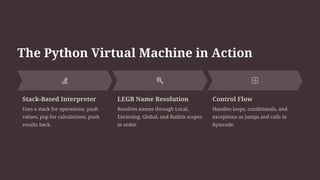
The Python VirtualMachine in Action
Stack-Based Interpreter
Uses a stack for operations: push
values, pop for calculations, push
results back.
LEGB Name Resolution
Resolves names through Local,
Enclosing, Global, and Builtin scopes
in order.
Control Flow
Handles loops, conditionals, and
exceptions as jumps and calls in
bytecode.
6.
Script vs REPL:Two Different Personalities
Running a .py Script
Reads entire file at once
Compiles everything needed
Executes top-level code
Runs __main__ block if invoked directly
The REPL Experience
Read your input line
Eval compile and execute
Print expression results
Loop wait for next input
7.
When Things GoWrong: Understanding
Errors
Structure Stage Errors
SyntaxError & IndentationError -
caught before bytecode runs.
Missing colons, extra
parentheses, inconsistent
indentation.
Execution Stage Errors
NameError, TypeError,
AttributeError - runtime
problems when PVM can't find
names or operations don't make
sense.
Logic Errors
RuntimeError, ValueError,
ZeroDivisionError - program hits
bad states during execution.
8.
Memory Management &
Performance
EverythingIs an Object
Integers, strings, functions - all objects with identities and reference counts on the heap.
Reference Counting
Objects track references; when count drops to zero, memory is reclaimed immediately.
Performance Tips
Use built-ins (implemented in C), choose right data structures, minimize compilation
overhead.
9.
The Complete Journey:Press Run to Results
1
Read Source
Open .py file or read REPL line
2 Tokenize
Carve text into meaningful tokens
3
Parse & Build AST
Check grammar, create tree structure
4 Compile to Bytecode
Convert AST to PVM instructions
5
Execute & Clean
Run bytecode, manage memory, cache results
Nothing mystical - just a clean pipeline turning your ideas into action. Understanding this process helps you debug with confidence, optimize effectively, and
become a better programmer.




![[GDG-Fremont] Building Multi-Agentic ecosystem using Gemini.pdf](https://cdn.slidesharecdn.com/ss_thumbnails/gdg-fremontbuildingmulti-agenticecosystemusinggemini-260601215542-0431b465-thumbnail.jpg?width=640&height=640&fit=bounds)


