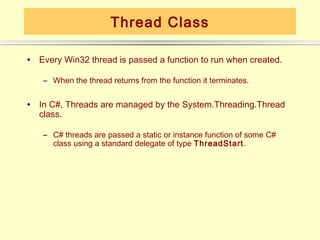
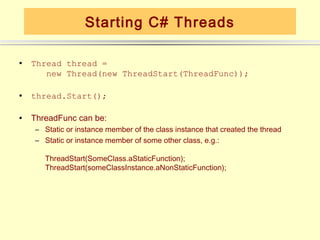
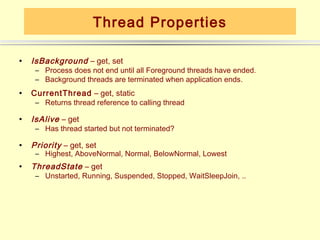
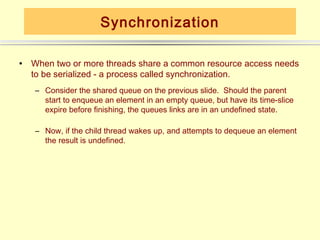
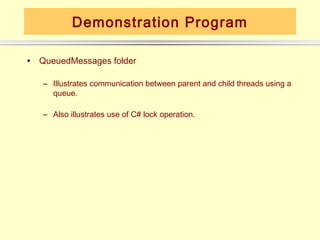
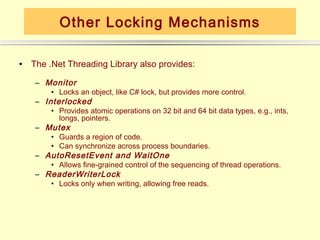
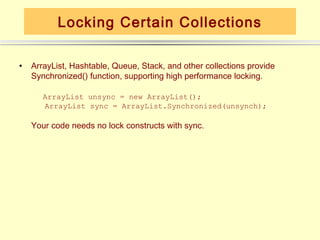
This document discusses C# threads and thread synchronization. It begins by explaining how threads are represented by the Thread class in C# and how to start a thread by passing a delegate to its constructor. It then discusses thread states and properties like priority. It describes how threads need synchronization mechanisms when sharing resources and demonstrates this with a parent-child thread example using a shared queue. Finally, it covers various .NET synchronization primitives like locks, monitors, and reader-writer locks and how to synchronize access to collections and methods.



![Method Decoration
• Methods can be decorated with a MethodImpl attribute, synchronizing
access much like a Win32 critical section.
[MethodImpl (MethodImplOptions.Synchronized)]
string myMethod(string input)
{
…
}
Note that this synchronizes a region of code, while lock and Monitor
synchronize objects.](https://image.slidesharecdn.com/threads-csharp-130130053137-phpapp02/85/Threads-c-sharp-12-320.jpg)
![BeginInvoke Example
for (i = 1; i <= 25; i++)
{
s = "Step number " + i.ToString() + " executed";
Thread.Sleep(400);
// Make asynchronous call to main form.
// MainForm.AddString function runs in main thread
// because we activated the delegate through form's
// Invoke (synchronous) or BeginInvoke (asynchronous) functions.
// To make synchronous call use Invoke.
m_form.BeginInvoke(m_form.m_DelegateAddString, new Object[] {s});
// check if thread is cancelled
if ( m_EventStop.WaitOne(0, true) )
{
// clean-up operations may be placed here
// ... Delegate arguments
passed as an array of
// inform main thread that this thread stopped
m_EventStopped.Set(); objects
return;
}
}](https://image.slidesharecdn.com/threads-csharp-130130053137-phpapp02/85/Threads-c-sharp-14-320.jpg)


![Method Decoration
• Methods can be decorated with a MethodImpl attribute, synchronizing
access much like a Win32 critical section.
[MethodImpl (MethodImplOptions.Synchronized)]
string myMethod(string input)
{
…
}
Note that this synchronizes a region of code, while lock and Monitor
synchronize objects.](/p?url=https%3A%2F%2Fimage.slidesharecdn.com%2Fthreads-csharp-130130053137-phpapp02%2F85%2FThreads-c-sharp-12-320.jpg&__src=https%3A%2F%2Fwww.slideshare.net%2Fslideshow%2Fthreads-c-sharp-16253736%2F16253736&__type=image)

![BeginInvoke Example
for (i = 1; i <= 25; i++)
{
s = "Step number " + i.ToString() + " executed";
Thread.Sleep(400);
// Make asynchronous call to main form.
// MainForm.AddString function runs in main thread
// because we activated the delegate through form's
// Invoke (synchronous) or BeginInvoke (asynchronous) functions.
// To make synchronous call use Invoke.
m_form.BeginInvoke(m_form.m_DelegateAddString, new Object[] {s});
// check if thread is cancelled
if ( m_EventStop.WaitOne(0, true) )
{
// clean-up operations may be placed here
// ... Delegate arguments
passed as an array of
// inform main thread that this thread stopped
m_EventStopped.Set(); objects
return;
}
}](/p?url=https%3A%2F%2Fimage.slidesharecdn.com%2Fthreads-csharp-130130053137-phpapp02%2F85%2FThreads-c-sharp-14-320.jpg&__src=https%3A%2F%2Fwww.slideshare.net%2Fslideshow%2Fthreads-c-sharp-16253736%2F16253736&__type=image)


