Download as PDF, PPTX

![StringBuffer Methods
length( ) and capacity( )
The current length of a StringBuffer can be found via the length( ) method,
while the total allocated capacity can be found through the capacity( )
method.
int length( )
int capacity( )
Example:
class StringBufferDemo {
public static void main(String args[]) {
StringBuffer sb = new StringBuffer(“New Zealand");
System.out.println("length = " + sb.length());
System.out.println("capacity = " + sb.capacity());
}
}
Ravi Kant Sahu, Asst. Professor @ Lovely Professional University, Punjab (India)](https://image.slidesharecdn.com/stringhandlingstringbufferclass-130919112440-phpapp02/85/String-handling-string-buffer-class-6-320.jpg)

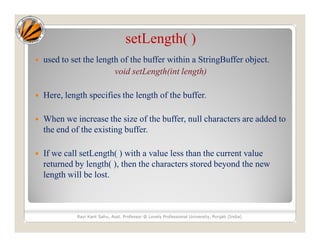
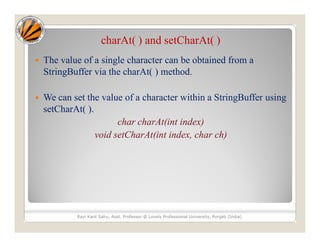
![getChars( )
getChars( ) method is used to copy a substring of a
StringBuffer into an array.
void getChars(int sourceStart, int sourceEnd, char target[ ],
int targetStart)
Ravi Kant Sahu, Asst. Professor @ Lovely Professional University, Punjab (India)](https://image.slidesharecdn.com/stringhandlingstringbufferclass-130919112440-phpapp02/85/String-handling-string-buffer-class-10-320.jpg)
![Example
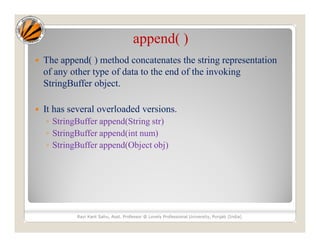
class appendDemo {
public static void main(String args[]) {
String s;
int a = 42;
StringBuffer sb = new StringBuffer(40);
s = sb.append("a = ").append(a).append("!")
.toString();
System.out.println(s);
}
}
Ravi Kant Sahu, Asst. Professor @ Lovely Professional University, Punjab (India)](https://image.slidesharecdn.com/stringhandlingstringbufferclass-130919112440-phpapp02/85/String-handling-string-buffer-class-12-320.jpg)
![Example
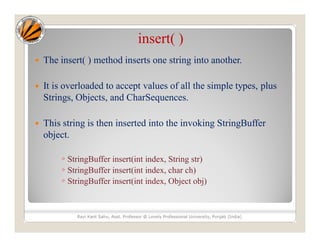
class insertDemo {
public static void main(String args[]) {
StringBuffer sb = new StringBuffer("I Java!");
sb.insert(2, "like ");
System.out.println(sb);
}
}
Ravi Kant Sahu, Asst. Professor @ Lovely Professional University, Punjab (India)](https://image.slidesharecdn.com/stringhandlingstringbufferclass-130919112440-phpapp02/85/String-handling-string-buffer-class-14-320.jpg)
![reverse( )
Used to reverse the characters within a StringBuffer object.
This method returns the reversed object on which it was
called.
Example:
class ReverseDemo {
public static void main(String args[]) {
StringBuffer s = new StringBuffer(“Banana");
System.out.println(s);
s.reverse();
System.out.println(s);
}
}
Ravi Kant Sahu, Asst. Professor @ Lovely Professional University, Punjab (India)](https://image.slidesharecdn.com/stringhandlingstringbufferclass-130919112440-phpapp02/85/String-handling-string-buffer-class-15-320.jpg)

![Example
class deleteDemo {
public static void main(String args[]) {
StringBuffer sb = new StringBuffer(“She is not a good girl.”);
sb.delete(7, 11);
System.out.println("After delete: " + sb);
sb.deleteCharAt(7);
System.out.println("After deleteCharAt: " + sb);
}
}
Ravi Kant Sahu, Asst. Professor @ Lovely Professional University, Punjab (India)](https://image.slidesharecdn.com/stringhandlingstringbufferclass-130919112440-phpapp02/85/String-handling-string-buffer-class-17-320.jpg)
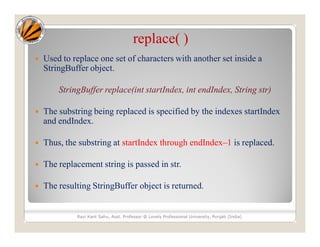
![Example
class replaceDemo {
public static void main(String args[]) {
StringBuffer sb = new StringBuffer("This is a test.");
sb.replace(5, 7, "was");
System.out.println("After replace: " + sb);
}
}
Ravi Kant Sahu, Asst. Professor @ Lovely Professional University, Punjab (India)](https://image.slidesharecdn.com/stringhandlingstringbufferclass-130919112440-phpapp02/85/String-handling-string-buffer-class-19-320.jpg)
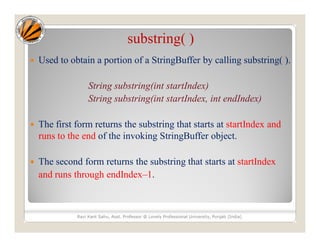


![StringBuffer Methods
length( ) and capacity( )
The current length of a StringBuffer can be found via the length( ) method,
while the total allocated capacity can be found through the capacity( )
method.
int length( )
int capacity( )
Example:
class StringBufferDemo {
public static void main(String args[]) {
StringBuffer sb = new StringBuffer(“New Zealand");
System.out.println("length = " + sb.length());
System.out.println("capacity = " + sb.capacity());
}
}
Ravi Kant Sahu, Asst. Professor @ Lovely Professional University, Punjab (India)](/p?url=https%3A%2F%2Fimage.slidesharecdn.com%2Fstringhandlingstringbufferclass-130919112440-phpapp02%2F85%2FString-handling-string-buffer-class-6-320.jpg&__src=https%3A%2F%2Fwww.slideshare.net%2Fslideshow%2Fstring-handlingstring-buffer-class%2F26353401&__type=image)


![getChars( )
getChars( ) method is used to copy a substring of a
StringBuffer into an array.
void getChars(int sourceStart, int sourceEnd, char target[ ],
int targetStart)
Ravi Kant Sahu, Asst. Professor @ Lovely Professional University, Punjab (India)](/p?url=https%3A%2F%2Fimage.slidesharecdn.com%2Fstringhandlingstringbufferclass-130919112440-phpapp02%2F85%2FString-handling-string-buffer-class-10-320.jpg&__src=https%3A%2F%2Fwww.slideshare.net%2Fslideshow%2Fstring-handlingstring-buffer-class%2F26353401&__type=image)

![Example
class appendDemo {
public static void main(String args[]) {
String s;
int a = 42;
StringBuffer sb = new StringBuffer(40);
s = sb.append("a = ").append(a).append("!")
.toString();
System.out.println(s);
}
}
Ravi Kant Sahu, Asst. Professor @ Lovely Professional University, Punjab (India)](/p?url=https%3A%2F%2Fimage.slidesharecdn.com%2Fstringhandlingstringbufferclass-130919112440-phpapp02%2F85%2FString-handling-string-buffer-class-12-320.jpg&__src=https%3A%2F%2Fwww.slideshare.net%2Fslideshow%2Fstring-handlingstring-buffer-class%2F26353401&__type=image)

![Example
class insertDemo {
public static void main(String args[]) {
StringBuffer sb = new StringBuffer("I Java!");
sb.insert(2, "like ");
System.out.println(sb);
}
}
Ravi Kant Sahu, Asst. Professor @ Lovely Professional University, Punjab (India)](/p?url=https%3A%2F%2Fimage.slidesharecdn.com%2Fstringhandlingstringbufferclass-130919112440-phpapp02%2F85%2FString-handling-string-buffer-class-14-320.jpg&__src=https%3A%2F%2Fwww.slideshare.net%2Fslideshow%2Fstring-handlingstring-buffer-class%2F26353401&__type=image)
![reverse( )
Used to reverse the characters within a StringBuffer object.
This method returns the reversed object on which it was
called.
Example:
class ReverseDemo {
public static void main(String args[]) {
StringBuffer s = new StringBuffer(“Banana");
System.out.println(s);
s.reverse();
System.out.println(s);
}
}
Ravi Kant Sahu, Asst. Professor @ Lovely Professional University, Punjab (India)](/p?url=https%3A%2F%2Fimage.slidesharecdn.com%2Fstringhandlingstringbufferclass-130919112440-phpapp02%2F85%2FString-handling-string-buffer-class-15-320.jpg&__src=https%3A%2F%2Fwww.slideshare.net%2Fslideshow%2Fstring-handlingstring-buffer-class%2F26353401&__type=image)

![Example
class deleteDemo {
public static void main(String args[]) {
StringBuffer sb = new StringBuffer(“She is not a good girl.”);
sb.delete(7, 11);
System.out.println("After delete: " + sb);
sb.deleteCharAt(7);
System.out.println("After deleteCharAt: " + sb);
}
}
Ravi Kant Sahu, Asst. Professor @ Lovely Professional University, Punjab (India)](/p?url=https%3A%2F%2Fimage.slidesharecdn.com%2Fstringhandlingstringbufferclass-130919112440-phpapp02%2F85%2FString-handling-string-buffer-class-17-320.jpg&__src=https%3A%2F%2Fwww.slideshare.net%2Fslideshow%2Fstring-handlingstring-buffer-class%2F26353401&__type=image)

![Example
class replaceDemo {
public static void main(String args[]) {
StringBuffer sb = new StringBuffer("This is a test.");
sb.replace(5, 7, "was");
System.out.println("After replace: " + sb);
}
}
Ravi Kant Sahu, Asst. Professor @ Lovely Professional University, Punjab (India)](/p?url=https%3A%2F%2Fimage.slidesharecdn.com%2Fstringhandlingstringbufferclass-130919112440-phpapp02%2F85%2FString-handling-string-buffer-class-19-320.jpg&__src=https%3A%2F%2Fwww.slideshare.net%2Fslideshow%2Fstring-handlingstring-buffer-class%2F26353401&__type=image)


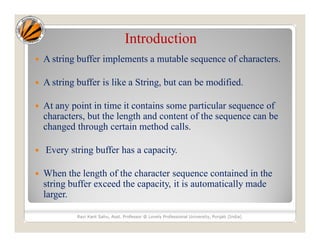
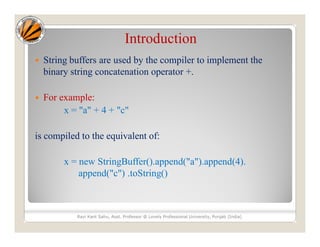
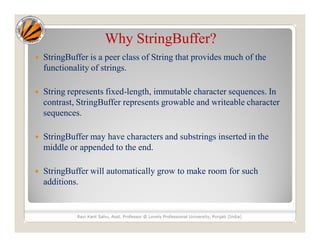
StringBuffer implements a mutable sequence of characters that can be modified unlike strings. It has methods to modify the character sequence such as append, insert, delete and replace. It can grow dynamically as characters are added and its methods are used by the compiler to implement string concatenation with the + operator.


