1
Introduction to Programming
with Python
Session-I
Outline
 Why Python
 History
 Features
 Installing Python & Using with Eclipse
 Working With Python interactive shell
 Variables
 Datatypes
 Assignments
 Input/output
 Comments
 Id & type functions
2
Why Python
World wide Python Users
 Web Development--Yahoo Groups, Google, Shopzilla
 Games--Battlefield 2, The Temple of Elemental Evil, Vampire
 Graphics--Walt Disney Feature Animation, Blender 3D
 Science– National Weather Service, NASA, Environmental System
Research Institute
 Who uses Python?
 Google
 PBS
 NASA
 Library of Congress
 Instagram
 Dropbox
 Pinterest
...the list goes on...
3
Why Python
 Easy – to – learn.
 Code is 3-5 times shorter than Java.
 5-10 times shorter than C++.
 Since it allows you to express very powerful ideas in very
few lines of code while being very readable.
 Therefore maintainability is high.
 Stepping Stone to Programming universe.
 Python code is often said to be almost like pseudocode.
Facts about Python
 Python’s methodologies can be used in a broad range of
applications.
 Bridging the Gap between abstract computing and real world
applications.
 Rising Demand for Python Programmers.
 Google, Nokia, Disney, Yahoo, IBM use Python.
 Not only a Scripting language, also supports Web
Development and Database Connectivity.
Google-Fuchsia
7
Fuchsia is written in Go, Rust, Dart, C, C++ and Python, unlike Android,
which is mainly written in Java.
**https://www.quora.com/How-different-will-Googles-new-OS-Fuchsia-be-from-others
Google is dumping Linux and the GPL and most likely Java and all the
problems they have had with Oracle. The actual operating system will be
very different in how Android was designed, but Google worked on
Android, therefore many things will also be the same/similar.
Python-Releases
 Python 1.0 - January 1994
 Python 1.5 - December 31, 1997
 Python 1.6 - September 5, 2000
 Python 2.0 - October 16, 2000
 Python 2.1 - April 17, 2001
 Python 2.2 - December 21, 2001
 Python 2.3 - July 29, 2003
 Python 2.4 - November 30, 2004
 Python 2.5 - September 19, 2006
 Python 2.6 - October 1, 2008
 Python 2.7 - July 3, 2010
 Python 3.0 - December 3, 2008
 Python 3.1 - June 27, 2009
 Python 3.2 - February 20, 2011
 Python 3.3 - September 29, 2012
 Python 3.4 - March 16, 2014
 Python 3.5 - September 13, 2015
 Python 3.6 - December 23, 2016
9
1. Python is a high-level, interpreted, Interactive
dynamically typed, multi paradigm programming
language.
2. Open- Source, Object - Oriented, procedural and
functional.
3. Very rich scientific computing libraries.
4. Well thought out language, allowing to write very readable
and well structured code: we “code what we think”.
Features
Installing Python
 Download Python from www.python.org
 Any version will do for this class
 By and large they are all mutually compatible
 Recommended version: 3.x ..latest 3.6 (32 bit or 64 bit)
 Recommended 64 bit
 Use IDLE or IDE
11
Interactive Shell-Python IDLE (GUI)
12
13
A Code Sample (in IDLE)
x
y
=
=
34 - 23
“Hello”
# A comment.
# Another one.
z = 3.45
if z == 3.45 or y == “Hello”:
x = x + 1
y = y + “ World” # String
concat.
print x
print y
Interactive Shell-Python Command Line
14
Data Type/variables/Assignment
Dynamic Typing-
Java: statically typed
 Variables are declared to refer to objects of a given type
 Methods use type signatures to enforce contracts
Python
 Variables come into existence when first assigned to
 A variable can refer to an object of any type
 All types are (almost) treated the same way
 Main drawback: type errors are only caught at
runtime
15
16
Assignment
 Binding a variable in Python means setting a
name to hold a reference to some object.
 Assignment creates references, not copies (like Java)
 A variable is created the first time it appears on
the left side of an assignment expression:
x = 3
 An object is deleted (by the garbage collector).
 Names in Python do not have an intrinsic type.
Objects have types.
 Python determines the type of the reference automatically
based on what data is assigned to it.
17
(Multiple Assignment)
 You can also assign to multiple names at the same time.
>>> x, y = 2, 3
>>> x 2
>>> y
3
18
Variables
 variable: A named piece of memory that can store a value.
 Usage:
 Compute an expression's result,
 store that result into a variable,
 and use that variable later in the program.
 assignment statement: Stores a value into a variable.
 Syntax:
name = value
 Examples: x = 5
gpa = 3.14
x 5 gpa 3.14
 A variable that has been given a value can be used in expressions.
x + 4 is 9
 Exercise: Evaluate the quadratic equation for a given a, b, and c.
19
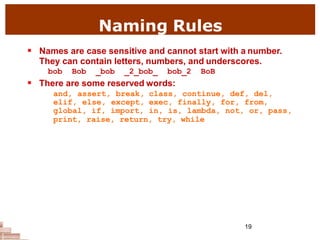
Naming Rules
 Names are case sensitive and cannot start with a number.
They can contain letters, numbers, and underscores.
bob Bob _bob _2_bob_ bob_2 BoB
 There are some reserved words:
and, assert, break,
elif, else, except,
global, if, import,
class, continue, def, del,
exec, finally, for, from,
in, is, lambda, not, or, pass,
print, raise, return, try, while
Everything is an object
 Everything means
everything,
including functions
and classes (more
on this later!)
 Data type is a
property of the
object and not of
the variable
>>> x = 7
>>> x
7
>>> x = 'hello'
>>> x
'hello'
>>>
Numbers: Integers
 Integer – the
equivalent of a C long
 Long Integer – an
unbounded integer
value.
>>> 132224
132224
>>> 132323 **
2
17509376329L
>>>
Numbers: Floating Point
 int(x) converts x to
an integer
 float(x) converts x
to a floating point
 The interpreter
shows
a lot of digits
>>> 1.23232
1.2323200000000001
>>> print 1.23232
1.23232
>>> 1.3E7
13000000.0
>>> int(2.0)
2
>>> float(2)
2.0
Numbers: Floating Point
Numbers: Complex
 Built into Python
 Same operations are
supported as integer
and float
>>> x = 3 + 2j
>>> y = -1j
>>> x + y
(3+1j)
>>> x * y
(2-3j)
Numbers are immutable
>>> x = 4.5
>>> y = x
>>> y += 3
>>> x
4.5
>>> y
7.5
x 4.5
y
x 4.5
y 7.5
String Literals
 Strings are
immutable
 There is no char type
like in C++ or Java
 + is overloaded to do
concatenation
>>> x = 'hello'
>>> x = x + ' there'
>>> x
'hello there'
String Literals: Many Kinds
 Can use single or double quotes, and three
double quotes for a multi-line string
>>> 'I am a string'
'I am a string'
>>> "So am I!"
'So am I!'
>>> s = """And me too!
though I am much longer
than the others :)"""
'And me too!nthough I am much longernthan the
others :)‘
>>> print s
And me too!
though I am much longer
than the others :)‘
Lists
 Ordered collection of
data
 Data can be of
different types
 Lists are mutable
 Issues with shared
references and
mutability
 Same subset
operations as Strings
>>> x = [1,'hello', (3 + 2j)]
>>> x
[1, 'hello', (3+2j)]
>>> x[2]
(3+2j)
>>> x[0:2]
[1, 'hello']
Tuples
 Tuples are immutable
versions of lists
 One strange point is
the format to make a
tuple with one
element:
‘,’ is needed to
differentiate from the
mathematical
expression (2)
>>> x = (1,2,3)
>>> x[1:]
(2, 3)
>>> y = (2,)
>>> y
(2,)
>>>
Dictionaries
 A set of key-value pairs
 Dictionaries are mutable
>>> d = {1 : 'hello', 'two' : 42, 'blah' :
[1,2,3]}
>>> d
{1: 'hello', 'two': 42, 'blah': [1, 2, 3]}
>>> d['blah']
[1, 2, 3]
Data Type Summary
 Lists, Tuples, and Dictionaries can store
any type (including other lists, tuples,
and dictionaries!)
 Only lists and dictionaries are mutable
 All variables are references
Data Type Summary
 Integers: 2323, 3234L
 Floating Point: 32.3, 3.1E2
 Complex: 3 + 2j, 1j
 Lists: l = [ 1,2,3]
 Tuples: t = (1,2,3)
 Dictionaries: d = {‘hello’ : ‘there’, 2 : 15}
Input
 The input(string) method returns a line
of user input as a string
 The parameter is used as a prompt
 The string can be converted by using the
conversion methods int(string) converts
to int, float(string) converts to float or
eval(string) converts and evaluates
expressions etc.
Comments
33
Multiline Statements
34
35
Expressions
 expression: A data value or set of operations to compute a value.
Examples: 1 + 4 * 3
42
 Arithmetic operators we will use:
 + - * / addition, subtraction/negation, multiplication, division
 % modulus, a.k.a. remainder
 ** exponentiation
 precedence: Order in which operations are computed.
 * / % ** have a higher precedence than + -
1 + 3 * 4 is 13
 Parentheses can be used to force a certain order of evaluation.
(1 + 3) * 4 is 16
36
Math commands
 Python has useful commands for performing calculations.
 To use many of these commands, you must write the following at
the top of your Python program:
from math import *
Command name Description
abs(value) absolute value
ceil(value) rounds up
cos(value) cosine, in radians
floor(value) rounds down
log(value) logarithm, base e
log10(value) logarithm, base 10
max(value1, value2) larger of two values
min(value1, value2) smaller of two values
round(value) nearest whole number
sin(value) sine, in radians
sqrt(value) square root
Constant Description
e 2.7182818...
pi 3.1415926...
37
 print : Produces text output on the console.
 Syntax:
print "Message"
print Expression
 Prints the given text message or expression value on the console, and
moves the cursor down to the next line.
print Item1, Item2, ..., ItemN
 Prints several messages and/or expressions on the same line.
 Examples:
print("Hello, world!“)
age = 45
print ("You have", 65 - age, "years until retirement“)
Output:
Hello, world!
You have 20 years until retirement
print
Operators
38
Arithmetic Operators
39
Relational Operators
40
Assignment Operators
41
Bitwise Operators
42
Logical Operators
43
Membership & Identity
44
id() function
45
type() Function
46