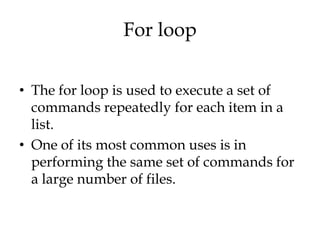
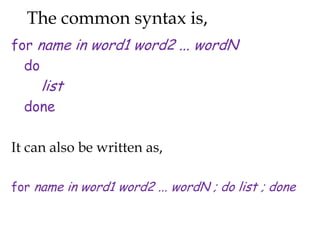
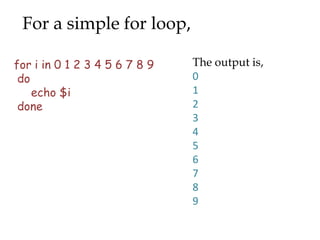
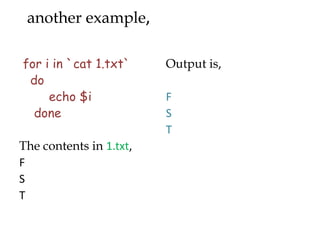
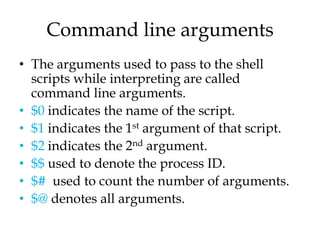
This document discusses various looping conditions and command line arguments in programming. It covers while loops, for loops, nested loops, and examples of each. While loops repeat a block of code until a condition is false. For loops iterate over items in a list. Nested loops contain one loop within the body of another. Command line arguments allow passing of variables to scripts, with $0-$$ representing the script name and arguments.
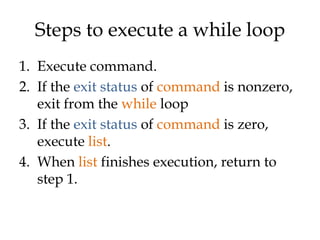
![For example,
The output looks like,
x=0 0
while [ $x –lt 10 ] 1
do 2
echo $x 3
x=`echo “$x + 1” | bc` 4
done 5
6
7
8
9](https://image.slidesharecdn.com/scripting-ppt-130205070926-phpapp01/85/Scripting-ppt-6-320.jpg)
![Example(2)
c=1 Output,
while [ $c -le 5 ] Welcome 1 times
do Welcome 2 times
echo "Welcome $c Welcome 3 times
times" Welcome 4 times
(( c++ )) Welcome 5 times
done](https://image.slidesharecdn.com/scripting-ppt-130205070926-phpapp01/85/Scripting-ppt-7-320.jpg)
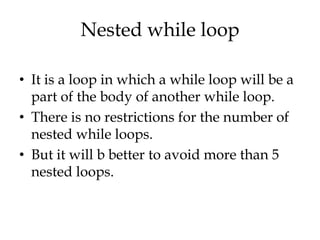
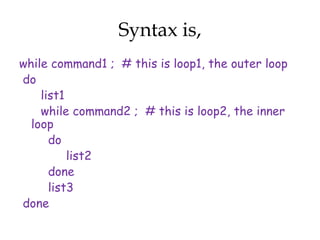
![Example,
x=0
while [ "$x" -lt 10 ] ; # this is loop1
do
y="$x"
while [ "$y" -ge 0 ] ; # this is loop2
do
echo "$y c"
y=´echo "$y - 1" | bc´
done
echo
x=´echo "$x + 1" | bc´
done](https://image.slidesharecdn.com/scripting-ppt-130205070926-phpapp01/85/Scripting-ppt-10-320.jpg)
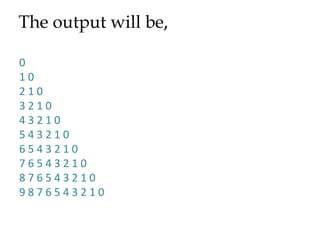
![Example(3)
alphabet="a b c d e" Output,
count=0 a
for letter in $alphabet
b
do
count=`expr $count + 1` c
echo "Letter $count is d
[$letter]" e
done](https://image.slidesharecdn.com/scripting-ppt-130205070926-phpapp01/85/Scripting-ppt-16-320.jpg)
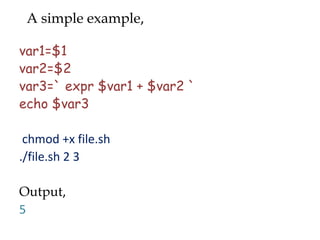
![Using argument status,
var1=$1 chmod +x file1.sh
var2=$2 ./file1.sh 2 3
var3=`expr $var1 + output,
$var2` 5
if [$# -ne 2 ]
then ./file1.sh 2 3 4
echo “no” Output,
exit 1 no
else
echo $var3
fi](https://image.slidesharecdn.com/scripting-ppt-130205070926-phpapp01/85/Scripting-ppt-19-320.jpg)



![For example,
The output looks like,
x=0 0
while [ $x –lt 10 ] 1
do 2
echo $x 3
x=`echo “$x + 1” | bc` 4
done 5
6
7
8
9](/p?url=https%3A%2F%2Fimage.slidesharecdn.com%2Fscripting-ppt-130205070926-phpapp01%2F85%2FScripting-ppt-6-320.jpg&__src=https%3A%2F%2Fwww.slideshare.net%2Fslideshow%2Fscripting-ppt%2F16359553&__type=image)
![Example(2)
c=1 Output,
while [ $c -le 5 ] Welcome 1 times
do Welcome 2 times
echo "Welcome $c Welcome 3 times
times" Welcome 4 times
(( c++ )) Welcome 5 times
done](/p?url=https%3A%2F%2Fimage.slidesharecdn.com%2Fscripting-ppt-130205070926-phpapp01%2F85%2FScripting-ppt-7-320.jpg&__src=https%3A%2F%2Fwww.slideshare.net%2Fslideshow%2Fscripting-ppt%2F16359553&__type=image)


![Example,
x=0
while [ "$x" -lt 10 ] ; # this is loop1
do
y="$x"
while [ "$y" -ge 0 ] ; # this is loop2
do
echo "$y c"
y=´echo "$y - 1" | bc´
done
echo
x=´echo "$x + 1" | bc´
done](/p?url=https%3A%2F%2Fimage.slidesharecdn.com%2Fscripting-ppt-130205070926-phpapp01%2F85%2FScripting-ppt-10-320.jpg&__src=https%3A%2F%2Fwww.slideshare.net%2Fslideshow%2Fscripting-ppt%2F16359553&__type=image)


![Example(3)
alphabet="a b c d e" Output,
count=0 a
for letter in $alphabet
b
do
count=`expr $count + 1` c
echo "Letter $count is d
[$letter]" e
done](/p?url=https%3A%2F%2Fimage.slidesharecdn.com%2Fscripting-ppt-130205070926-phpapp01%2F85%2FScripting-ppt-16-320.jpg&__src=https%3A%2F%2Fwww.slideshare.net%2Fslideshow%2Fscripting-ppt%2F16359553&__type=image)


![Using argument status,
var1=$1 chmod +x file1.sh
var2=$2 ./file1.sh 2 3
var3=`expr $var1 + output,
$var2` 5
if [$# -ne 2 ]
then ./file1.sh 2 3 4
echo “no” Output,
exit 1 no
else
echo $var3
fi](/p?url=https%3A%2F%2Fimage.slidesharecdn.com%2Fscripting-ppt-130205070926-phpapp01%2F85%2FScripting-ppt-19-320.jpg&__src=https%3A%2F%2Fwww.slideshare.net%2Fslideshow%2Fscripting-ppt%2F16359553&__type=image)


![[2019] 아직도 돈 주고 DB 쓰나요? for Developer](https://cdn.slidesharecdn.com/ss_thumbnails/nhnforward201932-200122100331-thumbnail.jpg?width=640&height=640&fit=bounds)


![[GDG-Fremont] Building Multi-Agentic ecosystem using Gemini.pdf](https://cdn.slidesharecdn.com/ss_thumbnails/gdg-fremontbuildingmulti-agenticecosystemusinggemini-260601215542-0431b465-thumbnail.jpg?width=640&height=640&fit=bounds)


