Pandas
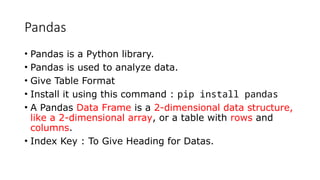
• Pandas isa Python library.
• Pandas is used to analyze data.
• Give Table Format
• Install it using this command : pip install pandas
• A Pandas Data Frame is a 2-dimensional data structure,
like a 2-dimensional array, or a table with rows and
columns.
• Index Key : To Give Heading for Datas.
3.
Pandas Series
• importpandas as pd
print(pd.__version__)
• A Pandas Series is like a column in a table.
• It is a one-dimensional array holding data of any type.
• import pandas as pd
a = [1, 7, 2]
myvar = pd.Series(a)
print(myvar)
4.
Numpy
• NumPy isa Python library.
• NumPy is used for working with arrays.
• Installation of NumPy: pip install numpy
• import numpy
arr = numpy.array([1, 2, 3, 4, 5])
print(arr)
Size
Range
Resize
nDim
concat
5.
Tabulate
• Module toprint the data as Table Format with Grid.
• We only have to specify the data, and the column names to the tabulate() function from this module,
and it will do the rest.
• from tabulate import tabulate
Using Platform
List
Panda
Numpy
Header Key : To Highlights the Heads.
Tablefmt Key : It will give grid lines between the data.
Showindex key : Serial Number will added [ Default Commands : True , False , Always ].
Compiler name : https://www.tutorialspoint.com/execute_python_online.php
6.
Matplotlib
• Matplotlib isa low level graph plotting library in python that serves
as a visualization utility.
• Install it using this command: pip install matplotlib
• import matplotlib.pyplot as plt
import numpy as np
xpoints = np.array([0, 6])
ypoints = np.array([0, 250])
A=np.array([0, 6]) ([0, 250])
plt.plot(xpoints, ypoints)
plt.show()
7.
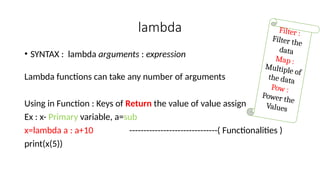
lambda
• SYNTAX :lambda arguments : expression
Lambda functions can take any number of arguments
Using in Function : Keys of Return the value of value assign
Ex : x- Primary variable, a=sub
x=lambda a : a+10 -------------------------------( Functionalities )
print(x(5))
Filter :
Filter the
data
Map :
Multiple of
the data
Pow :
Power the
Values
8.
PILLOW
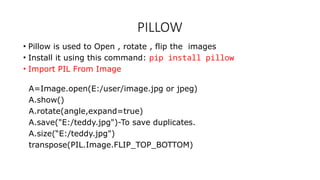
• Pillow isused to Open , rotate , flip the images
• Install it using this command: pip install pillow
• Import PIL From Image
A=Image.open(E:/user/image.jpg or jpeg)
A.show()
A.rotate(angle,expand=true)
A.save("E:/teddy.jpg")-To save duplicates.
A.size(“E:/teddy.jpg")
transpose(PIL.Image.FLIP_TOP_BOTTOM)
9.
Turtleis a Pythonfeature like a drawing Objects
Turtle comes into the turtle library. The turtle module can be used in both object-
oriented and procedure-oriented ways.
forward(length): moves the pen in the forward direction by x unit.
backward(length): moves the pen in the backward direction by x unit.
right(angle): rotate the pen in the clockwise direction by an angle x.
left(angle): rotate the pen in the anticlockwise direction by an angle x.
penup(): stop drawing of the turtle pen.
pendown(): start drawing of the turtle pen.
turtle.done () : Finish Draft
import Turtle Screen Creation : A=turtle.Turtle()
10.
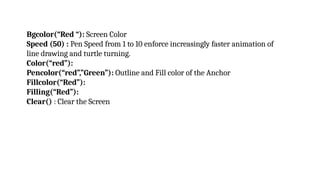
Bgcolor(“Red “): ScreenColor
Speed (50) : Pen Speed from 1 to 10 enforce increasingly faster animation of
line drawing and turtle turning.
Color(“red”):
Pencolor(“red”,”Green”): Outline and Fill color of the Anchor
Fillcolor(“Red”):
Filling(“Red”):
Clear() : Clear the Screen
11.
Statistical Module :DataFrame
• Syntax : from statistics import median
• Median or Mean [% -Key ]
• It is the middle value of the data set. It splits the data into two halves.
median() function is used to calculate the median, i.e middle element
of data. If the passed argument is empty, StatisticsError is raised.
IMPORT FROM MODULE:
•Import only the required part of module.
• By using "from" Keyword.
• Access the definitions inside the module with the help of dot operator.
Ex:
• No = {1,2,3,4,5,6}
import modules
S=m.No
print(S)
14.
Renaming an module:
•You can rename the module name with the help of as keyword.
Ex:
import module1 as m1
a=m1.person["age"]
print(a)
15.
Math Module:
• Itis an built-in module .
• Which extends the list of mathematical functions.
import math
• math.ceil() - rounds a number upwards to its nearest integer
• math.floor() - rounds a number downwards to its nearest integer
• Math.fabs () - ExactValue
• math.pi - returns the value of PI (3.14...)
• abs()- it returns absolute positive value
• pow(x, y) – it returns the value of x to the power of y (xy
).
16.
Calendar Module:
Python hasan built-in module named Calendar that contains useful
classes and functions to support a variety of calendar operations.
import calendar
calendar.month(yyyy, m, w, l)
The arguments passed to this function are the year (yyyy), month (m),
date column width (w), and the number of lines per week (l),
respectively.
Ex : print ("Calendar of March 2022 is:") print (calendar.month(2022, 3,
2, 1))
Date Module:
• Adate in Python is not a data type of its own.
• But we can import a module named “datetime”.
• It displays the current date.
import datetime
Creating Date Objects
• To create a date, we can use the datetime() class (constructor) of the datetime module.
• It requires three parameters to create a date: year, month, day.
Ex:
import datetime
x = datetime.datetime(2020, 5, 17)
print(x)
19.
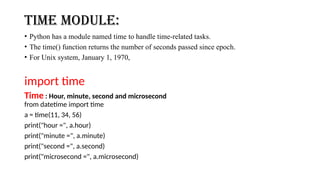
time Module:
• Pythonhas a module named time to handle time-related tasks.
• The time() function returns the number of seconds passed since epoch.
• For Unix system, January 1, 1970,
import time
Time : Hour, minute, second and microsecond
from datetime import time
a = time(11, 34, 56)
print("hour =", a.hour)
print("minute =", a.minute)
print("second =", a.second)
print("microsecond =", a.microsecond)
20.
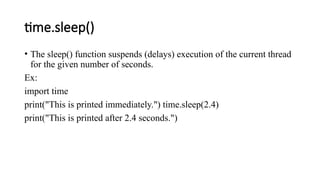
time.sleep()
• The sleep()function suspends (delays) execution of the current thread
for the given number of seconds.
Ex:
import time
print("This is printed immediately.") time.sleep(2.4)
print("This is printed after 2.4 seconds.")
21.
datetime.timedelta
• A timedeltaobject represents the difference between two dates or
times.
Ex:
from datetime import datetime, date
t1 = date(year = 2018, month = 7, day = 12)
t2 = date(year = 2017, month = 12, day = 23)
t3 = t1 - t2 print("t3 =", t3)
22.
Keywords
• %a -Weekday, short version
• %A - Weekday, full version
• %w - Weekday as a number 0-6, 0 is Sunday
• %d - Day of month 01-31
• %b - Month name, short version
• %B - Month name, full version
• %m - Month as a number 01-12
• %y - Year, short version, without century
• %Y - Year, full version
23.
• %H -Hour 00-23
• %I - Hour 00-12
• %p - AM/PM
• %M - Minute 00-59
• %S - Second 00-59
• %f - Microsecond 000000-999999
• %z - UTC offset(+0100)
• %Z - Timezone
• %j - Day number of year 001-366
24.
• %U -Week number of year, Sunday as the first day of week, 00-53
• %W - Week number of year, Monday as the first day of week, 00-53
• %c - Local version of date and time
• %x - Local version of date
• %X - Local version of time
• %% - A % character(%)
• %G - ISO 8601 year(2021)
• %u - ISO 8601 weekday (1-7)
• %V - ISO 8601 weeknumber (01-53)
![Python
Library Function
Pandas
Numpy
MatplotLib
Pillow
Lambda
Turtle
Data Frame Statically
Tabulate
Packages [ Modules ]
Math Modules
Date
Time
Calendar
Import Modules](https://image.slidesharecdn.com/python-levelii1-260125154950-3ee04441/85/Python-programming-language-beginners-guide-1-320.jpg)
![Pandas Series
• import pandas as pd
print(pd.__version__)
• A Pandas Series is like a column in a table.
• It is a one-dimensional array holding data of any type.
• import pandas as pd
a = [1, 7, 2]
myvar = pd.Series(a)
print(myvar)](https://image.slidesharecdn.com/python-levelii1-260125154950-3ee04441/85/Python-programming-language-beginners-guide-3-320.jpg)
![Numpy
• NumPy is a Python library.
• NumPy is used for working with arrays.
• Installation of NumPy: pip install numpy
• import numpy
arr = numpy.array([1, 2, 3, 4, 5])
print(arr)
Size
Range
Resize
nDim
concat](https://image.slidesharecdn.com/python-levelii1-260125154950-3ee04441/85/Python-programming-language-beginners-guide-4-320.jpg)
![Tabulate
• Module to print the data as Table Format with Grid.
• We only have to specify the data, and the column names to the tabulate() function from this module,
and it will do the rest.
• from tabulate import tabulate
Using Platform
List
Panda
Numpy
Header Key : To Highlights the Heads.
Tablefmt Key : It will give grid lines between the data.
Showindex key : Serial Number will added [ Default Commands : True , False , Always ].
Compiler name : https://www.tutorialspoint.com/execute_python_online.php](https://image.slidesharecdn.com/python-levelii1-260125154950-3ee04441/85/Python-programming-language-beginners-guide-5-320.jpg)
![Matplotlib
• Matplotlib is a low level graph plotting library in python that serves
as a visualization utility.
• Install it using this command: pip install matplotlib
• import matplotlib.pyplot as plt
import numpy as np
xpoints = np.array([0, 6])
ypoints = np.array([0, 250])
A=np.array([0, 6]) ([0, 250])
plt.plot(xpoints, ypoints)
plt.show()](https://image.slidesharecdn.com/python-levelii1-260125154950-3ee04441/85/Python-programming-language-beginners-guide-6-320.jpg)

![Statistical Module :Data Frame
• Syntax : from statistics import median
• Median or Mean [% -Key ]
• It is the middle value of the data set. It splits the data into two halves.
median() function is used to calculate the median, i.e middle element
of data. If the passed argument is empty, StatisticsError is raised.](https://image.slidesharecdn.com/python-levelii1-260125154950-3ee04441/85/Python-programming-language-beginners-guide-11-320.jpg)

![Renaming an module:
• You can rename the module name with the help of as keyword.
Ex:
import module1 as m1
a=m1.person["age"]
print(a)](https://image.slidesharecdn.com/python-levelii1-260125154950-3ee04441/85/Python-programming-language-beginners-guide-14-320.jpg)

![Python
Library Function
Pandas
Numpy
MatplotLib
Pillow
Lambda
Turtle
Data Frame Statically
Tabulate
Packages [ Modules ]
Math Modules
Date
Time
Calendar
Import Modules](/p?url=https%3A%2F%2Fimage.slidesharecdn.com%2Fpython-levelii1-260125154950-3ee04441%2F85%2FPython-programming-language-beginners-guide-1-320.jpg&__src=https%3A%2F%2Fwww.slideshare.net%2Fslideshow%2Fpython-programming-language-beginners-guide%2F285524427&__type=image)

![Pandas Series
• import pandas as pd
print(pd.__version__)
• A Pandas Series is like a column in a table.
• It is a one-dimensional array holding data of any type.
• import pandas as pd
a = [1, 7, 2]
myvar = pd.Series(a)
print(myvar)](/p?url=https%3A%2F%2Fimage.slidesharecdn.com%2Fpython-levelii1-260125154950-3ee04441%2F85%2FPython-programming-language-beginners-guide-3-320.jpg&__src=https%3A%2F%2Fwww.slideshare.net%2Fslideshow%2Fpython-programming-language-beginners-guide%2F285524427&__type=image)
![Numpy
• NumPy is a Python library.
• NumPy is used for working with arrays.
• Installation of NumPy: pip install numpy
• import numpy
arr = numpy.array([1, 2, 3, 4, 5])
print(arr)
Size
Range
Resize
nDim
concat](/p?url=https%3A%2F%2Fimage.slidesharecdn.com%2Fpython-levelii1-260125154950-3ee04441%2F85%2FPython-programming-language-beginners-guide-4-320.jpg&__src=https%3A%2F%2Fwww.slideshare.net%2Fslideshow%2Fpython-programming-language-beginners-guide%2F285524427&__type=image)
![Tabulate
• Module to print the data as Table Format with Grid.
• We only have to specify the data, and the column names to the tabulate() function from this module,
and it will do the rest.
• from tabulate import tabulate
Using Platform
List
Panda
Numpy
Header Key : To Highlights the Heads.
Tablefmt Key : It will give grid lines between the data.
Showindex key : Serial Number will added [ Default Commands : True , False , Always ].
Compiler name : https://www.tutorialspoint.com/execute_python_online.php](/p?url=https%3A%2F%2Fimage.slidesharecdn.com%2Fpython-levelii1-260125154950-3ee04441%2F85%2FPython-programming-language-beginners-guide-5-320.jpg&__src=https%3A%2F%2Fwww.slideshare.net%2Fslideshow%2Fpython-programming-language-beginners-guide%2F285524427&__type=image)
![Matplotlib
• Matplotlib is a low level graph plotting library in python that serves
as a visualization utility.
• Install it using this command: pip install matplotlib
• import matplotlib.pyplot as plt
import numpy as np
xpoints = np.array([0, 6])
ypoints = np.array([0, 250])
A=np.array([0, 6]) ([0, 250])
plt.plot(xpoints, ypoints)
plt.show()](/p?url=https%3A%2F%2Fimage.slidesharecdn.com%2Fpython-levelii1-260125154950-3ee04441%2F85%2FPython-programming-language-beginners-guide-6-320.jpg&__src=https%3A%2F%2Fwww.slideshare.net%2Fslideshow%2Fpython-programming-language-beginners-guide%2F285524427&__type=image)


![Statistical Module :Data Frame
• Syntax : from statistics import median
• Median or Mean [% -Key ]
• It is the middle value of the data set. It splits the data into two halves.
median() function is used to calculate the median, i.e middle element
of data. If the passed argument is empty, StatisticsError is raised.](/p?url=https%3A%2F%2Fimage.slidesharecdn.com%2Fpython-levelii1-260125154950-3ee04441%2F85%2FPython-programming-language-beginners-guide-11-320.jpg&__src=https%3A%2F%2Fwww.slideshare.net%2Fslideshow%2Fpython-programming-language-beginners-guide%2F285524427&__type=image)


![Renaming an module:
• You can rename the module name with the help of as keyword.
Ex:
import module1 as m1
a=m1.person["age"]
print(a)](/p?url=https%3A%2F%2Fimage.slidesharecdn.com%2Fpython-levelii1-260125154950-3ee04441%2F85%2FPython-programming-language-beginners-guide-14-320.jpg&__src=https%3A%2F%2Fwww.slideshare.net%2Fslideshow%2Fpython-programming-language-beginners-guide%2F285524427&__type=image)


