04/22/2025
HISTORY
History
Python,a popular high-level, general-purpose
programming language, was conceived in the late
1980s and implemented by Guido van Rossum in 1989,
with its first release in 1991.
Origins (Late 1980s - 1991):
Guido van Rossum, a Dutch programmer at CWI
(Centrum Wiskunde & Informatica) in the
Netherlands, began working on Python as a successor
to the ABC programming language, aiming for a
language that was more readable and easier to use.
2.
04/22/2025
HISTORY
History
FirstRelease (1991):
Python 0.9.0 was released in February 1991, and the language was
designed to be easy to learn and use, with a focus on code
readability.
Python 1.0 (1994):
The first major release, Python 1.0, introduced features like
functional programming tools, keyword arguments, and support for
complex numbers.
Python 2.0 (2000):
This version introduced significant features like list
comprehensions, cycle-detecting garbage collection, reference
counting, and Unicode support.
Python 3.0 (2008):
Python 3.0 introduced major changes, including a new syntax and
a focus on removing redundant features, but it was not backward-
compatible with earlier versions.
3.
04/22/2025
THE IMPORTANCE OFBEING EARNEST (TIOBE)
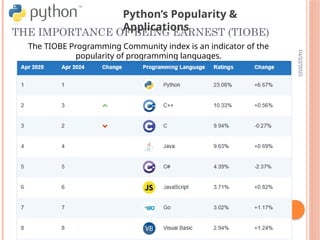
The TIOBE Programming Community index is an indicator of the
popularity of programming languages.
Python’s Popularity &
Applications
4.
04/22/2025
PYTHON’S POPULARITY &APPLICATIONS
TIOBE Rank: #1 (as of 2023)
Applications:
Web Dev: Django, Flask
Data Science: Pandas, NumPy
AI/ML: TensorFlow, PyTorch.
04/22/2025
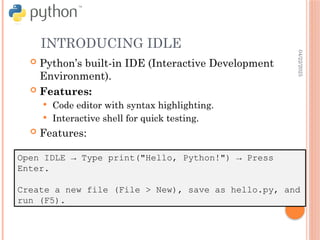
INTRODUCING IDLE
Open IDLE→ Type print("Hello, Python!") → Press
Enter.
Create a new file (File > New), save as hello.py, and
run (F5).
Python’s built-in IDE (Interactive Development
Environment).
Features:
Code editor with syntax highlighting.
Interactive shell for quick testing.
Features:
10.
04/22/2025
INTRODUCING IDLE
Open IDLE→ Type print("Hello, Python!") → Press
Enter.
Create a new file (File > New), save as hello.py, and
run (F5).
F5
04/22/2025
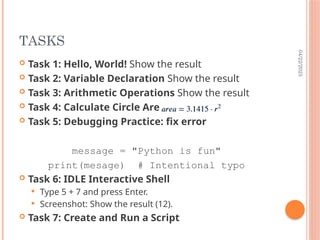
TASKS
Task 1:Hello, World! Show the result
Task 2: Variable Declaration Show the result
Task 3: Arithmetic Operations Show the result
Task 4: Calculate Circle Area
Task 5: Debugging Practice: fix error
message = "Python is fun"
print(mesage) # Intentional typo
Task 6: IDLE Interactive Shell
Type 5 + 7 and press Enter.
Screenshot: Show the result (12).
Task 7: Create and Run a Script