 Introduction-
 What is Python?
 Python History
 Features of Python
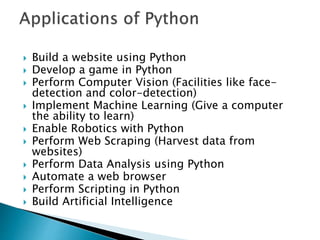
 Applications of Python
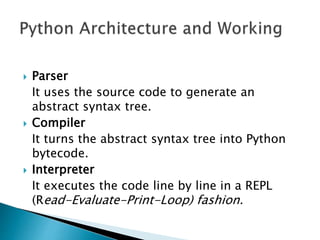
 Architecture and Working of Python
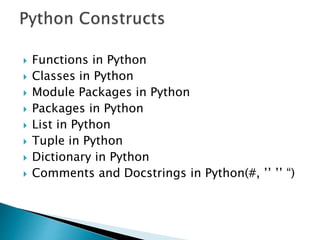
 Python Constructs
 Python vs Java vs C++
 Python is a General Purpose object-oriented
programming language, which means that it
can model real-world entities. It is also
dynamically-typed because it carries out
type-checking at runtime.
 Python is an interpreted language.
 Guido van Rossum named it after the comedy
group Monty Python
 Python was developed in the late 1980s and was
named after the BBC TV show Monty Python’s
Flying Circus.
 Guido van Rossum started implementing Python
at CWI in the Netherlands in December of 1989.
 This was a successor to the ABC programming
language which was capable of exception
handling and interfacing with the Amoeba
operating system.
 On October 16 of 2000, Python 2.0 released with
many new features.
 Then Python 3.0 released on December 3, 2008
 Python is the “most powerful language you
can still read”, Says Paul Dubois
 Python is one of the richest Programming
languages.
 Going by the TIOBE Index, it is the Second
Most Popular Programming Language in the
world.
 Easy
When writing code in Python, you need fewer
lines of code compared to languages like
Java.
 Interpreted
It is interpreted(executed) line by line. This
makes it easy to test and debug.
 Object-Oriented
The Python programming language supports
classes and objects and hence it is object-
oriented.
 Free and Open Source
The language and its source code are available to the
public for free; there is no need to buy a costly license.
 Portable
Since Python is open-source, you can run it on Windows,
Mac, Linux or any other platform. Your programs will work
without any need to change it for every machine.
 GUI Programming
You can use it to develop a GUI (Graphical User Interface).
One way to do this is through Tkinter.
 Large Python Library
Python provides you with a large standard library.
You can use it to implement a variety of functions without
the need to reinvent the wheel every time. Just pick the
code you need and continue
 Build a website using Python
 Develop a game in Python
 Perform Computer Vision (Facilities like face-
detection and color-detection)
 Implement Machine Learning (Give a computer
the ability to learn)
 Enable Robotics with Python
 Perform Web Scraping (Harvest data from
websites)
 Perform Data Analysis using Python
 Automate a web browser
 Perform Scripting in Python
 Build Artificial Intelligence
 Parser
It uses the source code to generate an
abstract syntax tree.
 Compiler
It turns the abstract syntax tree into Python
bytecode.
 Interpreter
It executes the code line by line in a REPL
(Read-Evaluate-Print-Loop) fashion.
 Functions in Python
 Classes in Python
 Module Packages in Python
 Packages in Python
 List in Python
 Tuple in Python
 Dictionary in Python
 Comments and Docstrings in Python(#, ’’ ’’ “)
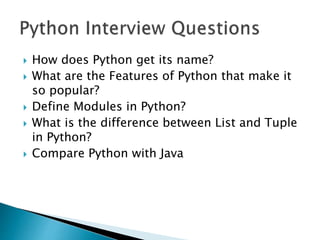
 How does Python get its name?
 What are the Features of Python that make it
so popular?
 Define Modules in Python?
 What is the difference between List and Tuple
in Python?
 Compare Python with Java
 A variable is a container for a value. It can be
assigned a name, you can use it to refer to it
later in the program.
 Based on the value assigned, the interpreter
decides its data type.
 x=45 type =integer
 Name=“seed” type = string
 List1=[1,22,33] type = list
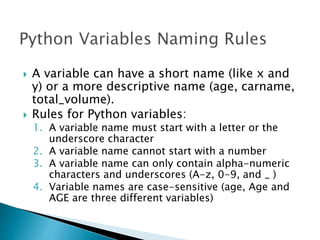
 A variable can have a short name (like x and
y) or a more descriptive name (age, carname,
total_volume).
 Rules for Python variables:
1. A variable name must start with a letter or the
underscore character
2. A variable name cannot start with a number
3. A variable name can only contain alpha-numeric
characters and underscores (A-z, 0-9, and _ )
4. Variable names are case-sensitive (age, Age and
AGE are three different variables)
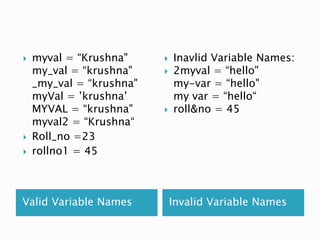
Valid Variable Names Invalid Variable Names
 myval = “Krushna"
my_val = “krushna"
_my_val = “krushna"
myVal = ’krushna’
MYVAL = “krushna"
myval2 = “Krushna“
 Roll_no =23
 rollno1 = 45
 Inavlid Variable Names:
 2myval = “hello"
my-var = “hello"
my var = “hello“
 roll&no = 45
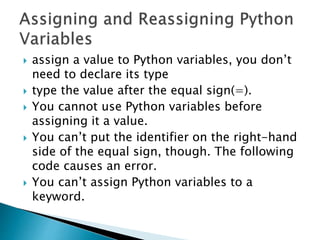
 assign a value to Python variables, you don’t
need to declare its type
 type the value after the equal sign(=).
 You cannot use Python variables before
assigning it a value.
 You can’t put the identifier on the right-hand
side of the equal sign, though. The following
code causes an error.
 You can’t assign Python variables to a
keyword.
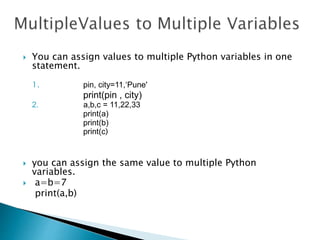
 You can assign values to multiple Python variables in one
statement.
1. pin, city=11,‘Pune'
print(pin , city)
2. a,b,c = 11,22,33
print(a)
print(b)
print(c)
 you can assign the same value to multiple Python
variables.
 a=b=7
print(a,b)
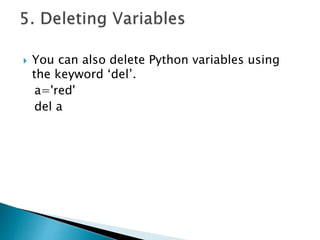
 You can also delete Python variables using
the keyword ‘del’.
a='red'
del a
 Python has five standard data types −
Numbers
String
List
Tuple
Dictionary
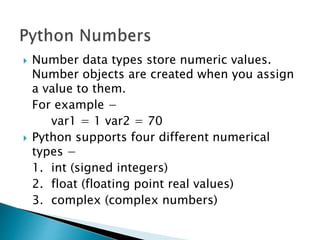
 Number data types store numeric values.
Number objects are created when you assign
a value to them.
For example −
var1 = 1 var2 = 70
 Python supports four different numerical
types −
1. int (signed integers)
2. float (floating point real values)
3. complex (complex numbers)
x = 11 # int
y = 2.85 # float
z = 4+1j # complex
Float can also be scientific numbers with an
"e" to indicate the power of 10.
x = 35e3 # float
y = 12E4 # float
z = -87.7e100 #float
You can convert from one type to another with the int(), float(),
and complex() methods:
x = 1 # int
y = 2.8 # float
z = 1j # complex
#convert from int to float:
a = float(x)
#convert from float to int:
b = int(y)
#convert from int to complex:
c = complex(x)
 Note: You cannot convert complex numbers into another
number type.
x = str("s1") # x will be 's1‘
y = str(2) # y will be '2‘
z = str(3.0) # z will be '3.0'
 isinstance() function to tell if Python
variables belong to a particular class. It takes
two parameters- the variable/value, and the
class.
 >>> print(isinstance(a,complex))
 2. Strings
A string is a sequence of characters. Python
does not have a char data type, unlike C++
or Java. You can delimit a string using single
quotes or double-quotes.
 >>> city='Ahmednagar'
 >>> city
 What do you mean by scope?
 What are the types of variable scope?
 What is scope of variable with example?
 What are python variables?
 How do you declare a variable in Python 3?
Operator Name Example
+ Addition a+b
- Subtraction a-y
* Multiplication a*y
/ Division a / b
% Modulus a % b
** Exponentiation a ** b
// Floor division a //b
Operator Example Same As
= x = 5 x = 5
+= x += 3 x = x + 3
-= x -= 3 x = x - 3
*= x *= 3 x = x * 3
/= x /= 3 x = x / 3
%= x %= 3 x = x % 3
//= x //= 3 x = x // 3
**= x **= 3 x = x ** 3
|= x |= 3 x = x | 3
Operator Name Example
== Equal x == y
!= Not equal x != y
> Greater than x > y
< Less than x < y
>= Greater than or equal
to
x >= y
<= Less than or equal to x <= y
Operator Description Example
and Returns True if both
statements are true
x < 5 and x < 10
or Returns True if one of
the statements is true
x < 5 or x < 4
not Reverse the result,
returns False if the
result is true
not(x < 5 and x < 10)
 Identity operators are used to compare the
objects, not if they are equal, but if they are
actually the same object, with the same
memory location:
Operator Description Example
is Returns True if both
variables are the same
object
x is y
is not Returns True if both
variables are not the
same object
x is not y
 Membership operators are used to test if a
sequence is presented in an object
Operator Description Example
in Returns True if a sequence
with the specified value is
present in the object
x in y
not in Returns True if a sequence
with the specified value is
not present in the object
x not in y
 Bitwise operators are used to compare
(binary) numbers:

Operator Name Description
& Binary AND Sets each bit to 1 if both bits are 1
| Binary OR Sets each bit to 1 if one of two bits is 1
^ Binary XOR Sets each bit to 1 if only one of two bits is
1
~ Binary NOT Inverts all the bits
<< Zero fill left shift Shift left by pushing zeros in from the
right and let the leftmost bits fall off
1. 5 & 2 => 0101 & 0010 =>0000
2. 5 | 2 => 0101 & 0010 =>0101
3. 5 ^ 3 => 0101 & 0011 =>0110
4. ~5 => ~ 0101 => 1010
5. 10<<1 => 1010<<1 => 10100
6. 10>>1 => 1010 >>1 => 00101
 Strings in Python are identified as a contiguous
set of characters represented in the quotation
marks.
 strings in Python are arrays of bytes representing
unicode characters.
 Python allows for either pairs of single or double
quotes
print("Hello")
print(‘Hello’)
 Assign String to a Variable
a = "Hello"
print(a)
 You can assign a multiline string to a variable
by using three single or double quotes:
 Example
◦ Name = “ ” ” Hello,I am an Interpreter “ “ “
◦ print(Name)
◦ Name = ‘ ‘ ‘ Hello,I am an Interpreter ’ ’ ’
◦ print(Name)
 str = 'Hello World!'
 print (str) # Prints complete string
 print str * 2 # Prints string two times
 print str + "TEST" # Prints concatenated string
 You can return a range of characters by using the slice
 Specify the start index and the end index, separated by a
colon, to return a part of the string.
To display only a part of a string ,use the slicing operator
[].
 print(str[0]) # Prints first character of the string at 0th
index or position
 print str[2:5] # Prints characters starting from 2nd to 4th
character
 print str[2:] # Prints string starting from 2nd character
 Note: The first character has index 0.
 print(b[:5]) # print the characters from the
start to position 5 (not included)
 print(b[2:]) # print the characters from
position 2, and to the end
 Use negative indexes to start the slice from the end of the
string
 print(b[-5:-2]) #
H E L L O 7
[0] [1] [2] [3] [4] [5] Positive
index
[-6] [-5] [-4] [-3] [-2] [-1] Negative
index
 Python Strings can join using the
concatenation operator +.
 a='Do you see this, '
 b='$$?'
a+b
 a='10'
print(2*a)