TRIVUz Academy
www.trivuzAcademy.com
Why Programming?
   What is Computer?
   What is Program?
   What is Programming?
So, Program is
Some instruction computer follow
to do our task. And this sequence
of instructions is called a program.
And, Programming is
The process of writing programs is
called programming.
What is the PROCESS?


  Continue…
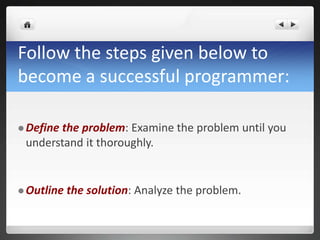
Follow the steps given below to
become a successful programmer:

 Define
       the problem: Examine the problem until you
 understand it thoroughly.


 Outline   the solution: Analyze the problem.
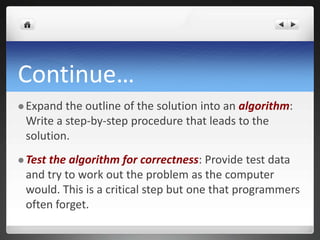
Continue…
 Expand the outline of the solution into an algorithm:
 Write a step-by-step procedure that leads to the
 solution.
 Test
     the algorithm for correctness: Provide test data
 and try to work out the problem as the computer
 would. This is a critical step but one that programmers
 often forget.
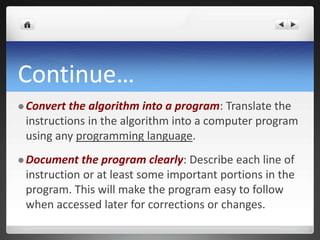
Continue…
 Convert the algorithm into a program: Translate the
 instructions in the algorithm into a computer program
 using any programming language.
 Document  the program clearly: Describe each line of
 instruction or at least some important portions in the
 program. This will make the program easy to follow
 when accessed later for corrections or changes.
Continue…
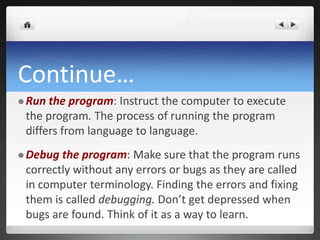
 Run the program: Instruct the computer to execute
 the program. The process of running the program
 differs from language to language.
 Debug the program: Make sure that the program runs
 correctly without any errors or bugs as they are called
 in computer terminology. Finding the errors and fixing
 them is called debugging. Don’t get depressed when
 bugs are found. Think of it as a way to learn.
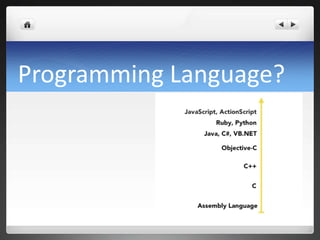
Programming Language?
Prerequisite… ?

    Almost nothing… 
Platform… ?
Mac, Linux, Windows….

      Any of them…
How old are you?
What is your educational Background?


       I don’t care… 
So, Who Are You?
You are currently a computer user

who love to use computer.
And definitely you are a user of a
program.
You are going to be…
   The creator of the Program.
   You will be the Programmer.
So again, What is programming?
 When  we want a computer to perform a specific task,
 such as generating a marks sheet or a salary slip, we
 have to create a sequence of instructions in a logical
 order that a computer can understand and interpret.
 This sequence of instructions is called a program. The
 process of writing programs is called programming.
The task of programming involves a lot of effort and careful
planning. Without this, the computer will produce erroneous
results. The following steps should go into the planning of
program:


 Defining   and analyzing the problem


 Developing   the solution logically using an algorithm
Defining and analyzing the problem
Before writing a program, we have to define
exactly what
   Data we need to provide (input) and
    Information we want the program to produce
    (the output).
Once we know these, we can figure out how to develop the solution.
Understanding INPUT
Suppose we want to write a program to work out
the total and average of a student’s marks in five
subjects, we would need to mention the marks
in the five subjects as input.
Understanding OUTPUT
Next, we have to think of the output — the
elements that should be displayed and those
that should not. In the marks example, since the
task is to prepare a marks sheet, the marks in all
the five subjects, their total and average should
be displayed on the screen.
INPUT
Bangla = 60
English = 80
Math = 100
History = 70
OUTPUT
Average : 77.5
PROCESSING

Average = (Bangla + English + Math + History) / 4
Lets write our very first program
   Get Inputs from the user
   Save them somewhere
   Use a math logic to process
   Show the result / output.
Getting INPUTS
 Make   a user interface to collect INPUT from user
Handling Inputs
var a = (input for bangla)
var b = (input for english)
var c = (input for math)
var d = (input for history)
Processing & Output
var average; // another variable
average = (a + b + c + d) / 4;


print average;
OUTPUT
   Our program process the input and show this output.
VARIABLE

   What is variable?
   Variable Naming?
Data Types
Type, Length, Range
Lab - 1
   Let’s try variable in PHP environment
Input Interface
<html>
<head><title>Programming – 1</title></head>
<body>
<form name="test" method="GET”>
       Name:
       <input type="text" name=”InputName" />
       <input type="submit" name="submit" value="Go" />
</form>
</body></html>
Programming Process
<?php
        if(isset($_GET['InputName'])) {

                 $name = $_GET['InputName'];
                 echo $name ;
        } else    {
                 // some other code or load form
        }
?>
Another Input
<html>
<head><title>Programming – 2</title></head>
<body>
<form name="test" method="GET”>
       Name:
       <input type="text" name=”num" />
       <input type="submit" name="submit" value="Go" />
</form>
</body></html>
Programming Process
<?php
        if(isset($_GET[’num'])) {

                 $number1 = $_GET[’num'];
                 echo $number1;
                 $sqr = $number1 * $number1;
                 echo “<br /> “ . $sqr;
        } else    {
                 // some other code or load form
        }
?>
Make a Simple Calculator
<html>
<head><title>Programming – 3</title></head>
<body>
<form name="test" method="GET”>
       Name:
       <input type="text" name=”num1" />
       <input type="text" name=”num2" />
       <input type="submit" name="submit" value=”Sum" />
</form>
</body></html>
Class Contents
  Get all class contents & codes from our site

  http://trivuzacademy.com/class-content.php
Assignment
   Read some article regarding data types
   Read some article regarding numbers
   Read some article proved by Academy
   Write some article regarding all of these
Q&A
 TRIVUz Academy
 www.trivuzAcademy.com
THANK YOU


        MS Alam TRIVUz
        trivuz@gmail.com