PRESENTATION SKILL
By
Department of Humanities & Social Sciences,
KIET GROUP OF INSTITUTIONS
DELHI-NCR, GHAZIABAD
Contents:
 Presentation Skills
 Designing a Presentation
 Elements
 Advanced Audio-Visual Aid
Definition
• A presentation is a means of communication which
can be adapted to various speaking situations, such
as talking to a group, addressing a meeting or
briefing a team.
Presentation skills
• Following are the steps include in preparing effective
presentation: P4
Plan
Prepare
Practice
Present
Planning
Planning usually include following questions:
• Who is your audience?
• Why are they there?
• What is your goal?
• How long will it be?
• Where will it take place?
Preparing
Following points must keep in mind while preparing:
Structure
Prompt
Visual aids
Voice
Appearance
Style
Questions
Preparation material
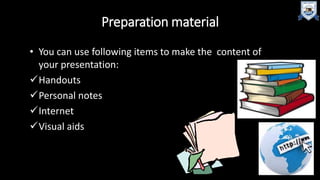
• You can use following items to make the content of
your presentation:
Handouts
Personal notes
Internet
Visual aids
Structure
Write your presentation in this order:
Objective
Beginning or introduction
Main content
Summary, conclusion and recommendations
Questions
Structure
Introduction
Main theme
summary/
Conclusion
Get Attention
Grab the audience
attention
content should be
relevant to topic
Key message
Questions
• Sketch an idea that what kind of questions audience
may ask.
• Short bullet points, key words only.
• Put your entire prompt onto your power point
slides.
• These prompt are for you.
Practice
Practice
• Rehearse all points what you prepare.
• Rehearse with all visual aids and handouts.
• Practice again and again to manage time.
• Rehearse in front of mirror or a friend.
Present
• Make a strong start.
• Engage the audience in first 2-3 minutes.
• Show your passion through your movements and
gestures.
• Make an eye contact.
• Don’t forget to smile as well, unless your topic is
very grim.
Flaws in Presentation
• Lack of experience.
• Lack of enthusiasm.
• Lack of practice.
• Lack of related material.
• Lack of confidence.
• Hesitation
• Ambiguity in the results that you want to conclude.
Factors for Successful Presentation
• Be over prepared.
• Rehearse and practice.
• Grip on your topic.
• Know your subject.
• Be positive.
• Avoid stress.
Elements of Presentation
• T.M.I
• Guy Kawasaki’s 10-20-30 Rule
• Design Template or Design Theme
• Electrifying Color Choices
• Font Choices
• Photos & Graphs
• Animations
• Order of Slides
T.M.I.
• Too Much Information
• Stick to three or four points about your topic and
elaborate them.
Guy Kawasaki’s10-20-30 Rule
• 10 slides are the optimal no. to use for a
presentation.
• 20 minutes is the longest amount of time you should
speak.
• 30 point font is the smallest font size you should use
on your slides.
Design Template or Design theme
• Choose a design that is appropriate for the topic.
• A clean, straight-forward layout is ideal for business
presentations.
• Young students respond to presentations that are full of
color and contain a variety of shapes.
Electrifying Color Choices
• Good contrast with the background is
essential to make your text easy to read.
• Dark text on a light background is best.
• Dark backgrounds are very effective, if the
text is light.
Font Choices
• The font size should not be too small or too big.
• It should be easy to read from a distance.
• The font style chosen should be simple and easy to read.
Photos and Graphs
• Use photos, charts and diagrams to emphasize key points
of your presentation.
Animations
• Different animations create confusion for the audience as
to from which direction the text would appear. Thus
uniformity is preferred.
Order of Slides
• The information flow should be in proper order and thus
the slides.
Uses
of Advance
Audio-VisualAid
in a
Presentation
• The ability to listen can be developed best through the use of audio-
visual materials.
• It is generally accepted that the best learning takes place when the
greatest number of senses are stimulated.
• The use of devices or audio-visual materials will stimulate the
greatest number of senses.
• For this reason, good teachers have always used devices or audio-
visual materials. A device is any means, other than the subject-
matter to the learner.
Speaker’s impact
Purpose of Audio Visual aid
•Best motivation
•Clear image
•Save energy and time
•Capture attention
•Gain and hold interests
•Long term effect
Audio Aid
• The aid that involve the sense of hearing are called audio aids.
• It is the most dominant mode of instruction.
• For example: Speakers, Mp3 player, radio, tape recorder,
gramophones etc.
Visual Aid
• The aid which use the sense of vision are called visual aid.
• For example: such as a film, slide, or model, cameras,
photographs, recordings, flip charts.
Audiovisual Aids
•Training or educational materials directed at both
the sense of hearing and the sense of sight.
Sources of Audio-Visual Aid
•Lecture
•Television
•Film strips
•Computers
•Video tapes
•VCDs, DVDs, LCDs
•Overhead projectors
Thank
You