



Shiny,
Let’s Be Bad Guys!
  Exploiting and Mitigating the
 Top 1 Web App Vulnerabilities
      0

      Mike Pirnat - @mpirnat
     David Stanek - @dstanek


                                  Text
Announcements
Schedule & Lunch
• This session will run 9:00 AM - 12:20 PM
• 20-minute break at 10:50 AM
• Lunch 12:20 PM - 1:20 PM
• Lunch moved to Exhibit Hall D
Volunteering
     Opportunities
• Low-commitment! Fun!
• SWAG bagging: Thursday 4-8 PM
 • Just do 10 bags! (~1/2 hr)

• Registration Desk: any time
 • 1-2 hours helps
 • Friday => meet everyone!
Volunteering Info
• Current needs:
 http://bit.ly/pycon-volunteering-status

• More information:
 http://bit.ly/pycon2013-volunteer
Tutorial Feedback
• Go here:
 • https://www.surveymonkey.com/s/
   pycon2013_tutorials or
 • https://goo.gl/PvHDc

• Be honest!
http://i.qkme.me/3r16r5.jpg
QWho here has
vulnerable apps?
Why it Matters
• Your users
• Your data
• Your business
OWASP
• http://www.owasp.org
• Open Web Application Security Project
• Non-profit focused on improving software
  security
• Documentation and tools to help learn
  about security and protect your apps
OWASP Top Ten
• Based on risk data from 8 firms
• Over 500,000 vulnerabilities, hundreds of
  orgs, thousands of apps
• Selected & prioritized by prevalence data
  combined with estimates of exploitability,
  detectability, and impact
• Recently updated for 2013!
Today
• Background on a type of vulnerability
• Exploit it!
• Discuss prevention
• Django-specific advice where possible
Disclaimer
Setup: 1
Make a virtualenv:
$ virtualenv badguys
$ cd badguys
$ source bin/activate
Setup: 2
Clone our repository:
$ git clone https://github.com/
mpirnat/lets-be-bad-guys src

Or pull the latest changes:
$ cd src
$ git pull
Setup: 3
Install dependencies:
$ cd src
$ pip install -r requirements.txt
Setup: 2 & 3
      (Offline/USB)
• Extract the project:
  $ mkdir src
  $ unzip /Volumes/BADGUYS/project/
  badguys.zip -d src/

• Install dependencies:
  $ cd src
  $ pip install -r requirements.txt
    -i file:///Volumes/BADGUYS/software
Setup: 4
Start up the app:
$ python manage.py runserver
Find a Partner
1
Injection
Injection Attacks
• When an application sends untrusted data
  to an interpreter
• Can result in data loss/corruption, lack of
  accountability, denial of access
• Can lead to complete host takeover
Trust No One
• External users
• Internal users
• Administrators
Attack Vectors
• GET parameters
• POST parameters
• PATH_INFO
• Some HTTP headers: Cookie, Host
• Uploaded Files
Possible
   Consequences
• Creation of malicious SQL (or other
  queries)
• Accessing private files on disk
• Arbitrary code execution
Real-World
        Examples
• Sony Playstation Network
• Ruby on Rails
• http://es.pn/Z0jnoi
SQL Injection
• Unescaped user input causes the premature
  end of a SQL query and allows a malicious
  query to be executed...
  """
  select * from users where
  username='%s';
  """

• http://localhost:8000/injection/sql
Accessing Private
     Files
• File system access + unvalidated user
  input allows attackers to navigate the file
  system
• http://localhost:8000/injection/file-
  access
Arbitrary Code
      Execution
• Unsafe input is dynamically evaluated or
  executed
• http://localhost:8000/injection/code-
  execution
Prevention
• Validate ALL user input
• Sign cookies, don’t accept if signature is
  bogus/missing
• Use ORMs or bind variables when talking
  to the database
• Don’t use eval or exec, beware of pickle,
  user-supplied YAML, etc.
Django Advice
• Make sure data types for your model are tight
• Use Forms instead of ModelForms for
  stronger validation
• Make new validators as needed for your
  application
• Make sure your URL regexes for dynamic
  URLs are tight
Django Advice
• Use the ORM when you can
• When you can’t, use extreme caution!
• Bind variables
• No string concatenation/formatting of
  anything that came from the client
2      Broken
Authentication
    & Session
 Management
Broken Auth &
         Session
      Management
• Attacker uses leaks or flaws in
  authentication or session management to
  impersonate users
• Roll-your-own solutions contribute to the
  difficulty of finding these flaws
Possible
   Consequences
• Compromised user accounts
• Compromised administrative accounts
• Unauthorized use of privileged
  functionality
Prevention
• Hash or encrypt passwords
• Don’t let credentials be easily overwritten
• Don’t put session IDs in URLs
• Allow session IDs to timeout/log out
• Rotate session IDs after successful login
• TLS connections for passwords, session IDs
Django Advice
• Use django.contrib.auth
• Consider https://github.com/yourlabs/
  django-session-security middleware for
  timing out sessions
• We’ll talk about transport layer security
  later on...
3    Cross-Site
Scripting (XSS)
XSS Attacks
• Cross-Site Scripting (XSS)
• The most prevalent web app security flaw
• App includes user-supplied data in content
  sent to the browser without properly
  validating or sanitizing it
XSS Attacks
• Stored: injected code permanently stored in
  database, message forum, comment, etc.
• Reflected: injected code in live request to
  server, reflected back in error message or
  search result
• DOM: injected code in browser DOM
  environment that causes scripts to run in
  unexpected ways (eg, reading from URL)
Possible
    Consequences
• Execute scripts in a victim’s browser
• Hijack sessions
• Deface sites
• Insert hostile content
• Redirect users
• Hijack browser (install malware)
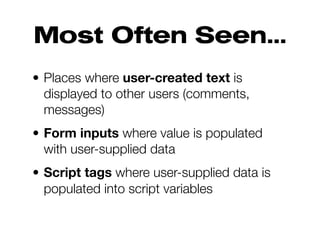
Most Often Seen...
• Places where user-created text is
  displayed to other users (comments,
  messages)
• Form inputs where value is populated
  with user-supplied data
• Script tags where user-supplied data is
  populated into script variables
XSS in
    Dynamic URLs
• Part of the URL path is variable, isn’t
  validated, and gets included into the page
• http://localhost:8000/cross-site-
  scripting/path-matching/your-path-
  here
XSS in Query
String Parameters
• Unvalidated user input from a query string
  parameter is included in the page
• http://localhost:8000/cross-site-
  scripting/query-params?qs=awesome
XSS in
        Form Fields
• The value part of an input is prematurely
  terminated, allowing Javascript to be
  injected into the element (eg, adding an
  onclick)
• http://localhost:8000/cross-site-
  scripting/form-field
Q
Can you trust the
  database?
Prevention
• Escape all untrusted data based on the
  HTML context the data will be placed into
• Whitelist input validation
• Consider auto-sanitization libraries for rich
  content (eg, OWASP’s AntiSamy)
• Update your parents’/in-laws’ browsers!
Django Advice
• Be careful with the safe filter,
  django.utils.safestring, etc.
• Be careful with your own template tags;
  django.utils.html.escape is your friend!
• Use form.as_p, form.as_table,
  form.as_ul
4   Insecure
Direct Object
 References
Insecure Direct
Object Reference
• Expose a reference to an internal
  implementation object without verifying
  authorization
• Attacker changes URL or GET/POST
  parameters, cookies
Possible
   Consequences
• Compromise of all data that can be
  referenced by the vulnerable parameter
• Unless the namespace is sparse, an
  attacker can easily access all available
  data of that type
Exercises
• Manipulate parameters in the URL to
  access data that doesn’t belong to you
• http://localhost:8000/direct-object-
  references
Prevention
• Implement access controls on any direct
  references to restricted resources
• Implement per-user or per-session
  indirect object references
Django Advice
• Use permissions architecture to lock
  down views
• Customize queryset for looking up objects
  that involve user ownership
5       Security
Misconfiguration
Security
  Misconfiguration
• Insecure application settings
• Unpatched flaws
• Unused pages
Possible
   Consequences
• Unauthorized access to some system
  data or functionality
• Potential complete system compromise
Exercises
• Demos and discussion
• http://localhost:8000/misconfiguration
Prevention
• Have a repeatable hardening process
• Have a process for keeping on top of
  updates and patches
• Architecture that provides secure
  separation between components
• Periodic scans and audits
Django Advice
• Don’t run in debug mode in production
• Keep your SECRET_KEY secret!
• Keep Python code out of webserver’s root
• Don’t run admin publicly (if you can help it)
• Don’t use the built-in admin for normal
  user admin tasks
Q
Gateway to Social
  Engineering?
6    Sensitive
Data Exposure
Sensitive Data
       Exposure
• Failure to properly protect credit cards, tax
  ids, authentication credentials, etc.
• Sensitive data deserves extra protection
  such as encryption at rest or in transit,
  special precautions when exchanged with
  the browser
Insecure
      Cryptographic
         Storage
• Not encrypting worthy data
• Unsafe key generation & storage, failure to
  rotate keys
• Weak algorithms
• Weak or unsalted hashes
Insufficient
     Transport Layer
        Protection
• May not authenticate, encrypt, and protect
  the confidentiality and integrity of sensitive
  network traffic
• May use weak algorithms
• May use expired or invalid certificates
• May use certificates incorrectly
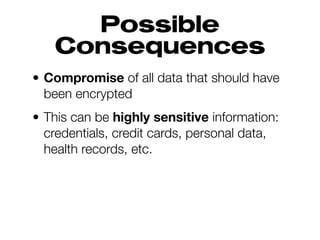
Possible
   Consequences
• Compromise of all data that should have
  been encrypted
• This can be highly sensitive information:
  credentials, credit cards, personal data,
  health records, etc.
Possible
   Consequences
• Expose individual users’ data
• Account theft
• Compromise an admin account?!
• Poor SSL setup can facilitate phishing
  and man-in-the-middle attacks
Attack Vectors
• Attacker monitors network traffic of your
  users
• Maybe in public places (Starbucks,
  conference wi-fi, etc.)
• Maybe back end connections
• Maybe inside your network (!!!)
Prevention
• Encrypt sensitive data at rest
• Encrypt offsite backups; manage keys
  separately
• Use strong standard algorithms, strong keys
• Hash passwords with strong standard algorithm
  & use appropriate salt
• Protect passwords & keys from unauthorized
  access
Prevention
• Require SSL for all sensitive pages; redirect
  non-SSL requests to SSL
• Set the “secure” flag on sensitive cookies
• Use only strong SSL algorithms
• Ensure your cert is valid, not expired, not
  revoked, and matches your domain
• SSL/encryption on the back end too
Django Advice
• Use django.contrib.auth for proper password
  salting and hashing
• Require SSL in Apache or Nginx
• Require SSL using middleware:
  • http://www.redrobotstudios.com/blog/2010/02/06/
    requiring-https-for-certain-paths-in-django/
  • http://djangosnippets.org/snippets/2833/
  • http://djangosnippets.org/snippets/1467/
7       Missing
 Function Level
Access Control
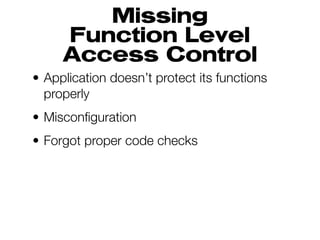
Missing
     Function Level
     Access Control
• Application doesn’t protect its functions
  properly
• Misconfiguration
• Forgot proper code checks
Attack Vectors
• Authorized user changes a URL or
  parameter to a privileged function
• Anonymous users could access private
  functions that aren’t protected
Possible
   Consequences
• Compromised user accounts
• Compromised administrative accounts
• Unauthorized use of privileged
  functionality
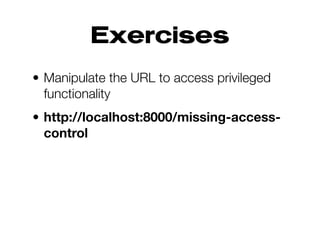
Exercises
• Manipulate the URL to access privileged
  functionality
• http://localhost:8000/missing-access-
  control
Prevention
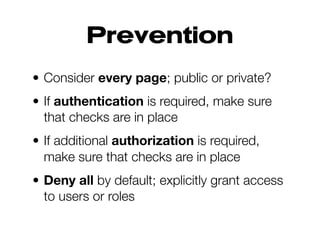
• Consider every page; public or private?
• If authentication is required, make sure
  that checks are in place
• If additional authorization is required,
  make sure that checks are in place
• Deny all by default; explicitly grant access
  to users or roles
Django Advice
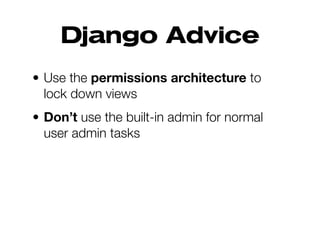
• Use the permissions architecture to
  lock down views
• Don’t use the built-in admin for normal
  user admin tasks
8    Cross-Site
Request Forgery
CSRF Attacks
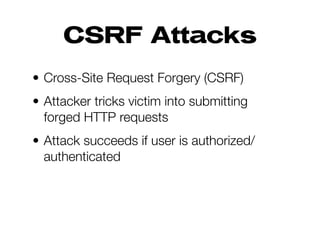
• Cross-Site Request Forgery (CSRF)
• Attacker tricks victim into submitting
  forged HTTP requests
• Attack succeeds if user is authorized/
  authenticated
Attack Vectors
• Image tags
• Cross-Site Scripting (XSS)
• Fake buttons
• Phishing forms
• Other techniques
Possible
    Consequences
• Cause victim to change any data the
  victim is allowed to change
• Cause victim to perform any function the
  victim is authorized to use
• Impact varies based on victim’s role
• Think of some possibilities...
Real-World
        Examples
• Facebook:
 http://amolnaik4.blogspot.com/
 2012/08/facebook-csrf-worth-
 usd-5000.html
• Google/Gmail:
 http://cryptogasm.com/2012/02/does-
 google-understand-csrf/
CSRF via Image
• Craft an “image” link that triggers some
  site functionality
• http://localhost:8000/csrf/image
What if...
<img src="http://example.com/
transferFunds?amount=1500&
destinationAccount=attackersAcct#"
width="0" height="0" />
CSRF via
         Form Post
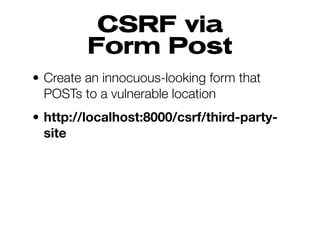
• Create an innocuous-looking form that
  POSTs to a vulnerable location
• http://localhost:8000/csrf/third-party-
  site
Prevention
• Don’t “do” things on a GET
• Include a unique token in a hidden field
  (often used in concert with a cookie)
• Validate token to make sure the request
  is from on-site
• Avoid putting the token into a query string
Django Advice
• Don’t change the built-in settings!
• Do use the CSRF middleware and
  template tag in forms
• Be VERY CAREFUL about deactivating it
  (csrf_exempt decorator)
• Be careful about APIs (Tastypie, oauth)
9
Using Known
  Vulnerable
Components
Components
        with Known
       Vulnerabilities
• Libraries, frameworks, and other modules
  almost always run with full privilege
• Hard to stay up to date on everything
• Do you even know all the components in
  use, let alone their versions?
• Components with known problems can be
  identified & exploited with automated tools
Attack Vectors
• Attacker identifies a weak component
  through scanning or manual analysis
• Customize exploit as needed
• More difficult the deeper the component is
  in the application
Possible
    Consequences
• Full range of weaknesses are possible
• Impact could be minimal, or...
• Complete host takeover!
• Data compromise!
Prevention
• Don’t use components you don’t write
  (unrealistic)
• Keep components up to date
• Identify all components and versions
• Monitor security of these components
Django Advice
When @jacobian says there are new
security releases for Django, upgrade!
10
Unvalidated
Redirects &
  Forwards
Redirection Abuse
• Attacker tricks user into visiting a URL that
  redirects or forwards the request without
  validating the redirect location
• Users prone to click because the link is to
  a legitimate site
Possible
   Consequences
• Install malware
• Phishing/information disclosure
• Bypass access controls
External
        Redirection
• Use a redirection URL to redirect to an
  external location
• http://localhost:8000/redirects-and-
  forwards/redirects
Forwards
• Manipulate a forward parameter to gain
  access to privileged functionality
• http://localhost:8000/redirects-and-
  forwards/forwards
Prevention
• Don’t use redirects or forwards
• Don’t involve user-supplied data to build
  the redirect location
• Ensure the supplied value is valid and
  authorized for the user
Django Advice
• Use django.utils.http.is_safe_url to
  check redirect URLs
• Used by django.contrib.auth internally
• Consider wrapping is_safe_url if you have
  to allow other off-domain URLs