Download to read offline


![4/22/2016 Basic Features
https://docs.oracle.com/cd/F49540_01/DOC/java.815/a64685/basic1.htm 4/12
jdbc:oracle:<drivertype>:<user>/<password>@<database>
The following example connects user scott with password tiger to a database using the OCI
driver. In this case, however, the URL includes the userid and password, and is the only input
parameter.
Connection conn =
DriverManager.getConnection("jdbc:oracle:oci8:scott/tiger@myhost);
Specifying a Database URL and Properties Object
getConnection(String URL, Properties info);
where the URL is of the form:
jdbc:oracle:<drivertype>:@<database>
In addition to the URL, use an object of the standard Java Properties class as input. For example:
java.util.Properties info = new java.util.Properties();
info.put ("user", "scott");
info.put ("password","tiger");
info.put ("defaultRowPrefetch","15");
getConnection ("jdbc:oracle:oci8:@",info);
Oracle Extensions to Connection Properties Object
Oracle has defined several extensions to the connection properties that Oracle JDBC drivers support.
For more information on this form of the getConnection() method and the Oracle extensions to the
Properties object, see "Oracle Extensions for Connection Properties".
Opening a Connection for the JDBC OCI Driver
For the JDBC OCI driver, you can specify the database by a TNSNAMES entry. You can find the
available TNSNAMES entries listed in the file tnsnames.ora on the client computer from which you
are connecting. On Windows NT this file is located in [ORACLE_HOME]NETWORKADMIN. On UNIX
systems, you can find it in /var/opt/oracle.
For example, if you want to connect to the database on host myhost as user scott with password
tiger that has a TNSNAMES entry of MyHostString, enter:
Connection conn =](https://image.slidesharecdn.com/jdbcbasicfeatures-160422110009/85/Jdbc-basic-features-4-320.jpg)


![4/22/2016 Basic Features
https://docs.oracle.com/cd/F49540_01/DOC/java.815/a64685/basic1.htm 8/12
Note that the code for creating the Statement object, executing the query, returning and processing
the ResultSet object, and closing the statement and connection all follow standard JDBC syntax.
import java.sql.*;
import java.math.*;
import java.io.*;
import java.awt.*;
class JdbcTest {
public static void main (String args []) throws SQLException {
// Load Oracle driver
DriverManager.registerDriver (new oracle.jdbc.driver.OracleDriver());
// Connect to the local database
Connection conn =
DriverManager.getConnection ("jdbc:oracle:thin:@myhost:1521:ORCL",
"scott", "tiger");
// Query the employee names
Statement stmt = conn.createStatement ();
ResultSet rset = stmt.executeQuery ("SELECT ename FROM emp");
// Print the name out
while (rset.next ())
System.out.println (rset.getString (1));
//close the result set, statement, and the connection
rset.close();
stmt.close();
conn.close();
}
}](https://image.slidesharecdn.com/jdbcbasicfeatures-160422110009/85/Jdbc-basic-features-8-320.jpg)

![4/22/2016 Basic Features
https://docs.oracle.com/cd/F49540_01/DOC/java.815/a64685/basic1.htm 10/12
Standard JDBC
Datatypes
Java Native
Datatypes
SQL
Datatypes
Oracle Extensions
Java Classes
that Represent SQL
Datatypes
java.sql.Types.CHAR java.lang.String CHAR oracle.sql.CHAR
java.sql.Types.VARCHAR java.lang.String VARCHAR2
oracle.sql.CHAR
java.sql.Types.LONGVARCHAR java.lang.String LONG oracle.sql.CHAR
java.sql.Types.NUMERIC java.math.BigDecimal
NUMBER oracle.sql.NUMBER
java.sql.Types.DECIMAL java.math.BigDecimal
NUMBER oracle.sql.NUMBER
java.sql.Types.BIT boolean NUMBER oracle.sql.NUMBER
java.sql.Types.TINYINT byte NUMBER oracle.sql.NUMBER
java.sql.Types.SMALLINT short NUMBER oracle.sql.NUMBER
java.sql.Types.INTEGER int NUMBER oracle.sql.NUMBER
java.sql.Types.BIGINT long NUMBER oracle.sql.NUMBER
java.sql.Types.REAL float NUMBER oracle.sql.NUMBER
java.sql.Types.FLOAT double NUMBER oracle.sql.NUMBER
java.sql.Types.DOUBLE double NUMBER oracle.sql.NUMBER
java.sql.Types.BINARY byte[] NUMBER oracle.sql.NUMBER
java.sql.Types.VARBINARY byte[] RAW oracle.sql.RAW
java.sql.Types.LONGVARBINARY byte[] LONGRAW oracle.sql.NUMBER](https://image.slidesharecdn.com/jdbcbasicfeatures-160422110009/85/Jdbc-basic-features-10-320.jpg)
![4/22/2016 Basic Features
https://docs.oracle.com/cd/F49540_01/DOC/java.815/a64685/basic1.htm 11/12
java.sql.Types.LONGVARBINARY
byte[] LONGRAW
oracle.sql.NUMBER
java.sql.Types.DATE java.sql.Date DATE oracle.sql.DATE
java.sql.Types.TIME java.sql.Time DATE oracle.sql.DATE
java.sql.Types.TIMESTAMP javal.sql.Timestamp DATE oracle.sql.DATE
Oracle JDBC Extension Types
In addition, the following JDBC extensions for SQL datatypes (most of which comply with the JDBC
2.0 standard) are supported. They are not described until Chapter 4, "Oracle Extensions", but are
summarized here for reference. Table 32 shows their mappings to Oracle datatypes.
The SQL Datatype column lists the SQL datatypes that exist in the database.
The JDBC Extensions for SQL Datatypes column lists the types into which Oracle datatypes should
map according to the JDBC 2.0 standard. The class oracle.jdbc.driver.OracleTypes.*
includes the definitions of Oraclespecific types that do not exist in the JDBC standard and is a
superset of oracle.sql.*.
The Oracle ExtensionsJava Classes that Represent SQL Datatypes column lists the oracle.sql.*
Java types that correspond to each SQL datatype in the database. These are Oracle extensions that
let you retrieve all SQL data in the form of a oracle.sql.* Java type. Refer to "Classes of the
oracle.sql Package" for more information on the oracle.sql.* package.
For a list of all of the Java datatypes to which you can validly map a SQL datatype, see "Valid SQL
JDBC Datatype Mappings".
Table 32 Mapping Oracle Extension JDBC Types to Oracle Datatypes
SQL Datatype
JDBC Extensions
for SQL Datatypes
Oracle Extensions
Java Classes
that Represent SQL
Datatypes
ROWID oracle.jdbc.driver.OracleTypes.ROWID oracle.sql.ROWID
userdefined types of the REF
CURSOR category
oracle.jdbc.driver.OracleTypes.CURSOR
java.sql.ResultSet
BLOB oracle.jdbc.driver.OracleTypes.BLOB oracle.sql.BLOB](https://image.slidesharecdn.com/jdbcbasicfeatures-160422110009/85/Jdbc-basic-features-11-320.jpg)


![4/22/2016 Basic Features
https://docs.oracle.com/cd/F49540_01/DOC/java.815/a64685/basic1.htm 4/12
jdbc:oracle:<drivertype>:<user>/<password>@<database>
The following example connects user scott with password tiger to a database using the OCI
driver. In this case, however, the URL includes the userid and password, and is the only input
parameter.
Connection conn =
DriverManager.getConnection("jdbc:oracle:oci8:scott/tiger@myhost);
Specifying a Database URL and Properties Object
getConnection(String URL, Properties info);
where the URL is of the form:
jdbc:oracle:<drivertype>:@<database>
In addition to the URL, use an object of the standard Java Properties class as input. For example:
java.util.Properties info = new java.util.Properties();
info.put ("user", "scott");
info.put ("password","tiger");
info.put ("defaultRowPrefetch","15");
getConnection ("jdbc:oracle:oci8:@",info);
Oracle Extensions to Connection Properties Object
Oracle has defined several extensions to the connection properties that Oracle JDBC drivers support.
For more information on this form of the getConnection() method and the Oracle extensions to the
Properties object, see "Oracle Extensions for Connection Properties".
Opening a Connection for the JDBC OCI Driver
For the JDBC OCI driver, you can specify the database by a TNSNAMES entry. You can find the
available TNSNAMES entries listed in the file tnsnames.ora on the client computer from which you
are connecting. On Windows NT this file is located in [ORACLE_HOME]NETWORKADMIN. On UNIX
systems, you can find it in /var/opt/oracle.
For example, if you want to connect to the database on host myhost as user scott with password
tiger that has a TNSNAMES entry of MyHostString, enter:
Connection conn =](/p?url=https%3A%2F%2Fimage.slidesharecdn.com%2Fjdbcbasicfeatures-160422110009%2F85%2FJdbc-basic-features-4-320.jpg&__src=https%3A%2F%2Fwww.slideshare.net%2Fslideshow%2Fjdbc-basic-features%2F61231826&__type=image)


![4/22/2016 Basic Features
https://docs.oracle.com/cd/F49540_01/DOC/java.815/a64685/basic1.htm 8/12
Note that the code for creating the Statement object, executing the query, returning and processing
the ResultSet object, and closing the statement and connection all follow standard JDBC syntax.
import java.sql.*;
import java.math.*;
import java.io.*;
import java.awt.*;
class JdbcTest {
public static void main (String args []) throws SQLException {
// Load Oracle driver
DriverManager.registerDriver (new oracle.jdbc.driver.OracleDriver());
// Connect to the local database
Connection conn =
DriverManager.getConnection ("jdbc:oracle:thin:@myhost:1521:ORCL",
"scott", "tiger");
// Query the employee names
Statement stmt = conn.createStatement ();
ResultSet rset = stmt.executeQuery ("SELECT ename FROM emp");
// Print the name out
while (rset.next ())
System.out.println (rset.getString (1));
//close the result set, statement, and the connection
rset.close();
stmt.close();
conn.close();
}
}](/p?url=https%3A%2F%2Fimage.slidesharecdn.com%2Fjdbcbasicfeatures-160422110009%2F85%2FJdbc-basic-features-8-320.jpg&__src=https%3A%2F%2Fwww.slideshare.net%2Fslideshow%2Fjdbc-basic-features%2F61231826&__type=image)

![4/22/2016 Basic Features
https://docs.oracle.com/cd/F49540_01/DOC/java.815/a64685/basic1.htm 10/12
Standard JDBC
Datatypes
Java Native
Datatypes
SQL
Datatypes
Oracle Extensions
Java Classes
that Represent SQL
Datatypes
java.sql.Types.CHAR java.lang.String CHAR oracle.sql.CHAR
java.sql.Types.VARCHAR java.lang.String VARCHAR2
oracle.sql.CHAR
java.sql.Types.LONGVARCHAR java.lang.String LONG oracle.sql.CHAR
java.sql.Types.NUMERIC java.math.BigDecimal
NUMBER oracle.sql.NUMBER
java.sql.Types.DECIMAL java.math.BigDecimal
NUMBER oracle.sql.NUMBER
java.sql.Types.BIT boolean NUMBER oracle.sql.NUMBER
java.sql.Types.TINYINT byte NUMBER oracle.sql.NUMBER
java.sql.Types.SMALLINT short NUMBER oracle.sql.NUMBER
java.sql.Types.INTEGER int NUMBER oracle.sql.NUMBER
java.sql.Types.BIGINT long NUMBER oracle.sql.NUMBER
java.sql.Types.REAL float NUMBER oracle.sql.NUMBER
java.sql.Types.FLOAT double NUMBER oracle.sql.NUMBER
java.sql.Types.DOUBLE double NUMBER oracle.sql.NUMBER
java.sql.Types.BINARY byte[] NUMBER oracle.sql.NUMBER
java.sql.Types.VARBINARY byte[] RAW oracle.sql.RAW
java.sql.Types.LONGVARBINARY byte[] LONGRAW oracle.sql.NUMBER](/p?url=https%3A%2F%2Fimage.slidesharecdn.com%2Fjdbcbasicfeatures-160422110009%2F85%2FJdbc-basic-features-10-320.jpg&__src=https%3A%2F%2Fwww.slideshare.net%2Fslideshow%2Fjdbc-basic-features%2F61231826&__type=image)
![4/22/2016 Basic Features
https://docs.oracle.com/cd/F49540_01/DOC/java.815/a64685/basic1.htm 11/12
java.sql.Types.LONGVARBINARY
byte[] LONGRAW
oracle.sql.NUMBER
java.sql.Types.DATE java.sql.Date DATE oracle.sql.DATE
java.sql.Types.TIME java.sql.Time DATE oracle.sql.DATE
java.sql.Types.TIMESTAMP javal.sql.Timestamp DATE oracle.sql.DATE
Oracle JDBC Extension Types
In addition, the following JDBC extensions for SQL datatypes (most of which comply with the JDBC
2.0 standard) are supported. They are not described until Chapter 4, "Oracle Extensions", but are
summarized here for reference. Table 32 shows their mappings to Oracle datatypes.
The SQL Datatype column lists the SQL datatypes that exist in the database.
The JDBC Extensions for SQL Datatypes column lists the types into which Oracle datatypes should
map according to the JDBC 2.0 standard. The class oracle.jdbc.driver.OracleTypes.*
includes the definitions of Oraclespecific types that do not exist in the JDBC standard and is a
superset of oracle.sql.*.
The Oracle ExtensionsJava Classes that Represent SQL Datatypes column lists the oracle.sql.*
Java types that correspond to each SQL datatype in the database. These are Oracle extensions that
let you retrieve all SQL data in the form of a oracle.sql.* Java type. Refer to "Classes of the
oracle.sql Package" for more information on the oracle.sql.* package.
For a list of all of the Java datatypes to which you can validly map a SQL datatype, see "Valid SQL
JDBC Datatype Mappings".
Table 32 Mapping Oracle Extension JDBC Types to Oracle Datatypes
SQL Datatype
JDBC Extensions
for SQL Datatypes
Oracle Extensions
Java Classes
that Represent SQL
Datatypes
ROWID oracle.jdbc.driver.OracleTypes.ROWID oracle.sql.ROWID
userdefined types of the REF
CURSOR category
oracle.jdbc.driver.OracleTypes.CURSOR
java.sql.ResultSet
BLOB oracle.jdbc.driver.OracleTypes.BLOB oracle.sql.BLOB](/p?url=https%3A%2F%2Fimage.slidesharecdn.com%2Fjdbcbasicfeatures-160422110009%2F85%2FJdbc-basic-features-11-320.jpg&__src=https%3A%2F%2Fwww.slideshare.net%2Fslideshow%2Fjdbc-basic-features%2F61231826&__type=image)


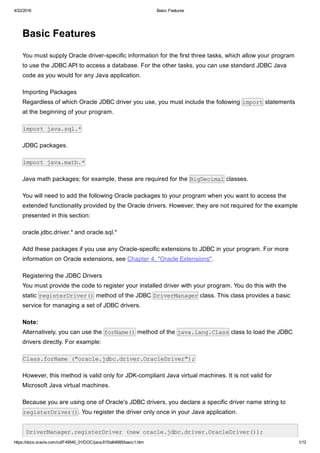
This document summarizes the basic steps for connecting to an Oracle database and executing queries using JDBC: 1. Import the necessary JDBC and Oracle packages. 2. Register the Oracle JDBC driver with the DriverManager. 3. Open a connection to the database by calling getConnection() and specifying driver-specific information like the URL, username, and password. 4. Create a Statement object from the Connection to execute queries.


