Downloaded 125 times
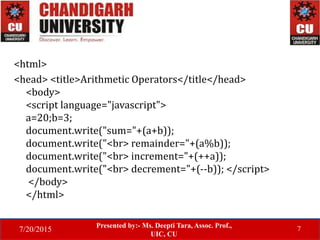
![7/20/2015
Presented by:- Ms. Deepti Tara, Assoc. Prof.,
UIC, CU
10
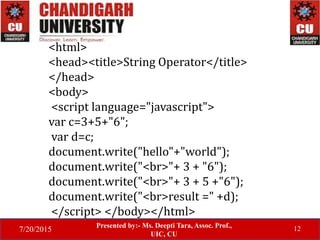
<html>
<head><title>Comparison Operator</title>
</head>
<body> <script language="javascript">
document.write("[5>6]->" + (5>6));
document.write("<br>[10<=15]->" + (10<=15));
document.write("<br>[4==6]->" + (4==6));
document.write("<br>[7!=8]->"+(7!=8));
</script>
</body>
</html>](https://image.slidesharecdn.com/javascriptoperators-150720174941-lva1-app6892/85/Javascript-operators-10-320.jpg)

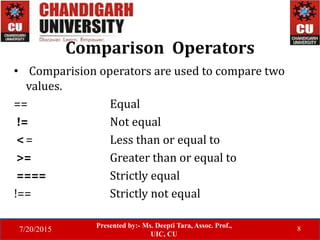
![7/20/2015
Presented by:- Ms. Deepti Tara, Assoc. Prof.,
UIC, CU
16
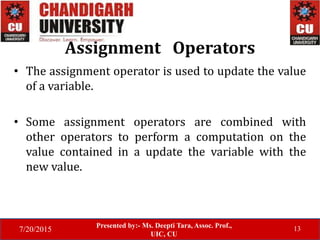
<html>
<head><title>Assignment Operator
</title></head>
<body>
<script language="javascript"> a=3; b=6;
document.write("[a+=6]->"+(a+=6));
document.write("<br>[b*=5]->"+(b*=5)); </script>
</body>
</html>](https://image.slidesharecdn.com/javascriptoperators-150720174941-lva1-app6892/85/Javascript-operators-16-320.jpg)


![7/20/2015
Presented by:- Ms. Deepti Tara, Assoc. Prof.,
UIC, CU
10
<html>
<head><title>Comparison Operator</title>
</head>
<body> <script language="javascript">
document.write("[5>6]->" + (5>6));
document.write("<br>[10<=15]->" + (10<=15));
document.write("<br>[4==6]->" + (4==6));
document.write("<br>[7!=8]->"+(7!=8));
</script>
</body>
</html>](/p?url=https%3A%2F%2Fimage.slidesharecdn.com%2Fjavascriptoperators-150720174941-lva1-app6892%2F85%2FJavascript-operators-10-320.jpg&__src=https%3A%2F%2Fwww.slideshare.net%2Fslideshow%2Fjavascript-operators-50725270%2F50725270&__type=image)


![7/20/2015
Presented by:- Ms. Deepti Tara, Assoc. Prof.,
UIC, CU
16
<html>
<head><title>Assignment Operator
</title></head>
<body>
<script language="javascript"> a=3; b=6;
document.write("[a+=6]->"+(a+=6));
document.write("<br>[b*=5]->"+(b*=5)); </script>
</body>
</html>](/p?url=https%3A%2F%2Fimage.slidesharecdn.com%2Fjavascriptoperators-150720174941-lva1-app6892%2F85%2FJavascript-operators-16-320.jpg&__src=https%3A%2F%2Fwww.slideshare.net%2Fslideshow%2Fjavascript-operators-50725270%2F50725270&__type=image)


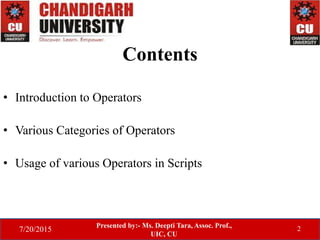
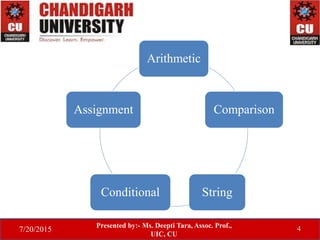
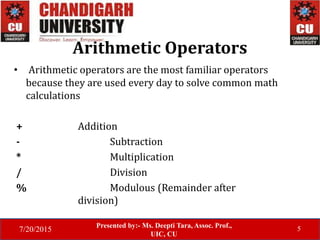
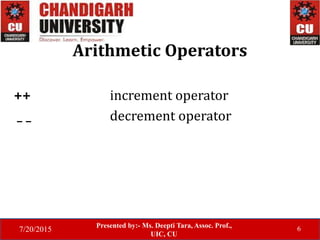
The document discusses different categories of operators in JavaScript including arithmetic, comparison, string, assignment, and conditional operators. It provides examples of using each type of operator and explains their functionality, such as that arithmetic operators perform math calculations on operands, comparison operators compare values, and assignment operators update variable values. Conditional operators return one of two possible values based on whether a condition is true or false.

![Fundamental JavaScript [UTC, March 2014]](https://cdn.slidesharecdn.com/ss_thumbnails/fundamentaljavascriptutcmarch2014-140305104047-phpapp01-thumbnail.jpg?width=640&height=640&fit=bounds)


