Ionic Framework

One Day Training
17 January 2015 - Irvine, CA
Troy Miles
Agenda
JavaScript
AngularJS
PhoneGap/Cordova
Plugins
The Ionic Framework
Debugging
ui router
YP.com
Google Maps
Making Coffee!
Your clients
Want good looking, well performing mobile apps
They normally don’t care how you create them
It is usually your choice of tools to use to give the
clients the results they want
JavaScript
Quick History of JavaScript
Initial version built in 10 days by Brendan Eich
Original name was LiveScript
Greatly influenced by a language called Scheme
Changed to please Sun Microsystems
Converted into a curly brace language
Renamed JavaScript
Why JavaScript Sucks?
Its use of global variables
It has strange scoping rules
It thinks it is smarter than you
Why writing good JS is
hard?
Most programmers don’t bother to learn it
It is changed not embraced
The page load has protected you
Why JS is beautiful?
It is a functional language, close to Lisp and Scheme
than Java or C
First class functions
Dynamic objects
Loose typing
and more…
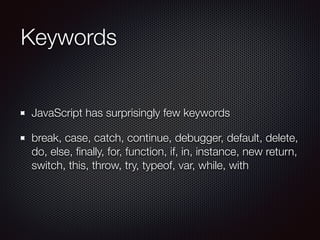
Keywords
JavaScript has surprisingly few keywords
break, case, catch, continue, debugger, default, delete,
do, else, finally, for, function, if, in, instance, new return,
switch, this, throw, try, typeof, var, while, with
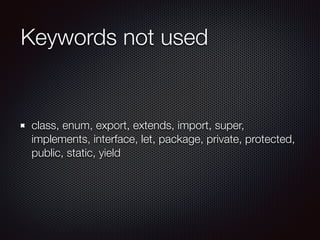
Keywords not used
class, enum, export, extends, import, super,
implements, interface, let, package, private, protected,
public, static, yield
Using keywords in variables
Can’t be used as variables or parameters
But can be used as properties
Legal uses:
a.import = “test”;
a[“import”] = “test”;
a = {import: “test”};
Why the weirdness?
When the Internet was young, pages were badly coded
Both the DOM and JS interpreter tried to correct bad
code
The results were less than stellar
Coercion
Attempts to force two variables to be the same type
Unfortunately the results are illogical
Always use === and !==
Never use == or !=
Hoisting
JavaScript is function scoped
Variables have a two step creation process: declaration
and assignment
variables are always declared at the beginning of a
function
Function Power!
Functions are first class objects
Functions can be treated like any other object
They can make you code dynamic
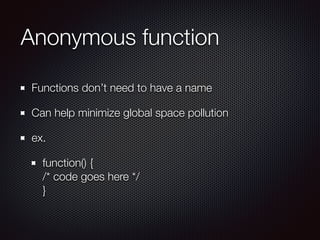
Anonymous function
Functions don’t need to have a name
Can help minimize global space pollution
ex.
function() {

/* code goes here */

}
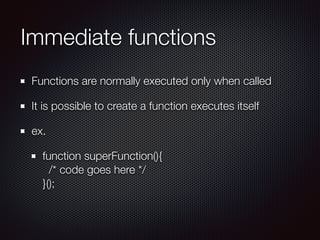
Immediate functions
Functions are normally executed only when called
It is possible to create a function executes itself
ex.
function superFunction(){

/* code goes here */

}();

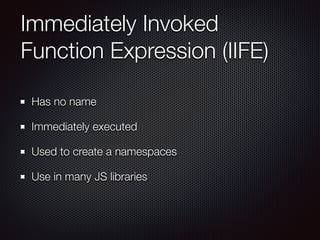
Immediately Invoked
Function Expression (IIFE)
Has no name
Immediately executed
Used to create a namespaces
Use in many JS libraries
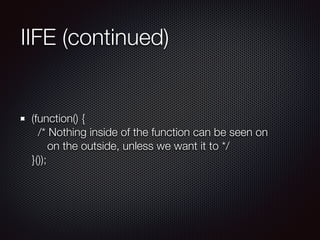
IIFE (continued)
(function() {

/* Nothing inside of the function can be seen on

on the outside, unless we want it to */

}());
Object Literals
A pair of curly braces surrounding name/value pairs
Can appear anywhere an expression can
The property’s name can be ANY string
Quotes only need when the name is not a legal variable
name
Object Literals
var empty = {};
var name = {

“first-name”: “Alan”,

“last-name”: “Turing”

};
Arrays vs. Objects
Arrays are not true arrays
Sort of a special kind of object literal
Both can mix types
Not the same
Arrays inherit from Array.prototype
Objects inherit from Object.prototype
More on objects
JavaScript objects are always dynamic
New properties can always be assigned
There is no class in JavaScript
Closure defined
In computer science, a closure is a function or
reference to a function together with a referencing
environment—a table storing a reference to each of the
non-local variables (also called free variables) of that
function.[1]
—Wikipedia
A bit more comprehensible
When an inner function has a longer lifetime than its
outer function and retains access to the context in
which it was created
Strict Mode
Functional “strict mode” used heavily
Eliminates many JavaScript silent errors
Fixes some JavaScript mistakes
https://developer.mozilla.org/en-US/docs/Web/
JavaScript/Reference/Strict_mode
AngularJS
AngularJS
Created by Miško Hevery and
Adam Abrons in 2009
JavaScript MVC
106 kb production version
(minimized, not gzipped)
Declarative programming for
UI
Imperative programming for
business logic
AngularJS Key Features
Model View Controller (MVC)
Data Binding
HTML Templates
Dependency Injection
Deep Linking
Directives
AngularJS
<!DOCTYPE html>

<html ng-app="moduleName">

<head lang="en">

<meta charset="UTF-8">

<title>NG-Skeleton</title>

</head>

<body>

<div ng-controller="aController">

</div>

<div ng-controller="anotherController">

</div>


<!-- if using jQuery it goes here -->

<script src="../libs/angular.min.js"></script>

<!-- other libs and script files -->

</body>

</html>

ng-app
Declares the boundary of an Angular app
The first ng-app found will be auto-bootstrapped
ng-app can optionally name a module
Can encompass the entire page <html ng-app>
Or only part of it, <div ng-app>
What the Browser Does?
Loads the HTML
Parses it into a Document Object Model or DOM
The angular.js script is loaded and parse
Angular waits for the DOMContentLoaded event
AngularJS’ bootstrap code executed
DOMContentLoaded vs load
event
The load event fires once everything has loaded
The DOMContentLoaded event fires once the DOM
has been created
DOMContentLoaded doesn’t wait for CSS, images, or
iFrames to load
DOMContentLoaded fires well before load
AngularJS’ Bootstrap
Bootstrap looks for the ng-app directive
There can only be one of these
The module specification is optional
The module specification tells the $injector service
which defined module to load
Model View Controller
Uses MVC or MVVM or MV* depends on who you ask
The goal is clear separation of concerns
The model is only concerned with data
The view presents the data to the user
The controller applies the business logic
Data Binding
In Angular, binding is built into the framework
Replaces text content of HTML element with the value
of the expression
{{ expression }}
<ANY ng-bind=“expression”>…</ANY>
<ANY class=“ng-bind: expression;”>…</ANY>
HTML Templates
Many JavaScript MVC Frameworks use a client-side
templating engine
AngularJS doesn’t
Angular uses HTML as its templating engine
No extra markup, no extra libraries
Dependency Injection
A software design pattern that implements inversion of
control and allows a program design to follow the
dependency inversion principle
Allows a dependency to be passed to an object
Allows code to clearly state dependencies
Leads to code which is easier to debug and test
Makes it possible to minimize apps without breaking them
Dependency Injection
The DI pattern in AngularJS looks funky due to
JavaScript’s shortcomings
The pattern is name of module, dot, name of provider,
name of object, an array with the list of dependencies
in strings and a function as the last item in the array
tempApp.controller('CurrentCtrl', ['$scope', function ($scope) {

$scope.temp = 17;

}]);
Deep Linking
Deep Linking enables a website to restore state from a
URL
URL and bookmarks are key part of the web
Early Single Page Apps lacked deep linking
They broke SEO and user expectation
Directives
“The coolest feature of AngularJS” - Misko Hervey
Attach behavior to DOM elements
Can nearly turn HTML into a DSL
Plain Old JavaScript Objects
Angular uses dirty checking to keep the model and
view in sync
Dirty checking runs equality checks over the data the
view depends, it is a brute force method
Watch expressions are run every time data could
change
Watch expression should be fast and idempotent
The methods on the $scope
$watch()
$apply()
$digest()
$watch()
Watches for model mutations
$watch(watched expression/function, handler, …)
Watch expression must be fast and idempotent
$apply()
Called when you are transitioning from non-angular
world into angular world
calls $digest
$digest()
A digest is just plain old dirty checking
It works on all browsers and is totally predictable
Digest Loop
Possibility of an endless loop
Will only go 10 deep before exception is thrown
NOT like a game loop
Module
A collection of configuration and run blocks which get
applied to the app during bootstrap
Most apps will have one module
Most 3rd party libraries will come with their own
You inject dependent modules into yours
Configuration Blocks
Get executed during the provider registration and
configuration phase
Only providers and constants can be injected into
configuration blocks
Shortcut methods available for some common
configuration blocks
Configuration Shortcuts
value(‘constantName’, 123)
factory(‘factoryName’, function(){return 123;})
directive(‘directiveName’, …)
filter(‘filterName’, …)
Run Blocks
Closest thing Angular has to a main method
Executed after services have been configured
Typically contains code which is hard to unit test
Order of Execution
Configuration blocks
Run blocks
Directive compile functions
Controllers
Directive link functions
$timeout
guaranteed to fire after current digest loop
If you use a setTimeOut, you will also need to do
$apply
$timeout does this for you
PhoneGap/Cordova
The Brief History of Cordova
2009: 1st developed at an iPhoneDevCamp event
2009: Developers form a company, Nitobi
2011: Adobe acquires Nitobi
2011: Adobe open sources PhoneGap project to
Apache
2012: Apache gives the project the name Cordova
What Cordova isn’t?
A website packaged in an app
A converter which turns JavaScript into native code
How Cordova differs from
PhoneGap?
Cordova is an open source product
It serves as the base platform for quite a few
commercial implementations
One of those is Adobe’s PhoneGap
Others are IBM Worklight, Motorola Solutions
RhoMobile Suite, Intel XDK, plus more.
Cordova CLI
Command Line Interface
Two types of commands, global & project
Global Commands
create - creates a project
help - display help text or help for a specific command
Project Commands
info
platform
plugin
prepare
compile
run
serve
build
emulate
Directory structure
config.xml - global configuration file
hooks - scripts used to customize Cordova commands
platforms - native application projects
plugins - added plugins go here
www - your app’s code
(merges) - platform specific overrides
Hello Cordova World steps
1. cordova create helloapp com.rnc.helloapp
2. cd helloapp
3. cordova platform add android
4. cordova build android
5. cordova run android or cordova serve
Plugins
As of version 3.0 Cordova is implemented mainly as a
collection of plugins surrounding a small core
Plugins are implemented in native code and/or
JavaScript
Without plugins your application can’t communicate
with the device’s hardware
Over 600 plugins currently available
Installing/Removing Plugins
Find plugins at: http://plugins.cordova.io/
cordova plugin add org.apache.cordova.device
cordova plugin remove org.apache.cordova.device
Two essential plugins are device & console
Plugins not available until after deviceready event
Plugin Anatomy
Documentation: doc/index.md
Native code in src directory
JavaScript in www directory
Using a Plugin
Remember: You must wait for the deviceready event
Read the plugin’s documentation
Implement the functionality according to docs
Best practice: Sniff for the property before use
Debugging First Look
Two browsers have built-in remote debugging
For Android, Chrome is your best friend
menu -> More tools -> Inspect Devices
For iOS, Safari is your best friend
Preferences -> Advanced -> Show develop
For both the device must be connected via USB
Adding Libraries
Most popular open source libraries will also work in a
Cordova app
Add the library with the script tag, same as always:
<script src=“js/jquery.min.js”></script>
For performance sake, place the minimized library in
the www directory, don’t load from web
Simple Ajax Functionality
Cordova apps not bound by HTML same origin policy
But accessible websites must be included on the
whitelist
By default access is allowed to all sites, but not
recommended for production
Housekeeping
At some point in the app lifecycle, you may wish to
update Cordova or one of the plugins
Update Cordova: sudo npm update -g cordova
Update a plugin: remove it and add it back
BE CAREFUL - Newer versions may break your app
Problems with raw Cordova
No user interface
No support for HTML templates
No application framework
The Ionic Framework
The Ionic Framework?
Combines Apache Cordova
with Google's AngularJS
along with lots custom
JavaScript, HTML, and CSS3
to create purpose built mobile
apps
which perform like native ones
and look beautiful
Supported Devices
iOS 6+
Android 4+
Windows Phone 8+ (coming)
FireFox OS (coming)
Drifty Co.
Founded in 2012 by Ben Sperry (CEO) and Max Lynch
(CTO)
Based in Madison, WI
Creators of Codiqa, JetStrap, and Ionic
Raised $1 million from Arthur Ventures earlier this year
Are people actually using it?
Mallzee
Replaced their hand
built PhoneGap app with
Ionic in May
Excellent UI
Songhop
The fastest way to find
new music
5 star rated
iPhone only
Keychain
Like Uber for trucks
iOS and Android version
Scrapped prior version
built with PhoneGap
Sworkit
Created by Ryan Hanna
alone
Featured in the Health and
Fitness section of the App
Store
Downloaded over 3 million
times
in the App Store, Google
Play and Amazon Store
Modern Web Skills
HTML 5 / CSS 3 / JavaScript
Comfortable with command line tools
AngularJS
Sass (optional)
Prerequisites
Java SDK 6 or 7
Android SDK + Eclipse/Android Studio
Node / NPM
Cordova
Gulp
Ionic
Why do I need Node?
Node apps are built in JavaScript
JavaScript runs on all platforms
Node comes bundled with NPM, Node Package
Manager
It makes installing, running, and updating tools easy
Hence Node is a popular way to ship tools
Is there an easier way?
The Ionic Box
Install VirtualBox, its free and available for most
platforms
Install Vagrant, its free too
Install the Ionic Box
See blog post for complete instructions:

http://therockncoder.blogspot.com/2014/10/getting-
started-building-mobile-apps.html
Ionic and Cordova
Ionic is built on top of Cordova
It also wraps many of its commands
Commands like build, platform, plugin all directly call
Cordova
It also adds its own like serve, which makes it easier to
run apps in browser
Create ionic app
ionic start myApp <template>
blank
tabs
sideMenu
Ionicons
http://ionicons.com/
Can search from
website
Can easily change size
free & open source
ngCordova
Cordova has a lot of available plugins
Plugins give access to the machine functions
ngCordova "Angularizes" plugins for ready use
You are always free to write your own wrapper code
What about tablets?
Ionic supports responsive design
Ionic’s grid with CSS Flexbox support
Side menu can be set auto open on wide displays
Workflow
ionic serve
Google Chrome mobile emulator
iOS Simulator / Android Emulator / Genymotion
iOS / Android device
Crosswalk for Android
Versions of Android before 4.4 use Android’s no named
default browser which is slower and less compliant
than Chrome
It also means you can’t be exactly sure how your
Cordova app will perform on these phones
Crosswalk allows you to specify a version of Chrome to
run in your Android Cordova app
Crosswalk
You can see up to a 10x increase in HTML/CSS
rendering and JavaScript performance
Your app will grow 10-15 MB in size
Ways to break up an app
By file type
Files are placed into directories by their type: js, html, etc.
May be subdivided further: controllers, directives, etc
By feature
The files which make up a feature are placed into the
same directories

Coffee!
An ajax app which uses a third party services from
YP.com for data and Google Maps for maps
For those who have taken other classes from me, this
app is simply too cool to die
Steps to make coffee
Make a side menu template app
Modify menu markup
Modify routes
Add listings service
Add lists
Steps…
Add detail page
Add map page
Add Google Maps
Add markers to map
Make markers clickable
Resources
http://learn.ionicframework.com/
http://ionicframework.com/
https://angularjs.org/
http://www.appiconsizes.com/
http://therockncoder.blogspot.com/
https://twitter.com/therockncoder
Summary
Cordova is a platform which allows for the building of
mobile apps using web technologies
Ionic builds on top of that by providing a good looking
performance driven UI and better developer tools
Ionic uses AngularJS as its JavaScript MVC framework