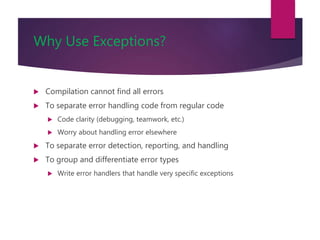
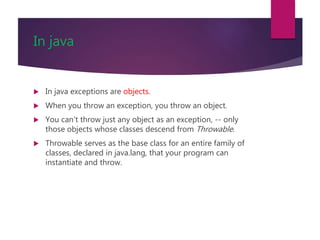
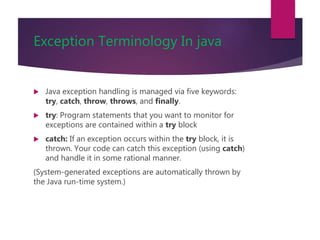
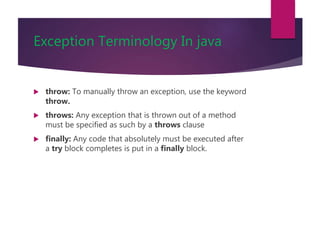
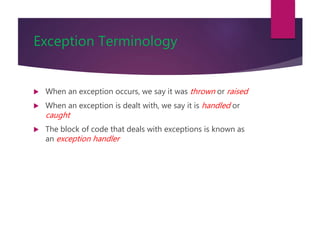
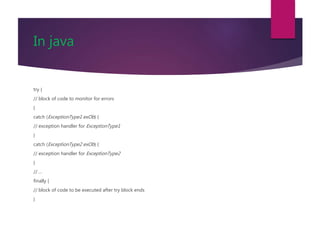
An exception occurs when the normal flow of a program is disrupted, such as dividing by zero or accessing an out-of-bounds array element. Exceptions are handled using try-catch blocks to catch specific exceptions or finally blocks to clean up resources. Methods can throw exceptions using the throw statement or specify thrown exceptions in the method declaration using throws. Programmers can also create custom exception classes by extending the Exception class.
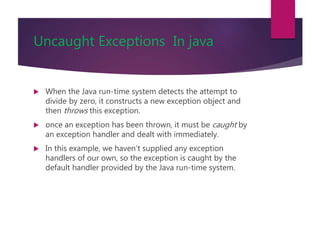
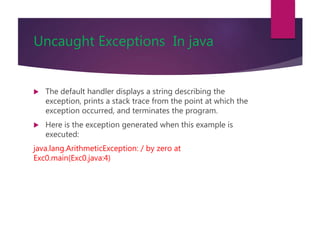
![Uncaught Exceptions In java
class Exc0 {
public static void main(String args[]) {
int d = 0;
int a = 42 / d;
}
}](https://image.slidesharecdn.com/interfaceandexceptions-201117154552/85/Interface-andexceptions-9-320.jpg)
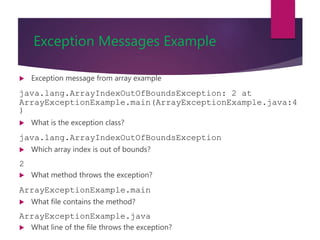
![Decoding Exception Messages
public class ArrayExceptionExample {
public static void main(String args[]) {
String[] names = {“Bilal", “Robert"};
System.out.println(names[2]);
}
}
The println in the above code causes an exception
to be thrown with the following exception message:
Exception in thread "main"
java.lang.ArrayIndexOutOfBoundsException: 2 at
ArrayExceptionExample.main(ArrayExceptionExamp le.java:4)](https://image.slidesharecdn.com/interfaceandexceptions-201117154552/85/Interface-andexceptions-12-320.jpg)
![Exception Message Format
Exception messages have
the following format:
[exception class]: [additional description
of exception] at
[class].[method]([file]:[line number]](https://image.slidesharecdn.com/interfaceandexceptions-201117154552/85/Interface-andexceptions-13-320.jpg)
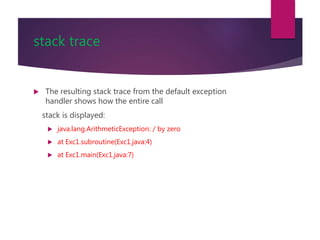
![stack trace
class Exc1 {
static void subroutine() {
int d = 0;
int a = 10 / d;
}
public static void main(String args[]) {
Exc1.subroutine();
}
}](https://image.slidesharecdn.com/interfaceandexceptions-201117154552/85/Interface-andexceptions-15-320.jpg)
![Using try and catch
class Exc2 {
public static void main(String args[]) {
int d, a;
try { // monitor a block of code.
d = 0;
a = 42 / d;
System.out.println("This will not be printed.");
}
catch (ArithmeticException e)
{ // catch divide-by-zero error
System.out.println("Division by zero.");
}
System.out.println("After catch statement.");
}
}](https://image.slidesharecdn.com/interfaceandexceptions-201117154552/85/Interface-andexceptions-18-320.jpg)
![Using try and catch
// Handle an exception and move on.
import java.util.Random;
class HandleError {
public static void main(String args[]) {
int a=0, b=0, c=0;
Random r = new Random();
for(int i=0; i<32000; i++) {
try {
b = r.nextInt();
c = r.nextInt();
a = 12345 / (b/c);
} catch (ArithmeticException e) {
System.out.println("Division by zero.");
a = 0; // set a to zero and continue
}System.out.println("a: " + a);
}}}](https://image.slidesharecdn.com/interfaceandexceptions-201117154552/85/Interface-andexceptions-19-320.jpg)
![Handling Exceptions
Can use a try-catch block to handle exceptions that are thrown
try{
// code that might throw exception
}
catch([Type of Exception] e) {
// what to do if exception is thrown
}](https://image.slidesharecdn.com/interfaceandexceptions-201117154552/85/Interface-andexceptions-20-320.jpg)


![Uncaught Exceptions In java
class Exc0 {
public static void main(String args[]) {
int d = 0;
int a = 42 / d;
}
}](/p?url=https%3A%2F%2Fimage.slidesharecdn.com%2Finterfaceandexceptions-201117154552%2F85%2FInterface-andexceptions-9-320.jpg&__src=https%3A%2F%2Fwww.slideshare.net%2Fslideshow%2Finterface-andexceptions%2F239300206%2311&__type=image)


![Decoding Exception Messages
public class ArrayExceptionExample {
public static void main(String args[]) {
String[] names = {“Bilal", “Robert"};
System.out.println(names[2]);
}
}
The println in the above code causes an exception
to be thrown with the following exception message:
Exception in thread "main"
java.lang.ArrayIndexOutOfBoundsException: 2 at
ArrayExceptionExample.main(ArrayExceptionExamp le.java:4)](/p?url=https%3A%2F%2Fimage.slidesharecdn.com%2Finterfaceandexceptions-201117154552%2F85%2FInterface-andexceptions-12-320.jpg&__src=https%3A%2F%2Fwww.slideshare.net%2Fslideshow%2Finterface-andexceptions%2F239300206%2311&__type=image)
![Exception Message Format
Exception messages have
the following format:
[exception class]: [additional description
of exception] at
[class].[method]([file]:[line number]](/p?url=https%3A%2F%2Fimage.slidesharecdn.com%2Finterfaceandexceptions-201117154552%2F85%2FInterface-andexceptions-13-320.jpg&__src=https%3A%2F%2Fwww.slideshare.net%2Fslideshow%2Finterface-andexceptions%2F239300206%2311&__type=image)

![stack trace
class Exc1 {
static void subroutine() {
int d = 0;
int a = 10 / d;
}
public static void main(String args[]) {
Exc1.subroutine();
}
}](/p?url=https%3A%2F%2Fimage.slidesharecdn.com%2Finterfaceandexceptions-201117154552%2F85%2FInterface-andexceptions-15-320.jpg&__src=https%3A%2F%2Fwww.slideshare.net%2Fslideshow%2Finterface-andexceptions%2F239300206%2311&__type=image)


![Using try and catch
class Exc2 {
public static void main(String args[]) {
int d, a;
try { // monitor a block of code.
d = 0;
a = 42 / d;
System.out.println("This will not be printed.");
}
catch (ArithmeticException e)
{ // catch divide-by-zero error
System.out.println("Division by zero.");
}
System.out.println("After catch statement.");
}
}](/p?url=https%3A%2F%2Fimage.slidesharecdn.com%2Finterfaceandexceptions-201117154552%2F85%2FInterface-andexceptions-18-320.jpg&__src=https%3A%2F%2Fwww.slideshare.net%2Fslideshow%2Finterface-andexceptions%2F239300206%2311&__type=image)
![Using try and catch
// Handle an exception and move on.
import java.util.Random;
class HandleError {
public static void main(String args[]) {
int a=0, b=0, c=0;
Random r = new Random();
for(int i=0; i<32000; i++) {
try {
b = r.nextInt();
c = r.nextInt();
a = 12345 / (b/c);
} catch (ArithmeticException e) {
System.out.println("Division by zero.");
a = 0; // set a to zero and continue
}System.out.println("a: " + a);
}}}](/p?url=https%3A%2F%2Fimage.slidesharecdn.com%2Finterfaceandexceptions-201117154552%2F85%2FInterface-andexceptions-19-320.jpg&__src=https%3A%2F%2Fwww.slideshare.net%2Fslideshow%2Finterface-andexceptions%2F239300206%2311&__type=image)
![Handling Exceptions
Can use a try-catch block to handle exceptions that are thrown
try{
// code that might throw exception
}
catch([Type of Exception] e) {
// what to do if exception is thrown
}](/p?url=https%3A%2F%2Fimage.slidesharecdn.com%2Finterfaceandexceptions-201117154552%2F85%2FInterface-andexceptions-20-320.jpg&__src=https%3A%2F%2Fwww.slideshare.net%2Fslideshow%2Finterface-andexceptions%2F239300206%2311&__type=image)


![Try-Catch-Finally Block
try{
// code that might throw exception
}
catch([Type of Exception] e) {
// what to do if exception is thrown
}
finally{
// statements here always get
// executed, regardless of what
// happens in the try block}](/p?url=https%3A%2F%2Fimage.slidesharecdn.com%2Finterfaceandexceptions-201117154552%2F85%2FInterface-andexceptions-29-320.jpg&__src=https%3A%2F%2Fwww.slideshare.net%2Fslideshow%2Finterface-andexceptions%2F239300206%2311&__type=image)


