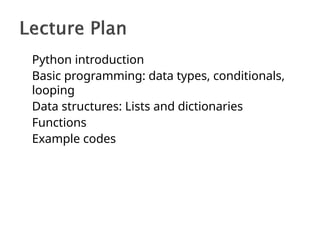
A programming languagewith powerful
typing and object oriented features.
◦ Commonly used for producing HTML content on
websites.
◦ Useful built-in types (lists, dictionaries).
◦ Clean syntax
4.
Natural Language ToolKit
AIProcessing: Symbolic
◦ Python‘s built-in datatypes for strings, lists, and
more.
◦ Java or C++ require the use of special classes for
this.
AI Processing: Statistical
◦ Python has strong numeric processing
capabilities: matrix operations, etc.
◦ Suitable for probability and machine learning
code.
5.
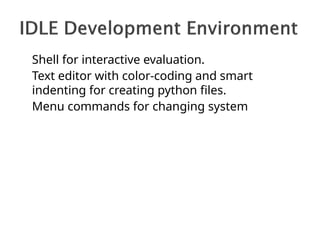
Shell for interactiveevaluation.
Text editor with color-coding and smart
indenting for creating python files.
Menu commands for changing system
6.
x = 34- 23 # A comment.
y = “Hello” # Another one.
z = 3.45
if z == 3.45 or y == “Hello”:
x = x + 1
y = y + “ World” # String
concat.
print x
print y
7.
x = 34- 23 # A comment.
y = “Hello” # Another one.
z = 3.45
if z == 3.45 or y == “Hello”:
x = x + 1
y = y + “ World” # String
concat.
print x
print y
8.
Assignment uses =and comparison uses
==.
For numbers +-*/% are as expected.
◦ Special use of + for string concatenation.
◦ Special use of % for string formatting.
Logical operators are words (and,
or, not)
not symbols (&&, ||, !).
The basic printing command is
―print.‖
First assignment to a variable will
create it.
◦ Variable types don‘t need to be declared.
9.
Integers (default fornumbers)
# Answer is 2, integer division.
z = 5 / 2
Floats
x = 3.456
Strings
Can use ―
‖ or ‗‘ to specify. ―abc‖ ‗abc‘
(Same thing.)
Unmatched ones can occur within the string.
―matt‘s‖
Use triple double-quotes for multi-line strings or
strings than contain both ‗ and ― inside of them:
―
―
―a
‗
b
―
c
‖
‖
‖
10.
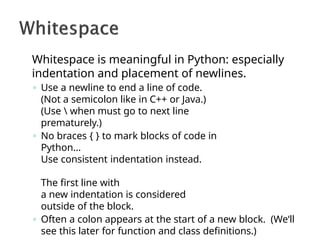
Whitespace is meaningfulin Python: especially
indentation and placement of newlines.
◦ Use a newline to end a line of code.
(Not a semicolon like in C++ or Java.)
(Use when must go to next line
prematurely.)
◦ No braces { } to mark blocks of code in
Python…
Use consistent indentation instead.
The first line with
a new indentation is considered
outside of the block.
◦ Often a colon appears at the start of a new block. (We‘ll
see this later for function and class definitions.)
11.
Start comments with# – the rest of line is
ignored.
Can include a ―documentation string‖ as the
first line of any new function or class that you
define.
The development environment, debugger, and
other tools use it: it‘s good style to include one.
def my_function(x, y):
“““This is the docstring. This
function does blah blah blah.”””
# The code would go here...
12.
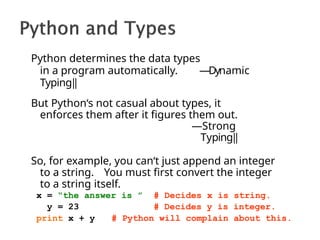
Python determines thedata types
in a program automatically. ―Dynamic
Typing‖
But Python‘s not casual about types, it
enforces them after it figures them out.
―Strong
Typing‖
So, for example, you can‘t just append an integer
to a string. You must first convert the integer
to a string itself.
x = “the answer is ”
y = 23
# Decides x is string.
# Decides y is integer.
print x + y # Python will complain about this.
13.
Names are casesensitive and cannot start
with a number. They can contain letters,
numbers, and underscores.
bob Bob _bob _2_bob_ bob_2 BoB
There are some reserved words:
and, assert, break, class, continue,
def, del, elif, else, except, exec,
finally, for, from, global, if, import,
in, is, lambda, not, or, pass, print,
raise, return, try, while
14.
You can alsoassign to multiple names at
the same time.
>>> x, y = 2, 3
>>> x
2
>>> y
3
15.
We can usesome methods built-in to the
string data type to perform some
formatting operations on strings:
>>> “hello”.upper()
„HELLO‟
There are many other handy string
operations available. Check the
Python documentation for more.
16.
Using the %string operator in
combination with the print command, we
can format our output text.
>>> print “%s xyz %d” % (“abc”,
34) abc xyz 34
―Print‖ automatically adds a newline to the end of
the string. If you include a list of strings, it will
concatenate them with a space between them.
>>> print “abc” >>> print “abc”, “def”
abc abc def
17.
Your program candecide what to do by making
a test
The result of a test is a boolean value, True or
False
Here are tests on numbers:
◦ < means “is less than”
◦ <= means “is less than or equal to”
◦ == means “is equal to”
◦ != means “is not equal to”
◦ >= means “is greater than or equal to”
◦ < means “is greater than”
These same tests work on strings
18.
Boolean values canbe combined with these
operators:
◦ and – gives True if both sides are True
◦ or – gives True if at least one side is True
◦ not – given True, this returns False, and vice
versa
Examples
◦ score > 0 and score <= 100
◦ name == "Joe" and not score > 100
19.
The if statementevaluates a test, and if it
is True, performs the following indented
statements; but if the test is False, it does
nothing
Examples:
◦ if grade == "A+":
print "Congratulations!"
◦ if score < 0 or score > 100:
print "That’s not possible!"
score = input("Enter a correct
value:
")
20.
The if statementcan have an optional
else part, to be performed if the test result
is False
Example:
◦ if grade == "A+":
print "Congratulations!"
else:
print "You could do so much
better." print "Your mother will
be
disappointed."
21.
The if statementcan have any number of elif
tests
Only one group of statements is executed—those
controlled by the first test that passes
Example:
◦ if grade == "A":
print
"Congratulations!" elif
grade == "B":
print "That's
pretty good."
elif grade == "C":
print "Well, it's passing,
anyway." else:
print "You really blew it
this time!"
22.
Indentation is requiredand must be
consistent
Standard indentation is 4 spaces or
one tab
IDLE does this pretty much automatically for
you
Example:
◦ if 2 + 2 != 4:
print "Oh, no!"
print "Arithmethic doesn't
work!" print "Time to buy a new
computer."
23.
A list
◦ Example:courses = ['CIT 591', 'CIT 592', 'CIT 593']
Referring in list
◦ Example: courses[2] is 'CIT 593'
The len function
◦ Example: len(courses) is 3
Range is a function that creates a list of integers,
from the first number up to but not including the
second number
◦ Example: range(0, 5) creates the list [0, 1, 2,
3, 4]
Range with third number
◦ Example: range(2, 10, 3) creates the list [2, 5,
8]
24.
This is thenumber 1
This is the number 2
This is the number 3
A for loop performs the same statements
for each value in a list
◦ Example:
for n in range(1, 4):
print "This is the number", n
prints
The for loop uses a variable (in this case,
n) to hold the current value in the list
25.
A while loopperforms the same statements over and
over until some test becomes False
◦ Example:
n = 3
while n > 0:
print n, "is a nice number."
n = n – 1
prints
3 is a nice number.
2 is a nice number.
1 is a nice number.
If the test is initially False, the while loop doesn't do
anything.
If the test never becomes False, you have an
"infinite loop." This is usually bad.
26.
A function isa section of code that either (1) does some
input or output, or (2) computes some value.
◦ A function can do both, but it's bad style.
◦ Good style is functions that are short and do only one thing
◦ Most functions take one or more arguments, to help tell them
what to do
Here's a function that does some input:
age = input("How old are you? ")
odds = range(1, 100,
2)
The argument, "How old are you?", is shown to the user
Here's a function that computes a value (a list):
The arguments are used to tell what to put into the list
27.
1. def sum(numbers):
2."""Finds the sum of the
numbers in a list."""
3. total = 0
4. for number in numbers:
5. total = total + number
6. return total
7. def defines a function
numbers is a parameter: a variable used to
hold an
argument
8. This doc string tells what the function does
6. A function that computes a value must return
it
sum(range(1, 101)) will return 5050
28.
Dictionary is anunordered set of key:
value pairs
The keys are unique (within one
dictionary)
Use of dictionary:
Example codes
29.
Arithmetic: + -* / % < <= == !=
>= >
Input: input(question)
raw_input(question)
Decide: if test: elif test:
else: For loop: for variable in
list: While loop: while test:
Logic (boolean): True False and or not
Strings: "Double quoted" or 'Single quoted'
Lists: [1, 2, 3, 4] len(lst) range(0, 100,
5)
🞂
🞂
🞂
🞂
🞂
🞂
Calling a function: sum(numbers)
Defining a function: def sum(numbers):
return result








![A list
◦ Example: courses = ['CIT 591', 'CIT 592', 'CIT 593']
Referring in list
◦ Example: courses[2] is 'CIT 593'
The len function
◦ Example: len(courses) is 3
Range is a function that creates a list of integers,
from the first number up to but not including the
second number
◦ Example: range(0, 5) creates the list [0, 1, 2,
3, 4]
Range with third number
◦ Example: range(2, 10, 3) creates the list [2, 5,
8]](/p?url=https%3A%2F%2Fimage.slidesharecdn.com%2Fifelifpythonnew-260130180651-35292953%2F85%2Fif-elif-python-NEW-ta-theke-ka-hui-hai-ki-23-320.jpg&__src=https%3A%2F%2Fwww.slideshare.net%2Fslideshow%2Fif-elif-python-new-ta-theke-ka-hui-hai-ki%2F285686485&__type=image)


![Arithmetic: + - * / % < <= == !=
>= >
Input: input(question)
raw_input(question)
Decide: if test: elif test:
else: For loop: for variable in
list: While loop: while test:
Logic (boolean): True False and or not
Strings: "Double quoted" or 'Single quoted'
Lists: [1, 2, 3, 4] len(lst) range(0, 100,
5)
🞂
🞂
🞂
🞂
🞂
🞂
Calling a function: sum(numbers)
Defining a function: def sum(numbers):
return result](/p?url=https%3A%2F%2Fimage.slidesharecdn.com%2Fifelifpythonnew-260130180651-35292953%2F85%2Fif-elif-python-NEW-ta-theke-ka-hui-hai-ki-29-320.jpg&__src=https%3A%2F%2Fwww.slideshare.net%2Fslideshow%2Fif-elif-python-new-ta-theke-ka-hui-hai-ki%2F285686485&__type=image)


