2116Python Introduction
What isPython?
Python is a popular programming language. It was created by Guido van Rossum and
released in 1991.
It is used for:
web development (server-side),
software development,
mathematics,
system scripting.
What can Python do?
Python can be used on a server to create web applications.
Python can be used alongside software to create workflows.
Python can connect to database systems. It can also read and modify files.
Python can be used to handle big data and perform complex mathematics.
Python can be used for rapid prototyping, or for production-ready software
development.
Why Python?
Python works on different platforms (Windows, Mac, Linux, Raspberry Pi, etc).
Python has a simple syntax similar to the English language.
Python has syntax that allows developers to write programs with fewer lines than
some other programming languages.
Python runs on an interpreter system, meaning that code can be executed as
soon as it is written. This means that prototyping can be very quick.
Python can be treated in a procedural way, an object-oriented way or a functional
way.
Good 16to know
The most recent major version of Python is Python 3, which we shall be using in
this tutorial. However, Python 2, although not being updated with anything other
than security updates, is still quite popular.
In this tutorial Python will be written in a text editor. It is possible to write Python in
an Integrated Development Environment, such as Thonny, Pycharm, Netbeans or
Eclipse which are particularly useful when managing larger collections of Python
files.
Python Syntax compared to other programming languages
Python was designed for readability and has some similarities to the English
language with influence from mathematics.
2.
Python usesnew lines to complete a command, as opposed to other programming
languages which often use semicolons or parentheses.
Python relies on indentation, using whitespace, to define scope; such as the
scope of loops, functions and classes. Other programming languages often use
curly brackets for this purpose.
History of Python
Python is a widely-used general-purpose, high-level programming language. It
was initially designed by Guido van Rossum in 1991 and developed by Python Software
Foundation. It was mainly developed for emphasis on code readability, and its syntax
allows programmers to express concepts in fewer lines of code.
In the late 1980s, history was about to be written. It was that time when working
on Python started. Soon after that, Guido Van Rossum began doing its application-based
work in December of 1989 at Centrum Wiskunde & Informatica (CWI) which is situated in
the Netherlands. It was started firstly as a hobby project because he was looking for an
interesting project to keep him occupied during Christmas. The programming language in
which Python is said to have succeeded is ABC Programming Language, which had
interfacing with the Amoeba Operating System and had the feature of exception
handling. He had already helped to create ABC earlier in his career and he had seen
some issues with ABC but liked most of the features. After that what he did was really
very clever. He had taken the syntax of ABC, and some of its good features. It came with
a lot of complaints too, so he fixed those issues completely and had created a good
scripting language that had removed all the flaws. The inspiration for the name came
from BBC‟s TV Show – „Monty Python‟s Flying Circus‟, as he was a big fan of the TV
show and also he wanted a short, unique and slightly mysterious name for his invention
and hence he named it Python! He was the “Benevolent dictator for life” (BDFL) until he
stepped down from the position as the leader on 12th July 2018. For quite some time he
used to work for Google, but currently, he is working at Dropbox.
The language was finally released in 1991. When it was released, it used a lot fewer
codes to express the concepts, when we compare it with Java, C++ & C. Its design
philosophy was quite good too. Its main objective is to provide code readability and
advanced developer productivity. When it was released it had more than enough
capability to provide classes with inheritance, several core data types exception handling
and functions.
The two of the most used versions has to Python 2.x & 3.x. There is a lot of
competition between the two and both of them seem to have quite a number of different
fanbases.
For various purposes such as developing, scripting, generation, and software
testing, this language is utilized. Due to its elegance and simplicity, top technology
organizations like Dropbox, Google, Quora, Mozilla, Hewlett-Packard, Qualcomm, IBM,
and Cisco have implemented Python.
Python has come a long way to become the most popular coding language in the
world. Python has just turned 30 and just recently at pycon22(python conference) a new
feature was released by Anaconda foundation it‟s known as pyscript with this now
python can be written and run in the browser like javascript which was previously not
possible, but it still has that unknown charm & X factor which can be clearly seen from
3.
the fact thatGoogle users have consistently searched for Python much more than they
have searched for Kim Kardashian, Donald Trump, Tom Cruise, etc.
Python Features
Python is a dynamic, high-level, free open source, and interpreted programming
language. It supports object-oriented programming as well as procedural-oriented
programming. In Python, we don‟t need to declare the type of variable because it is a
dynamically typed language. For example, x = 10 Here, x can be anything such as
String, int, etc.
Features in Python
There are many features in Python, some of which are discussed below as follows:
1. Free and Open Source
Python language is freely available at the official website and you can download it from
the given download link below click on the Download Python keyword. Download
Python Since it is open-source, this means that source code is also available to the
public. So you can download it, use it as well as share it.
2. Easy to code
Python is a high-level programming language. Python is very easy to learn the language
as compared to other languages like C, C#, Javascript, Java, etc. It is very easy to code
in the Python language and anybody can learn Python basics in a few hours or days. It is
also a developer-friendly language.
3. Easy to Read
As you will see, learning Python is quite simple. As was already established, Python‟s
syntax is really straightforward. The code block is defined by the indentations rather than
by semicolons or brackets.
4. Object-Oriented Language
One of the key features of Python is Object-Oriented programming. Python supports
object-oriented language and concepts of classes, object encapsulation, etc.
5. GUI Programming Support
Graphical User interfaces can be made using a module such as PyQt5, PyQt4,
wxPython, or Tk in python. PyQt5 is the most popular option for creating graphical apps
with Python.
6. High-Level Language
Python is a high-level language. When we write programs in Python, we do not need to
remember the system architecture, nor do we need to manage the memory.
7. Extensible feature
Python is an Extensible language. We can write some Python code into C or C++
language and also we can compile that code in C/C++ language.
8. Easy to Debug
4.
Excellent information formistake tracing. You will be able to quickly identify and correct
the majority of your program‟s issues once you understand how to interpret Python‟s
error traces. Simply by glancing at the code, you can determine what it is designed to
perform.
9. Python is a Portable language
Python language is also a portable language. For example, if we have Python code for
windows and if we want to run this code on other platforms such as Linux, Unix, and Mac
then we do not need to change it, we can run this code on any platform.
10. Python is an Integrated language
Python is also an Integrated language because we can easily integrate Python with other
languages like C, C++, etc.
11. Interpreted Language:
Python is an Interpreted Language because Python code is executed line by line at a
time. like other languages C, C++, Java, etc. there is no need to compile Python code
this makes it easier to debug our code. The source code of Python is converted into an
immediate form called bytecode.
12. Large Standard Library
Python has a large standard library that provides a rich set of modules and functions so
you do not have to write your own code for every single thing. There are many libraries
present in Python such as regular expressions, unit-testing, web browsers, etc.
13. Dynamically Typed Language
Python is a dynamically-typed language. That means the type (for example- int, double,
long, etc.) for a variable is decided at run time not in advance because of this feature we
don‟t need to specify the type of variable.
14. Frontend and backend development
With a new project py script, you can run and write Python codes in HTML with the help
of some simple tags <py-script>, <py-env>, etc. This will help you do frontend
development work in Python like javascript. Backend is the strong forte of Python it‟s
extensively used for this work cause of its frameworks like Django and Flask.
15. Allocating Memory Dynamically
In Python, the variable data type does not need to be specified. The memory is
automatically allocated to a variable at runtime when it is given a value. Developers do
not need to write int y = 18 if the integer value 15 is set to y. You may just type y=18.
Python Keywords and Identifiers
Keywords are some predefined and reserved words in python that have special
meanings. Keywords are used to define the syntax of the coding. The keyword cannot be
used as an identifier, function, and variable name. All the keywords in python are written
in lower case except True and False. There are 33 keywords in Python 3.7 let‟s go
through all of them one by one.
5.
Identifier is aname used to identify a variable, function, class, module, etc. The
identifier is a combination of character digits and underscore. The identifier should start
with a character or Underscore then use a digit. The characters are A-Z or a-z, an
Underscore ( _ ) , and digit (0-9). we should not use special characters ( #, @, $, %, ! ) in
identifiers.
Examples of valid identifiers:
var1
_var1
_1_var
var_1
Examples of invalid identifiers
!var1
1var
1_var
var#1
Total Python keywords
Keywords Descr
iption
and
This is a logical operator it returns true if both the
operands are true else return false.
Or
This is also a logical operator it returns true if
anyone operand is true else return false.
not
This is again a logical operator it returns True if
the operand is false else return false.
if This is used to make a conditional statement.
elif
Elif is a condition statement used with an if
statement the elif statement is executed if the previous
conditions were not true
else
Else is used with if and elif conditional statement
the else block is executed if the given condition is not
true.
6.
Keywords Descr
iption
for Thisis created for a loop.
while This keyword is used to create a while loop.
break This is used to terminate the loop.
as This is used to create an alternative.
def It helps us to define functions.
lambda It is used to define the anonymous function.
pass
This is a null statement which means it will do
nothing.
return It will return a value and exit the function.
True This is a boolean value.
False This is also a boolean value.
try It makes a try-except statement.
with
The with keyword is used to simplify exception
handling.
assert
This function is used for debugging purposes.
Usually used to check the correctness of code
class It helps us to define a class.
continue It continues to the next iteration of a loop
7.
Keywords Descr
iption
del Itdeletes a reference to an object.
except
Used with exceptions, what to do when an
exception occurs
finally
Finally is use with exceptions, a block of code
that will be executed no matter if there is an exception
or not.
from
The form is used to import specific parts of any
module.
global This declares a global variable.
import This is used to import a module.
in
It‟s used to check if a value is present in a list,
tuple, etc, or not.
is
This is used to check if the two variables are
equal or not.
None
This is a special constant used to denote a null
value or avoid. It‟s important to remember, 0, any empty
container(e.g empty list) do not compute to None
nonlocal It‟s declared a non-local variable.
raise This raises an exception
yield It‟s ends a function and returns a generator.
Example of and, or, not, True, False keywords.
Python
8.
print("example of True,False, and, or not keywords")
# compare two operands using and operator
print(True and True)
# compare two operands using or operator
print(True or False)
# use of not operator
print(not False)
Python Data Types
Data types are the classification or categorization of data items. It represents the kind of
value that tells what operations can be performed on a particular data. Since everything
is an object in Python programming, data types are actually classes and variables are
instance (object) of these classes.
Following are the standard or built-in data type of Python:
Numeric
Sequence Type
Boolean
Set
Dictionary
Numeric
In Python, numeric data type represent the data which has numeric value.
Numeric value can be integer, floating number or even complex numbers. These
values are defined as int, float and complex class in Python.
9.
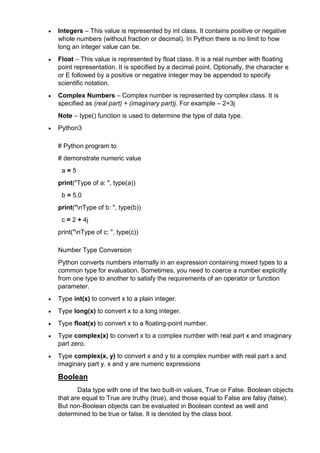
Integers –This value is represented by int class. It contains positive or negative
whole numbers (without fraction or decimal). In Python there is no limit to how
long an integer value can be.
Float – This value is represented by float class. It is a real number with floating
point representation. It is specified by a decimal point. Optionally, the character e
or E followed by a positive or negative integer may be appended to specify
scientific notation.
Complex Numbers – Complex number is represented by complex class. It is
specified as (real part) + (imaginary part)j. For example – 2+3j
Note – type() function is used to determine the type of data type.
Python3
# Python program to
# demonstrate numeric value
a = 5
print("Type of a: ", type(a))
b = 5.0
print("nType of b: ", type(b))
c = 2 + 4j
print("nType of c: ", type(c))
Number Type Conversion
Python converts numbers internally in an expression containing mixed types to a
common type for evaluation. Sometimes, you need to coerce a number explicitly
from one type to another to satisfy the requirements of an operator or function
parameter.
Type int(x) to convert x to a plain integer.
Type long(x) to convert x to a long integer.
Type float(x) to convert x to a floating-point number.
Type complex(x) to convert x to a complex number with real part x and imaginary
part zero.
Type complex(x, y) to convert x and y to a complex number with real part x and
imaginary part y. x and y are numeric expressions
Boolean
Data type with one of the two built-in values, True or False. Boolean objects
that are equal to True are truthy (true), and those equal to False are falsy (false).
But non-Boolean objects can be evaluated in Boolean context as well and
determined to be true or false. It is denoted by the class bool.
10.
Note – Trueand False with capital „T‟ and „F‟ are valid booleans otherwise python
will throw an error.
# Python program to
# demonstrate boolean type
print(type(True))
print(type(False))
print(type(true))
List, Tuple, Set and Dictionary in Python
List Tuple Set Dictionary
List is a non-
homogeneous
data structure that
stores the
elements in single
row and multiple
rows and columns
Tuple is also a non-
homogeneous data
structure that stores
single row and
multiple rows and
columns
Set data structure
is also non-
homogeneous
data structure but
stores in single
row
Dictionary is also a
non-homogeneous
data structure which
stores key value
pairs
List can be
represented by [ ]
Tuple can be
represented by
( )
Set can be
represented by { }
Dictionary can be
represented by { }
List allows
duplicate elements
Tuple allows
duplicate elements
Set will not allow
duplicate elements
Set will not allow
duplicate elements
and dictionary
doesn‟t allow
duplicate keys.
List can use
nested among all
Tuple can use nested
among all
Set can use
nested among all
Dictionary can use
nested among all
Example: [1, 2, 3,
4, 5]
Example: (1, 2, 3, 4,
5)
Example: {1, 2, 3,
4, 5}
Example: {1, 2, 3, 4,
5}
List can be created
using list() functio
Tuple can be created
using tuple() function
Set can be created
using set() functio
Dictionary can be
created
11.
n . nusing dict() function
.
List is mutable i.e
we can make any
changes in list.
Tuple is immutable
i.e we can not make
any changes in tuple
Set is mutable i.e
we can make any
changes in set.
But elements are
not duplicated.
Dictionary is
mutable. But Keys
are not duplicated.
List is ordered Tuple is ordered Set is unordered
Dictionary is
ordered (Python 3.7
and above)
Creating an empty
list
l=[]
Creating an empty
Tuple
t=()
Creating a set
a=set()
b=set(a)
Creating an empty
dictionary
d={}
Python Lists
Lists are used to store multiple items in a single variable.
Lists are one of 4 built-in data types in Python used to store collections of data, the other
3 are Tuple, Set, and Dictionary, all with different qualities and usage.
Lists are created using square brackets:
Example
Create a List:
thislist = ["apple", "banana", "cherry"]
print(thislist)
List Items
List items are ordered, changeable, and allow duplicate values.
List items are indexed, the first item has index [0], the second item has index [1] etc.
Ordered
When we say that lists are ordered, it means that the items have a defined order, and
that order will not change.
If you add new items to a list, the new items will be placed at the end of the list.
Changeable
The list is changeable, meaning that we can change, add, and remove items in a list after
it has been created.
12.
Allow Duplicates
Since listsare indexed, lists can have items with the same value:
Example
Lists allow duplicate values:
thislist = ["apple", "banana", "cherry", "apple", "cherry"]
print(thislist)
List Length
To determine how many items a list has, use the len() function:
Example
Print the number of items in the list:
thislist = ["apple", "banana", "cherry"]
print(len(thislist))
List Items - Data Types
List items can be of any data type:
Example
String, int and boolean data types:
list1 = ["apple", "banana", "cherry"]
list2 = [1, 5, 7, 9, 3]
list3 = [True, False, False]
Access Items
List items are indexed and you can access them by referring to the index number:
Example
Print the second item of the list:
thislist = ["apple", "banana", "cherry"]
print(thislist[1])
Range of Indexes
You can specify a range of indexes by specifying where to start and where to end the
range.
When specifying a range, the return value will be a new list with the specified items.
Example
Return the third, fourth, and fifth item:
thislist = ["apple", "banana", "cherry", "orange", "kiwi", "melon", "mango"]
print(thislist[2:5])
Remember that the first item has index 0.
By leaving out the start value, the range will start at the first item:
13.
Example
This example returnsthe items from the beginning to, but NOT including, "kiwi":
thislist = ["apple", "banana", "cherry", "orange", "kiwi", "melon", "mango"]
print(thislist[:4])
By leaving out the end value, the range will go on to the end of the list:
Example
This example returns the items from "cherry" to the end:
thislist = ["apple", "banana", "cherry", "orange", "kiwi", "melon", "mango"]
print(thislist[2:])
Change a Range of Item Values
To change the value of items within a specific range, define a list with the new values,
and refer to the range of index numbers where you want to insert the new values:
Example
Change the values "banana" and "cherry" with the values "blackcurrant" and
"watermelon":
thislist = ["apple", "banana", "cherry", "orange", "kiwi", "mango"]
thislist[1:3] = ["blackcurrant", "watermelon"]
print(thislist)
Append Items
To add an item to the end of the list, use the append() method:
Example
Using the append() method to append an item:
thislist = ["apple", "banana", "cherry"]
thislist.append("orange")
print(thislist)
Insert Items
To insert a list item at a specified index, use the insert() method.
The insert() method inserts an item at the specified index:
Example
Insert an item as the second position:
thislist = ["apple", "banana", "cherry"]
thislist.insert(1, "orange")
print(thislist)
Extend List
To append elements from another list to the current list, use the extend() method.
14.
Example
Add the elementsof tropical to thislist:
thislist = ["apple", "banana", "cherry"]
tropical = ["mango", "pineapple", "papaya"]
thislist.extend(tropical)
print(thislist)
Remove Specified Item
The remove() method removes the specified item.
Example
Remove "banana":
thislist = ["apple", "banana", "cherry"]
thislist.remove("banana")
print(thislist)
Remove Specified Index
The pop() method removes the specified index.
Example
Remove the second item:
thislist = ["apple", "banana", "cherry"]
thislist.pop(1)
print(thislist)
If you do not specify the index, the pop() method removes the last item.
Example
Remove the last item:
thislist = ["apple", "banana", "cherry"]
thislist.pop()
print(thislist)
The del keyword also removes the specified index:
Example
Remove the first item:
thislist = ["apple", "banana", "cherry"]
del thislist[0]
print(thislist
Clear the List
The clear() method empties the list.
The list still remains, but it has no content.
Example
15.
Clear the listcontent:
thislist = ["apple", "banana", "cherry"]
thislist.clear()
print(thislist)
Copy a List
You cannot copy a list simply by typing list2 = list1, because: list2 will only be
a reference to list1, and changes made in list1 will automatically also be made in list2.
There are ways to make a copy, one way is to use the built-in List method copy().
Example
Make a copy of a list with the copy() method:
thislist = ["apple", "banana", "cherry"]
mylist = thislist.copy()
print(mylist)
Another way to make a copy is to use the built-in method list().
Example
Make a copy of a list with the list() method:
thislist = ["apple", "banana", "cherry"]
mylist = list(thislist)
print(mylist)
Join Two Lists
There are several ways to join, or concatenate, two or more lists in Python.
One of the easiest ways are by using the + operator.
Example
Join two list:
list1 = ["a", "b", "c"]
list2 = [1, 2, 3]
list3 = list1 + list2
print(list3)
you can use the extend() method, which purpose is to add elements from one list to
another list:
Example
Use the extend() method to add list2 at the end of list1:
list1 = ["a", "b" , "c"]
list2 = [1, 2, 3]
list1.extend(list2)
print(list1)
16.
List Methods
Python hasa set of built-in methods that you can use on lists.
Method Description
append() Adds an element at the end of the list
clear() Removes all the elements from the list
copy() Returns a copy of the list
count() Returns the number of elements with the specified value
extend() Add the elements of a list (or any iterable), to the end of the current list
index() Returns the index of the first element with the specified value
insert() Adds an element at the specified position
pop() Removes the element at the specified position
remove() Removes the item with the specified value
reverse() Reverses the order of the list
sort() Sorts the list
Python Tuples
Tuple
Tuples are used to store multiple items in a single variable.
Tuple is one of 4 built-in data types in Python used to store collections of data, the other
3 are List, Set, and Dictionary, all with different qualities and usage.
A tuple is a collection which is ordered and unchangeable.
Tuples are written with round brackets.
Example
Create a Tuple:
thistuple = ("apple", "banana", "cherry")
print(thistuple)
Tuple Items
Tuple items are ordered, unchangeable, and allow duplicate values.
Tuple items are indexed, the first item has index [0], the second item has index [1] etc.
Ordered
When we say that tuples are ordered, it means that the items have a defined order, and
that order will not change.
17.
Unchangeable
Tuples are unchangeable,meaning that we cannot change, add or remove items after
the tuple has been created.
Allow Duplicates
Since tuples are indexed, they can have items with the same value:
Example
Tuples allow duplicate values:
thistuple = ("apple", "banana", "cherry", "apple", "cherry")
print(thistuple)
Tuple Length
To determine how many items a tuple has, use the len() function:
Example
Print the number of items in the tuple:
thistuple = ("apple", "banana", "cherry")
print(len(thistuple))
Tuple Items - Data Types
Tuple items can be of any data type:
Example
String, int and boolean data types:
tuple1 = ("apple", "banana", "cherry")
tuple2 = (1, 5, 7, 9, 3)
tuple3 = (True, False, False)
Access Tuple Items
You can access tuple items by referring to the index number, inside square brackets:
Example
Print the second item in the tuple:
thistuple = ("apple", "banana", "cherry")
print(thistuple[1])
Negative Indexing
18.
Negative indexing meansstart from the end.
-1 refers to the last item, -2 refers to the second last item etc.
Example
Print the last item of the tuple:
thistuple = ("apple", "banana", "cherry")
print(thistuple[-1])
Range of Indexes
You can specify a range of indexes by specifying where to start and where to end the
range.
When specifying a range, the return value will be a new tuple with the specified items.
Example
Return the third, fourth, and fifth item:
thistuple = ("apple", "banana", "cherry", "orange", "kiwi", "melon", "mango")
print(thistuple[2:5])
Remember that the first item has index 0.
By leaving out the start value, the range will start at the first item:
Example
This example returns the items from the beginning to, but NOT included, "kiwi":
thistuple = ("apple", "banana", "cherry", "orange", "kiwi", "melon", "mango")
print(thistuple[:4])
Tuples are unchangeable, meaning that you cannot change, add, or remove items once
the tuple is created.
But there are some workarounds.
Change Tuple Values
Once a tuple is created, you cannot change its values. Tuples are unchangeable, or
immutable as it also is called.
But there is a workaround. You can convert the tuple into a list, change the list, and
convert the list back into a tuple.
Example
Convert the tuple into a list to be able to change it:
x = ("apple", "banana", "cherry")
19.
y = list(x)
y[1]= "kiwi"
x = tuple(y)
print(x)
Add Items
Since tuples are immutable, they do not have a build-in append() method, but there are
other ways to add items to a tuple.
1. Convert into a list: Just like the workaround for changing a tuple, you can convert it
into a list, add your item(s), and convert it back into a tuple.
Example
Convert the tuple into a list, add "orange", and convert it back into a tuple:
thistuple = ("apple", "banana", "cherry")
y = list(thistuple)
y.append("orange")
thistuple = tuple(y)
2. Add tuple to a tuple. You are allowed to add tuples to tuples, so if you want to add one
item, (or many), create a new tuple with the item(s), and add it to the existing tuple:
Example
Create a new tuple with the value "orange", and add that tuple:
thistuple = ("apple", "banana", "cherry")
y = ("orange",)
thistuple += y
print(thistuple)
Remove Items
Note: You cannot remove items in a tuple.
Tuples are unchangeable, so you cannot remove items from it, but you can use the same
workaround as we used for changing and adding tuple items:
Example
Convert the tuple into a list, remove "apple", and convert it back into a tuple:
thistuple = ("apple", "banana", "cherry")
y = list(thistuple)
y.remove("apple")
20.
thistuple = tuple(y)
youcan delete the tuple completely:
Example
The del keyword can delete the tuple completely:
thistuple = ("apple", "banana", "cherry")
del thistuple
print(thistuple) #this will raise an error because the tuple no longer exists
Unpacking a Tuple
When we create a tuple, we normally assign values to it. This is called "packing" a tuple:
Example
Packing a tuple:
fruits = ("apple", "banana", "cherry")
But, in Python, we are also allowed to extract the values back into variables. This is
called "unpacking":
Example
Unpacking a tuple:
fruits = ("apple", "banana", "cherry")
(green, yellow, red) = fruits
print(green)
print(yellow)
print(red)
Using Asterisk*
If the number of variables is less than the number of values, you can add an * to the
variable name and the values will be assigned to the variable as a list:
Example
Assign the rest of the values as a list called "red":
fruits = ("apple", "banana", "cherry", "strawberry", "raspberry")
(green, yellow, *red) = fruits
print(green)
print(yellow)
print(red)
Join Two Tuples
21.
To join twoor more tuples you can use the + operator:
Example
Join two tuples:
tuple1 = ("a", "b" , "c")
tuple2 = (1, 2, 3)
tuple3 = tuple1 + tuple2
print(tuple3)
Multiply Tuples
If you want to multiply the content of a tuple a given number of times, you can use the *
operator:
xample
Multiply the fruits tuple by 2:
fruits = ("apple", "banana", "cherry")
mytuple = fruits * 2
print(mytuple)
Python Sets
Sets are used to store multiple items in a single variable.
Set is one of 4 built-in data types in Python used to store collections of data, the other 3
are List, Tuple, and Dictionary, all with different qualities and usage.
A set is a collection which is unordered, unchangeable*, and unindexed.
* Note: Set items are unchangeable, but you can remove items and add new items.
Sets are written with curly brackets.
Example
Create a Set:
thisset = {"apple", "banana", "cherry"}
print(thisset)
Set Items
Set items are unordered, unchangeable, and do not allow duplicate values.
Unordered
Unordered means that the items in a set do not have a defined order.
Set items can appear in a different order every time you use them, and cannot be
referred to by index or key.
22.
Unchangeable
Set items areunchangeable, meaning that we cannot change the items after the set has
been created.
Once a set is created, you cannot change its items, but you can remove items and add
new items.
Duplicates Not Allowed
Sets cannot have two items with the same value.
Example
Duplicate values will be ignored:
thisset = {"apple", "banana", "cherry", "apple"}
print(thisset)
Get the Length of a Set
To determine how many items a set has, use the len() function.
Example
Get the number of items in a set:
thisset = {"apple", "banana", "cherry"}
Set Items - Data Types
Set items can be of any data type:
Example
String, int and boolean data types:
set1 = {"apple", "banana", "cherry"}
set2 = {1, 5, 7, 9, 3}
set3 = {True, False, False}print(len(thisset))
A set can contain different data types:
Example
A set with strings, integers and boolean values:
set1 = {"abc", 34, True, 40, "male"}
Access Items
You cannot access items in a set by referring to an index or a key.
But you can loop through the set items using a for loop, or ask if a specified value is
present in a set, by using the in keyword.
Example
Loop through the set, and print the values:
23.
thisset = {"apple","banana", "cherry"}
for x in thisset:
print(x)
Example
Check if "banana" is present in the set:
thisset = {"apple", "banana", "cherry"}
print("banana" in thisset)
Change Items
Once a set is created, you cannot change its items, but you can add new items.
Add Items
Once a set is created, you cannot change its items, but you can add new items.
To add one item to a set use the add() method.
Example
Add an item to a set, using the add() method:
thisset = {"apple", "banana", "cherry"}
thisset.add("orange")
print(thisset)
Add Sets
To add items from another set into the current set, use the update() method.
Example
Add elements from tropical into thisset:
thisset = {"apple", "banana", "cherry"}
tropical = {"pineapple", "mango", "papaya"}
thisset.update(tropical)
print(thisset)
Add Any Iterable
The object in the update() method does not have to be a set, it can be any iterable object
(tuples, lists, dictionaries etc.).
Example
Add elements of a list to at set:
thisset = {"apple", "banana", "cherry"}
mylist = ["kiwi", "orange"]
24.
thisset.update(mylist)
print(thisset)
Remove Item
To removean item in a set, use the remove(), or the discard() method.
Example
Remove "banana" by using the remove() method:
thisset = {"apple", "banana", "cherry"}
thisset.remove("banana")
print(thisset)
Note: If the item to remove does not exist, discard() will NOT raise an error.
You can also use the pop() method to remove an item, but this method will remove the
last item. Remember that sets are unordered, so you will not know what item that gets
removed.
The return value of the pop() method is the removed item.
Example
Remove the last item by using the pop() method:
thisset = {"apple", "banana", "cherry"}
x = thisset.pop()
print(x)
print(thisset)
The clear() method empties the set:
thisset = {"apple", "banana", "cherry"}
thisset.clear()
print(thisset)
The del keyword will delete the set completely:
thisset = {"apple", "banana", "cherry"}
del thisset
print(thisset)
Join Two Sets
There are several ways to join two or more sets in Python.
25.
You can usethe union() method that returns a new set containing all items from both
sets, or the update() method that inserts all the items from one set into another:
Example
The union() method returns a new set with all items from both sets:
set1 = {"a", "b" , "c"}
set2 = {1, 2, 3}
set3 = set1.union(set2)
print(set3)
Example
The update() method inserts the items in set2 into set1:
set1 = {"a", "b" , "c"}
set2 = {1, 2, 3}
set1.update(set2)
print(set1)
Note: Both union() and update() will exclude any duplicate items.
Keep ONLY the Duplicates
The intersection_update() method will keep only the items that are present in both sets.
Example
Keep the items that exist in both set x, and set y:
x = {"apple", "banana", "cherry"}
y = {"google", "microsoft", "apple"}
x.intersection_update(y)
print(x)
The intersection() method will return a new set, that only contains the items that are
present in both sets.
Example
Return a set that contains the items that exist in both set x, and set y:
x = {"apple", "banana", "cherry"}
y = {"google", "microsoft", "apple"}
z = x.intersection(y)
print(z)
Python Dictionaries
Dictionaries are used to store data values in key:value pairs.
26.
A dictionary isa collection which is ordered*, changeable and do not allow duplicates.
As of Python version 3.7, dictionaries are ordered. In Python 3.6 and earlier, dictionaries
are unordered.
Dictionaries are written with curly brackets, and have keys and values:
Example
Create and print a dictionary:
thisdict = {
"brand": "Ford",
"model": "Mustang",
"year": 1964
}
print(thisdict)
Ordered or Unordered?
As of Python version 3.7, dictionaries are ordered. In Python 3.6 and earlier, dictionaries
are unordered.
When we say that dictionaries are ordered, it means that the items have a defined order,
and that order will not change.Unordered means that the items does not have a defined
order, you cannot refer to an item by using an index.
Changeable
Dictionaries are changeable, meaning that we can change, add or remove items after the
dictionary has been created.
Duplicates Not Allowed
Dictionaries cannot have two items with the same key:
Example
Duplicate values will overwrite existing values:
thisdict = {
"brand": "Ford",
"model": "Mustang",
"year": 1964,
"year": 2020
}
print(thisdict)
Dictionary Items - Data Types
The values in dictionary items can be of any data type:
Example
27.
String, int, boolean,and list data types:
thisdict = {
"brand": "Ford",
"electric": False,
"year": 1964,
"colors": ["red", "white", "blue"]
Accessing Items
You can access the items of a dictionary by referring to its key name, inside square
brackets:
Example
Get the value of the "model" key:
thisdict = {
"brand": "Ford",
"model": "Mustang",
"year": 1964
}
x = thisdict["model"]
There is also a method called get() that will give you the same result:
Example
Get the value of the "model" key:
x = thisdict.get("model")
Get Keys
The keys() method will return a list of all the keys in the dictionary.
Example
Get a list of the keys:
x = thisdict.keys()
The list of the keys is a view of the dictionary, meaning that any changes done to the
dictionary will be reflected in the keys list.
Example
Add a new item to the original dictionary, and see that the keys list gets updated as well:
car = {
28.
"brand": "Ford",
" model":"Mustang",
"year": 1964
}
x = car.keys()
print(x) #before the change
car["color"] = "white"
print(x) #after the change
Get Values
The values() method will return a list of all the values in the dictionary.
Example
Get a list of the values:
x = thisdict.values()
The list of the values is a view of the dictionary, meaning that any changes done to the
dictionary will be reflected in the values list.
Example
Make a change in the original dictionary, and see that the values list gets updated as
well:
car = {
"brand": "Ford",
"model": "Mustang",
"year": 1964
}
x = car.values()
print(x) #before the change
car["year"] = 2020
print(x) #after the change
Get Items
The items() method will return each item in a dictionary, as tuples in a list.
Example
Get a list of the key:value pairs
29.
x = thisdict.items()
Thereturned list is a view of the items of the dictionary, meaning that any changes done
to the dictionary will be reflected in the items list.
Example
Make a change in the original dictionary, and see that the items list gets updated as well:
car = {
"brand": "Ford",
"model": "Mustang",
"year": 1964
}
x = car.items()
print(x) #before the change
car["year"] = 2020
print(x) #after the change
Example
Add a new item to the original dictionary, and see that the items list gets updated as well:
car = {
"brand": "Ford",
"model": "Mustang",
"year": 1964
}
x = car.items()
print(x) #before the change
car["color"] = "red"
print(x) #after the change
Change Values
You can change the value of a specific item by referring to its key name:
Example
Change the "year" to 2018:
30.
thisdict = {
"brand":"Ford",
"model": "Mustang",
"year": 1964
}
thisdict["year"] = 2018
Update Dictionary
The update() method will update the dictionary with the items from the given argument.
The argument must be a dictionary, or an iterable object with key:value pairs.
Example
Update the "year" of the car by using the update() method:
thisdict = {
"brand": "Ford",
"model": "Mustang",
"year": 1964
}
thisdict.update({"year": 2020})
Removing Items
There are several methods to remove items from a dictionary:
Example
The pop() method removes the item with the specified key name:
thisdict = {
"brand": "Ford",
"model": "Mustang",
"year": 1964
}
thisdict.pop("model")
print(thisdict)
Example
The popitem() method removes the last inserted item (in versions before 3.7, a random
item is removed instead):
31.
thisdict = {
"brand":"Ford",
"model": "Mustang",
"year": 1964
}
thisdict.popitem()
print(thisdict)
Example
The del keyword removes the item with the specified key name:
thisdict = {
"brand": "Ford",
"model": "Mustang",
"year": 1964
}
del thisdict["model"]
print(thisdict)
Example
The del keyword can also delete the dictionary completely:
thisdict = {
"brand": "Ford",
"model": "Mustang",
"year": 1964
}
del thisdict
print(thisdict) #this will cause an error because "thisdict" no longer exists.
Example
The clear() method empties the dictionary:
thisdict = {
"brand": "Ford",
"model": "Mustang",
"year": 1964
}
32.
thisdict.clear()
print(thisdict)
Copy a Dictionary
Youcannot copy a dictionary simply by typing dict2 = dict1, because: dict2 will only be a
reference to dict1, and changes made in dict1 will automatically also be made in dict2.
There are ways to make a copy, one way is to use the built-in Dictionary method copy().
Example
Make a copy of a dictionary with the copy() method:
thisdict = {
"brand": "Ford",
"model": "Mustang",
"year": 1964
}
mydict = thisdict.copy()
print(mydict)
Another way to make a copy is to use the built-in function
dict().
Example
Make a copy of a dictionary with the dict() function:
thisdict = {
"brand": "Ford",
"model": "Mustang",
"year": 1964
}
mydict = dict(thisdict)
print(mydict)
Python Operators
Python Operators in general are used to perform operations on values and variables.
These are standard symbols used for the purpose of logical and arithmetic operations. In
this article, we will look into different types of Python operators.
OPERATORS: Are the special symbols. Eg- + , * , /, etc.
OPERAND: It is the value on which the operator is applied.
Arithmetic Operators
33.
Arithmetic operators areused to performing mathematical operations like addition,
subtraction, multiplication, and division.
In Python 3.x the result of division is a floating-point while in Python 2.x division of 2
integer was an integer and to obtain an integer result in Python 3.x floored (// integer) is
used.
Operator Description Syntax
+ Addition: adds two operands x + y
– Subtraction: subtracts two operands x – y
* Multiplication: multiplies two operands x * y
/ Division (float): divides the first operand by the second x / y
// Division (floor): divides the first operand by the second x // y
% Modulus: returns the remainder when the first operand is
divided by the second x % y
** Power: Returns first raised to power second x ** y
PRECEDENCE:
P – Parentheses
E – Exponentiation
M – Multiplication (Multiplication and division have the same precedence)
D – Division
A – Addition (Addition and subtraction have the same precedence)
S – Subtraction
The modulus operator helps us extract the last digit/s of a number. For example:
x % 10 -> yields the last digit
x % 100 -> yield last two digits
Example: Arithmetic operators in Python
# Examples of Arithmetic Operator
a = 9
b = 4
# Addition of numbers
add = a + b
# Subtraction of numbers
34.
sub = a- b
# Multiplication of number
mul = a * b
# Division(float) of number
div1 = a / b
# Division(floor) of number
div2 = a // b
# Modulo of both number
mod = a % b
# Power
p = a ** b
# print results
print(add),print(sub),print(mul),print(div1),print(div2),print(mod),print(p)
Output
13,5,36,2.25,2,1,6561
Comparison Operators
Comparison of Relational operators compares the values. It either returns True or False
according to the condition.
Operator Description Syntax
> Greater than: True if the left operand is greater than the right x > y
< Less than: True if the left operand is less than the right x < y
== Equal to: True if both operands are equal x == y
!= Not equal to – True if operands are not equal x != y
>= Greater than or equal to True if the left operand is greater than
or equal to the right x >= y
<= Less than or equal to True if the left operand is less than or
equal to the right x <= y
is x is the same as y x is y
is not x is not the same as y x is not y
= is an assignment operator and == comparison operator.
35.
Example: Comparison Operatorsin Python
# Examples of Relational Operators
a = 13
b = 33
# a > b is False
print(a > b)
# a < b is True
print(a < b)
# a == b is False
print(a == b)
# a != b is True
print(a != b)
# a >= b is False
print(a >= b)
# a <= b is True
print(a <= b)
Output
False
True
False
True
False
True
Logical Operators
Logical operators perform Logical AND, Logical OR, and Logical NOT operations. It is
used to combine conditional statements.
Operator Description Syntax
and Logical AND: True if both the operands are true x and y
or Logical OR: True if either of the operands is true x or y
36.
not Logical NOT:True if the operand is false not x
Example: Logical Operators in Python
# Examples of Logical Operator
a = True
b = False
# Print a and b is False
print(a and b)
# Print a or b is True
print(a or b)
# Print not a is False
print(not a)
Output
False
True
False
Bitwise Operators
Bitwise operators act on bits and perform the bit-by-bit operations. These are used to
operate on binary numbers.
Operator Description Syntax
& Bitwise AND x & y
| Bitwise OR x | y
~ Bitwise NOT ~x
^ Bitwise XOR x ^ y
>> Bitwise right shift x>>
<< Bitwise left shift x<<
Example: Bitwise Operators in Python
# Examples of Bitwise operators
a = 10
b = 4
# Print bitwise AND operation
print(a & b)
37.
# Print bitwiseOR operation
print(a | b)
# Print bitwise NOT operation
print(~a)
# print bitwise XOR operation
print(a ^ b)
# print bitwise right shift operation
print(a >> 2)
# print bitwise left shift operation
print(a << 2)
Output
0
14
-11
14
2
40
Assignment Operators
Assignment operators are used to assign values to the variables.
Operator Description Syntax
= Assign value of right side of expression to left
side operand x = y + z
+= Add AND: Add right-side operand with left side
operand and then assign to left operand a+=b a=a+b
-= Subtract AND: Subtract right operand from left
operand and then assign to left operand a-=b a=a-b
*= Multiply AND: Multiply right operand with left
operand and then assign to left operand a*=b a=a*b
/= Divide AND: Divide left operand with right
operand and then assign to left operand a/=b a=a/b
%= Modulus AND: Takes modulus using left and
right operands and assign the result to left operand a%=b a=a%b
38.
//= Divide(floor) AND:Divide left operand with right
operand and then assign the value(floor) to left operand a//=b a=a//b
Example: Assignment Operators in Python
# Examples of Assignment Operators
a = 10
# Assign value
b = a
print(b)
# Add and assign value
b += a
print(b)
# Subtract and assign value
b -= a
print(b)
# multiply and assign
b *= a
print(b)
# bitwise lishift operator
b <<= a
print(b)
Output
10
20
10
100
102400
Identity Operators
is and is not are the identity operators both are used to check if two values are located on
the same part of the memory. Two variables that are equal do not imply that they are
identical.
is True if the operands are identical
is not True if the operands are not identical
39.
Example: Identity Operator
a= 10
b = 20
c = a
print(a is not b)
print(a is c)
Output
True
True
Membership Operators
in and not in are the membership operators; used to test whether a value or variable is in
a sequence.
in True if value is found in the sequence
not in True if value is not found in the sequence
Example: Membership Operator
# Python program to illustrate
# not 'in' operator
x = 24
y = 20
list = [10, 20, 30, 40, 50]
if (x not in list):
print("x is NOT present in given list")
else:
print("x is present in given list")
if (y in list):
print("y is present in given list")
else:
print("y is NOT present in given list")
Output
40.
x is NOTpresent in given list
y is present in given list


![Note – True and False with capital „T‟ and „F‟ are valid booleans otherwise python
will throw an error.
# Python program to
# demonstrate boolean type
print(type(True))
print(type(False))
print(type(true))
List, Tuple, Set and Dictionary in Python
List Tuple Set Dictionary
List is a non-
homogeneous
data structure that
stores the
elements in single
row and multiple
rows and columns
Tuple is also a non-
homogeneous data
structure that stores
single row and
multiple rows and
columns
Set data structure
is also non-
homogeneous
data structure but
stores in single
row
Dictionary is also a
non-homogeneous
data structure which
stores key value
pairs
List can be
represented by [ ]
Tuple can be
represented by
( )
Set can be
represented by { }
Dictionary can be
represented by { }
List allows
duplicate elements
Tuple allows
duplicate elements
Set will not allow
duplicate elements
Set will not allow
duplicate elements
and dictionary
doesn‟t allow
duplicate keys.
List can use
nested among all
Tuple can use nested
among all
Set can use
nested among all
Dictionary can use
nested among all
Example: [1, 2, 3,
4, 5]
Example: (1, 2, 3, 4,
5)
Example: {1, 2, 3,
4, 5}
Example: {1, 2, 3, 4,
5}
List can be created
using list() functio
Tuple can be created
using tuple() function
Set can be created
using set() functio
Dictionary can be
created](https://image.slidesharecdn.com/1unitnotes-251126104104-91908bb2/85/fundmental-notes-for-pyhon-programming-1-10-320.jpg)
![n . n using dict() function
.
List is mutable i.e
we can make any
changes in list.
Tuple is immutable
i.e we can not make
any changes in tuple
Set is mutable i.e
we can make any
changes in set.
But elements are
not duplicated.
Dictionary is
mutable. But Keys
are not duplicated.
List is ordered Tuple is ordered Set is unordered
Dictionary is
ordered (Python 3.7
and above)
Creating an empty
list
l=[]
Creating an empty
Tuple
t=()
Creating a set
a=set()
b=set(a)
Creating an empty
dictionary
d={}
Python Lists
Lists are used to store multiple items in a single variable.
Lists are one of 4 built-in data types in Python used to store collections of data, the other
3 are Tuple, Set, and Dictionary, all with different qualities and usage.
Lists are created using square brackets:
Example
Create a List:
thislist = ["apple", "banana", "cherry"]
print(thislist)
List Items
List items are ordered, changeable, and allow duplicate values.
List items are indexed, the first item has index [0], the second item has index [1] etc.
Ordered
When we say that lists are ordered, it means that the items have a defined order, and
that order will not change.
If you add new items to a list, the new items will be placed at the end of the list.
Changeable
The list is changeable, meaning that we can change, add, and remove items in a list after
it has been created.](https://image.slidesharecdn.com/1unitnotes-251126104104-91908bb2/85/fundmental-notes-for-pyhon-programming-1-11-320.jpg)
![Allow Duplicates
Since lists are indexed, lists can have items with the same value:
Example
Lists allow duplicate values:
thislist = ["apple", "banana", "cherry", "apple", "cherry"]
print(thislist)
List Length
To determine how many items a list has, use the len() function:
Example
Print the number of items in the list:
thislist = ["apple", "banana", "cherry"]
print(len(thislist))
List Items - Data Types
List items can be of any data type:
Example
String, int and boolean data types:
list1 = ["apple", "banana", "cherry"]
list2 = [1, 5, 7, 9, 3]
list3 = [True, False, False]
Access Items
List items are indexed and you can access them by referring to the index number:
Example
Print the second item of the list:
thislist = ["apple", "banana", "cherry"]
print(thislist[1])
Range of Indexes
You can specify a range of indexes by specifying where to start and where to end the
range.
When specifying a range, the return value will be a new list with the specified items.
Example
Return the third, fourth, and fifth item:
thislist = ["apple", "banana", "cherry", "orange", "kiwi", "melon", "mango"]
print(thislist[2:5])
Remember that the first item has index 0.
By leaving out the start value, the range will start at the first item:](https://image.slidesharecdn.com/1unitnotes-251126104104-91908bb2/85/fundmental-notes-for-pyhon-programming-1-12-320.jpg)
![Example
This example returns the items from the beginning to, but NOT including, "kiwi":
thislist = ["apple", "banana", "cherry", "orange", "kiwi", "melon", "mango"]
print(thislist[:4])
By leaving out the end value, the range will go on to the end of the list:
Example
This example returns the items from "cherry" to the end:
thislist = ["apple", "banana", "cherry", "orange", "kiwi", "melon", "mango"]
print(thislist[2:])
Change a Range of Item Values
To change the value of items within a specific range, define a list with the new values,
and refer to the range of index numbers where you want to insert the new values:
Example
Change the values "banana" and "cherry" with the values "blackcurrant" and
"watermelon":
thislist = ["apple", "banana", "cherry", "orange", "kiwi", "mango"]
thislist[1:3] = ["blackcurrant", "watermelon"]
print(thislist)
Append Items
To add an item to the end of the list, use the append() method:
Example
Using the append() method to append an item:
thislist = ["apple", "banana", "cherry"]
thislist.append("orange")
print(thislist)
Insert Items
To insert a list item at a specified index, use the insert() method.
The insert() method inserts an item at the specified index:
Example
Insert an item as the second position:
thislist = ["apple", "banana", "cherry"]
thislist.insert(1, "orange")
print(thislist)
Extend List
To append elements from another list to the current list, use the extend() method.](https://image.slidesharecdn.com/1unitnotes-251126104104-91908bb2/85/fundmental-notes-for-pyhon-programming-1-13-320.jpg)
![Example
Add the elements of tropical to thislist:
thislist = ["apple", "banana", "cherry"]
tropical = ["mango", "pineapple", "papaya"]
thislist.extend(tropical)
print(thislist)
Remove Specified Item
The remove() method removes the specified item.
Example
Remove "banana":
thislist = ["apple", "banana", "cherry"]
thislist.remove("banana")
print(thislist)
Remove Specified Index
The pop() method removes the specified index.
Example
Remove the second item:
thislist = ["apple", "banana", "cherry"]
thislist.pop(1)
print(thislist)
If you do not specify the index, the pop() method removes the last item.
Example
Remove the last item:
thislist = ["apple", "banana", "cherry"]
thislist.pop()
print(thislist)
The del keyword also removes the specified index:
Example
Remove the first item:
thislist = ["apple", "banana", "cherry"]
del thislist[0]
print(thislist
Clear the List
The clear() method empties the list.
The list still remains, but it has no content.
Example](https://image.slidesharecdn.com/1unitnotes-251126104104-91908bb2/85/fundmental-notes-for-pyhon-programming-1-14-320.jpg)
![Clear the list content:
thislist = ["apple", "banana", "cherry"]
thislist.clear()
print(thislist)
Copy a List
You cannot copy a list simply by typing list2 = list1, because: list2 will only be
a reference to list1, and changes made in list1 will automatically also be made in list2.
There are ways to make a copy, one way is to use the built-in List method copy().
Example
Make a copy of a list with the copy() method:
thislist = ["apple", "banana", "cherry"]
mylist = thislist.copy()
print(mylist)
Another way to make a copy is to use the built-in method list().
Example
Make a copy of a list with the list() method:
thislist = ["apple", "banana", "cherry"]
mylist = list(thislist)
print(mylist)
Join Two Lists
There are several ways to join, or concatenate, two or more lists in Python.
One of the easiest ways are by using the + operator.
Example
Join two list:
list1 = ["a", "b", "c"]
list2 = [1, 2, 3]
list3 = list1 + list2
print(list3)
you can use the extend() method, which purpose is to add elements from one list to
another list:
Example
Use the extend() method to add list2 at the end of list1:
list1 = ["a", "b" , "c"]
list2 = [1, 2, 3]
list1.extend(list2)
print(list1)](https://image.slidesharecdn.com/1unitnotes-251126104104-91908bb2/85/fundmental-notes-for-pyhon-programming-1-15-320.jpg)
![List Methods
Python has a set of built-in methods that you can use on lists.
Method Description
append() Adds an element at the end of the list
clear() Removes all the elements from the list
copy() Returns a copy of the list
count() Returns the number of elements with the specified value
extend() Add the elements of a list (or any iterable), to the end of the current list
index() Returns the index of the first element with the specified value
insert() Adds an element at the specified position
pop() Removes the element at the specified position
remove() Removes the item with the specified value
reverse() Reverses the order of the list
sort() Sorts the list
Python Tuples
Tuple
Tuples are used to store multiple items in a single variable.
Tuple is one of 4 built-in data types in Python used to store collections of data, the other
3 are List, Set, and Dictionary, all with different qualities and usage.
A tuple is a collection which is ordered and unchangeable.
Tuples are written with round brackets.
Example
Create a Tuple:
thistuple = ("apple", "banana", "cherry")
print(thistuple)
Tuple Items
Tuple items are ordered, unchangeable, and allow duplicate values.
Tuple items are indexed, the first item has index [0], the second item has index [1] etc.
Ordered
When we say that tuples are ordered, it means that the items have a defined order, and
that order will not change.](https://image.slidesharecdn.com/1unitnotes-251126104104-91908bb2/85/fundmental-notes-for-pyhon-programming-1-16-320.jpg)
![Unchangeable
Tuples are unchangeable, meaning that we cannot change, add or remove items after
the tuple has been created.
Allow Duplicates
Since tuples are indexed, they can have items with the same value:
Example
Tuples allow duplicate values:
thistuple = ("apple", "banana", "cherry", "apple", "cherry")
print(thistuple)
Tuple Length
To determine how many items a tuple has, use the len() function:
Example
Print the number of items in the tuple:
thistuple = ("apple", "banana", "cherry")
print(len(thistuple))
Tuple Items - Data Types
Tuple items can be of any data type:
Example
String, int and boolean data types:
tuple1 = ("apple", "banana", "cherry")
tuple2 = (1, 5, 7, 9, 3)
tuple3 = (True, False, False)
Access Tuple Items
You can access tuple items by referring to the index number, inside square brackets:
Example
Print the second item in the tuple:
thistuple = ("apple", "banana", "cherry")
print(thistuple[1])
Negative Indexing](https://image.slidesharecdn.com/1unitnotes-251126104104-91908bb2/85/fundmental-notes-for-pyhon-programming-1-17-320.jpg)
![Negative indexing means start from the end.
-1 refers to the last item, -2 refers to the second last item etc.
Example
Print the last item of the tuple:
thistuple = ("apple", "banana", "cherry")
print(thistuple[-1])
Range of Indexes
You can specify a range of indexes by specifying where to start and where to end the
range.
When specifying a range, the return value will be a new tuple with the specified items.
Example
Return the third, fourth, and fifth item:
thistuple = ("apple", "banana", "cherry", "orange", "kiwi", "melon", "mango")
print(thistuple[2:5])
Remember that the first item has index 0.
By leaving out the start value, the range will start at the first item:
Example
This example returns the items from the beginning to, but NOT included, "kiwi":
thistuple = ("apple", "banana", "cherry", "orange", "kiwi", "melon", "mango")
print(thistuple[:4])
Tuples are unchangeable, meaning that you cannot change, add, or remove items once
the tuple is created.
But there are some workarounds.
Change Tuple Values
Once a tuple is created, you cannot change its values. Tuples are unchangeable, or
immutable as it also is called.
But there is a workaround. You can convert the tuple into a list, change the list, and
convert the list back into a tuple.
Example
Convert the tuple into a list to be able to change it:
x = ("apple", "banana", "cherry")](https://image.slidesharecdn.com/1unitnotes-251126104104-91908bb2/85/fundmental-notes-for-pyhon-programming-1-18-320.jpg)
![y = list(x)
y[1] = "kiwi"
x = tuple(y)
print(x)
Add Items
Since tuples are immutable, they do not have a build-in append() method, but there are
other ways to add items to a tuple.
1. Convert into a list: Just like the workaround for changing a tuple, you can convert it
into a list, add your item(s), and convert it back into a tuple.
Example
Convert the tuple into a list, add "orange", and convert it back into a tuple:
thistuple = ("apple", "banana", "cherry")
y = list(thistuple)
y.append("orange")
thistuple = tuple(y)
2. Add tuple to a tuple. You are allowed to add tuples to tuples, so if you want to add one
item, (or many), create a new tuple with the item(s), and add it to the existing tuple:
Example
Create a new tuple with the value "orange", and add that tuple:
thistuple = ("apple", "banana", "cherry")
y = ("orange",)
thistuple += y
print(thistuple)
Remove Items
Note: You cannot remove items in a tuple.
Tuples are unchangeable, so you cannot remove items from it, but you can use the same
workaround as we used for changing and adding tuple items:
Example
Convert the tuple into a list, remove "apple", and convert it back into a tuple:
thistuple = ("apple", "banana", "cherry")
y = list(thistuple)
y.remove("apple")](https://image.slidesharecdn.com/1unitnotes-251126104104-91908bb2/85/fundmental-notes-for-pyhon-programming-1-19-320.jpg)


![Note – True and False with capital „T‟ and „F‟ are valid booleans otherwise python
will throw an error.
# Python program to
# demonstrate boolean type
print(type(True))
print(type(False))
print(type(true))
List, Tuple, Set and Dictionary in Python
List Tuple Set Dictionary
List is a non-
homogeneous
data structure that
stores the
elements in single
row and multiple
rows and columns
Tuple is also a non-
homogeneous data
structure that stores
single row and
multiple rows and
columns
Set data structure
is also non-
homogeneous
data structure but
stores in single
row
Dictionary is also a
non-homogeneous
data structure which
stores key value
pairs
List can be
represented by [ ]
Tuple can be
represented by
( )
Set can be
represented by { }
Dictionary can be
represented by { }
List allows
duplicate elements
Tuple allows
duplicate elements
Set will not allow
duplicate elements
Set will not allow
duplicate elements
and dictionary
doesn‟t allow
duplicate keys.
List can use
nested among all
Tuple can use nested
among all
Set can use
nested among all
Dictionary can use
nested among all
Example: [1, 2, 3,
4, 5]
Example: (1, 2, 3, 4,
5)
Example: {1, 2, 3,
4, 5}
Example: {1, 2, 3, 4,
5}
List can be created
using list() functio
Tuple can be created
using tuple() function
Set can be created
using set() functio
Dictionary can be
created](/p?url=https%3A%2F%2Fimage.slidesharecdn.com%2F1unitnotes-251126104104-91908bb2%2F85%2Ffundmental-notes-for-pyhon-programming-1-10-320.jpg&__src=https%3A%2F%2Fwww.slideshare.net%2Fslideshow%2Ffundmental-notes-for-pyhon-programming-1%2F284319639&__type=image)
![n . n using dict() function
.
List is mutable i.e
we can make any
changes in list.
Tuple is immutable
i.e we can not make
any changes in tuple
Set is mutable i.e
we can make any
changes in set.
But elements are
not duplicated.
Dictionary is
mutable. But Keys
are not duplicated.
List is ordered Tuple is ordered Set is unordered
Dictionary is
ordered (Python 3.7
and above)
Creating an empty
list
l=[]
Creating an empty
Tuple
t=()
Creating a set
a=set()
b=set(a)
Creating an empty
dictionary
d={}
Python Lists
Lists are used to store multiple items in a single variable.
Lists are one of 4 built-in data types in Python used to store collections of data, the other
3 are Tuple, Set, and Dictionary, all with different qualities and usage.
Lists are created using square brackets:
Example
Create a List:
thislist = ["apple", "banana", "cherry"]
print(thislist)
List Items
List items are ordered, changeable, and allow duplicate values.
List items are indexed, the first item has index [0], the second item has index [1] etc.
Ordered
When we say that lists are ordered, it means that the items have a defined order, and
that order will not change.
If you add new items to a list, the new items will be placed at the end of the list.
Changeable
The list is changeable, meaning that we can change, add, and remove items in a list after
it has been created.](/p?url=https%3A%2F%2Fimage.slidesharecdn.com%2F1unitnotes-251126104104-91908bb2%2F85%2Ffundmental-notes-for-pyhon-programming-1-11-320.jpg&__src=https%3A%2F%2Fwww.slideshare.net%2Fslideshow%2Ffundmental-notes-for-pyhon-programming-1%2F284319639&__type=image)
![Allow Duplicates
Since lists are indexed, lists can have items with the same value:
Example
Lists allow duplicate values:
thislist = ["apple", "banana", "cherry", "apple", "cherry"]
print(thislist)
List Length
To determine how many items a list has, use the len() function:
Example
Print the number of items in the list:
thislist = ["apple", "banana", "cherry"]
print(len(thislist))
List Items - Data Types
List items can be of any data type:
Example
String, int and boolean data types:
list1 = ["apple", "banana", "cherry"]
list2 = [1, 5, 7, 9, 3]
list3 = [True, False, False]
Access Items
List items are indexed and you can access them by referring to the index number:
Example
Print the second item of the list:
thislist = ["apple", "banana", "cherry"]
print(thislist[1])
Range of Indexes
You can specify a range of indexes by specifying where to start and where to end the
range.
When specifying a range, the return value will be a new list with the specified items.
Example
Return the third, fourth, and fifth item:
thislist = ["apple", "banana", "cherry", "orange", "kiwi", "melon", "mango"]
print(thislist[2:5])
Remember that the first item has index 0.
By leaving out the start value, the range will start at the first item:](/p?url=https%3A%2F%2Fimage.slidesharecdn.com%2F1unitnotes-251126104104-91908bb2%2F85%2Ffundmental-notes-for-pyhon-programming-1-12-320.jpg&__src=https%3A%2F%2Fwww.slideshare.net%2Fslideshow%2Ffundmental-notes-for-pyhon-programming-1%2F284319639&__type=image)
![Example
This example returns the items from the beginning to, but NOT including, "kiwi":
thislist = ["apple", "banana", "cherry", "orange", "kiwi", "melon", "mango"]
print(thislist[:4])
By leaving out the end value, the range will go on to the end of the list:
Example
This example returns the items from "cherry" to the end:
thislist = ["apple", "banana", "cherry", "orange", "kiwi", "melon", "mango"]
print(thislist[2:])
Change a Range of Item Values
To change the value of items within a specific range, define a list with the new values,
and refer to the range of index numbers where you want to insert the new values:
Example
Change the values "banana" and "cherry" with the values "blackcurrant" and
"watermelon":
thislist = ["apple", "banana", "cherry", "orange", "kiwi", "mango"]
thislist[1:3] = ["blackcurrant", "watermelon"]
print(thislist)
Append Items
To add an item to the end of the list, use the append() method:
Example
Using the append() method to append an item:
thislist = ["apple", "banana", "cherry"]
thislist.append("orange")
print(thislist)
Insert Items
To insert a list item at a specified index, use the insert() method.
The insert() method inserts an item at the specified index:
Example
Insert an item as the second position:
thislist = ["apple", "banana", "cherry"]
thislist.insert(1, "orange")
print(thislist)
Extend List
To append elements from another list to the current list, use the extend() method.](/p?url=https%3A%2F%2Fimage.slidesharecdn.com%2F1unitnotes-251126104104-91908bb2%2F85%2Ffundmental-notes-for-pyhon-programming-1-13-320.jpg&__src=https%3A%2F%2Fwww.slideshare.net%2Fslideshow%2Ffundmental-notes-for-pyhon-programming-1%2F284319639&__type=image)
![Example
Add the elements of tropical to thislist:
thislist = ["apple", "banana", "cherry"]
tropical = ["mango", "pineapple", "papaya"]
thislist.extend(tropical)
print(thislist)
Remove Specified Item
The remove() method removes the specified item.
Example
Remove "banana":
thislist = ["apple", "banana", "cherry"]
thislist.remove("banana")
print(thislist)
Remove Specified Index
The pop() method removes the specified index.
Example
Remove the second item:
thislist = ["apple", "banana", "cherry"]
thislist.pop(1)
print(thislist)
If you do not specify the index, the pop() method removes the last item.
Example
Remove the last item:
thislist = ["apple", "banana", "cherry"]
thislist.pop()
print(thislist)
The del keyword also removes the specified index:
Example
Remove the first item:
thislist = ["apple", "banana", "cherry"]
del thislist[0]
print(thislist
Clear the List
The clear() method empties the list.
The list still remains, but it has no content.
Example](/p?url=https%3A%2F%2Fimage.slidesharecdn.com%2F1unitnotes-251126104104-91908bb2%2F85%2Ffundmental-notes-for-pyhon-programming-1-14-320.jpg&__src=https%3A%2F%2Fwww.slideshare.net%2Fslideshow%2Ffundmental-notes-for-pyhon-programming-1%2F284319639&__type=image)
![Clear the list content:
thislist = ["apple", "banana", "cherry"]
thislist.clear()
print(thislist)
Copy a List
You cannot copy a list simply by typing list2 = list1, because: list2 will only be
a reference to list1, and changes made in list1 will automatically also be made in list2.
There are ways to make a copy, one way is to use the built-in List method copy().
Example
Make a copy of a list with the copy() method:
thislist = ["apple", "banana", "cherry"]
mylist = thislist.copy()
print(mylist)
Another way to make a copy is to use the built-in method list().
Example
Make a copy of a list with the list() method:
thislist = ["apple", "banana", "cherry"]
mylist = list(thislist)
print(mylist)
Join Two Lists
There are several ways to join, or concatenate, two or more lists in Python.
One of the easiest ways are by using the + operator.
Example
Join two list:
list1 = ["a", "b", "c"]
list2 = [1, 2, 3]
list3 = list1 + list2
print(list3)
you can use the extend() method, which purpose is to add elements from one list to
another list:
Example
Use the extend() method to add list2 at the end of list1:
list1 = ["a", "b" , "c"]
list2 = [1, 2, 3]
list1.extend(list2)
print(list1)](/p?url=https%3A%2F%2Fimage.slidesharecdn.com%2F1unitnotes-251126104104-91908bb2%2F85%2Ffundmental-notes-for-pyhon-programming-1-15-320.jpg&__src=https%3A%2F%2Fwww.slideshare.net%2Fslideshow%2Ffundmental-notes-for-pyhon-programming-1%2F284319639&__type=image)
![List Methods
Python has a set of built-in methods that you can use on lists.
Method Description
append() Adds an element at the end of the list
clear() Removes all the elements from the list
copy() Returns a copy of the list
count() Returns the number of elements with the specified value
extend() Add the elements of a list (or any iterable), to the end of the current list
index() Returns the index of the first element with the specified value
insert() Adds an element at the specified position
pop() Removes the element at the specified position
remove() Removes the item with the specified value
reverse() Reverses the order of the list
sort() Sorts the list
Python Tuples
Tuple
Tuples are used to store multiple items in a single variable.
Tuple is one of 4 built-in data types in Python used to store collections of data, the other
3 are List, Set, and Dictionary, all with different qualities and usage.
A tuple is a collection which is ordered and unchangeable.
Tuples are written with round brackets.
Example
Create a Tuple:
thistuple = ("apple", "banana", "cherry")
print(thistuple)
Tuple Items
Tuple items are ordered, unchangeable, and allow duplicate values.
Tuple items are indexed, the first item has index [0], the second item has index [1] etc.
Ordered
When we say that tuples are ordered, it means that the items have a defined order, and
that order will not change.](/p?url=https%3A%2F%2Fimage.slidesharecdn.com%2F1unitnotes-251126104104-91908bb2%2F85%2Ffundmental-notes-for-pyhon-programming-1-16-320.jpg&__src=https%3A%2F%2Fwww.slideshare.net%2Fslideshow%2Ffundmental-notes-for-pyhon-programming-1%2F284319639&__type=image)
![Unchangeable
Tuples are unchangeable, meaning that we cannot change, add or remove items after
the tuple has been created.
Allow Duplicates
Since tuples are indexed, they can have items with the same value:
Example
Tuples allow duplicate values:
thistuple = ("apple", "banana", "cherry", "apple", "cherry")
print(thistuple)
Tuple Length
To determine how many items a tuple has, use the len() function:
Example
Print the number of items in the tuple:
thistuple = ("apple", "banana", "cherry")
print(len(thistuple))
Tuple Items - Data Types
Tuple items can be of any data type:
Example
String, int and boolean data types:
tuple1 = ("apple", "banana", "cherry")
tuple2 = (1, 5, 7, 9, 3)
tuple3 = (True, False, False)
Access Tuple Items
You can access tuple items by referring to the index number, inside square brackets:
Example
Print the second item in the tuple:
thistuple = ("apple", "banana", "cherry")
print(thistuple[1])
Negative Indexing](/p?url=https%3A%2F%2Fimage.slidesharecdn.com%2F1unitnotes-251126104104-91908bb2%2F85%2Ffundmental-notes-for-pyhon-programming-1-17-320.jpg&__src=https%3A%2F%2Fwww.slideshare.net%2Fslideshow%2Ffundmental-notes-for-pyhon-programming-1%2F284319639&__type=image)
![Negative indexing means start from the end.
-1 refers to the last item, -2 refers to the second last item etc.
Example
Print the last item of the tuple:
thistuple = ("apple", "banana", "cherry")
print(thistuple[-1])
Range of Indexes
You can specify a range of indexes by specifying where to start and where to end the
range.
When specifying a range, the return value will be a new tuple with the specified items.
Example
Return the third, fourth, and fifth item:
thistuple = ("apple", "banana", "cherry", "orange", "kiwi", "melon", "mango")
print(thistuple[2:5])
Remember that the first item has index 0.
By leaving out the start value, the range will start at the first item:
Example
This example returns the items from the beginning to, but NOT included, "kiwi":
thistuple = ("apple", "banana", "cherry", "orange", "kiwi", "melon", "mango")
print(thistuple[:4])
Tuples are unchangeable, meaning that you cannot change, add, or remove items once
the tuple is created.
But there are some workarounds.
Change Tuple Values
Once a tuple is created, you cannot change its values. Tuples are unchangeable, or
immutable as it also is called.
But there is a workaround. You can convert the tuple into a list, change the list, and
convert the list back into a tuple.
Example
Convert the tuple into a list to be able to change it:
x = ("apple", "banana", "cherry")](/p?url=https%3A%2F%2Fimage.slidesharecdn.com%2F1unitnotes-251126104104-91908bb2%2F85%2Ffundmental-notes-for-pyhon-programming-1-18-320.jpg&__src=https%3A%2F%2Fwww.slideshare.net%2Fslideshow%2Ffundmental-notes-for-pyhon-programming-1%2F284319639&__type=image)
![y = list(x)
y[1] = "kiwi"
x = tuple(y)
print(x)
Add Items
Since tuples are immutable, they do not have a build-in append() method, but there are
other ways to add items to a tuple.
1. Convert into a list: Just like the workaround for changing a tuple, you can convert it
into a list, add your item(s), and convert it back into a tuple.
Example
Convert the tuple into a list, add "orange", and convert it back into a tuple:
thistuple = ("apple", "banana", "cherry")
y = list(thistuple)
y.append("orange")
thistuple = tuple(y)
2. Add tuple to a tuple. You are allowed to add tuples to tuples, so if you want to add one
item, (or many), create a new tuple with the item(s), and add it to the existing tuple:
Example
Create a new tuple with the value "orange", and add that tuple:
thistuple = ("apple", "banana", "cherry")
y = ("orange",)
thistuple += y
print(thistuple)
Remove Items
Note: You cannot remove items in a tuple.
Tuples are unchangeable, so you cannot remove items from it, but you can use the same
workaround as we used for changing and adding tuple items:
Example
Convert the tuple into a list, remove "apple", and convert it back into a tuple:
thistuple = ("apple", "banana", "cherry")
y = list(thistuple)
y.remove("apple")](/p?url=https%3A%2F%2Fimage.slidesharecdn.com%2F1unitnotes-251126104104-91908bb2%2F85%2Ffundmental-notes-for-pyhon-programming-1-19-320.jpg&__src=https%3A%2F%2Fwww.slideshare.net%2Fslideshow%2Ffundmental-notes-for-pyhon-programming-1%2F284319639&__type=image)


![thisset = {"apple", "banana", "cherry"}
for x in thisset:
print(x)
Example
Check if "banana" is present in the set:
thisset = {"apple", "banana", "cherry"}
print("banana" in thisset)
Change Items
Once a set is created, you cannot change its items, but you can add new items.
Add Items
Once a set is created, you cannot change its items, but you can add new items.
To add one item to a set use the add() method.
Example
Add an item to a set, using the add() method:
thisset = {"apple", "banana", "cherry"}
thisset.add("orange")
print(thisset)
Add Sets
To add items from another set into the current set, use the update() method.
Example
Add elements from tropical into thisset:
thisset = {"apple", "banana", "cherry"}
tropical = {"pineapple", "mango", "papaya"}
thisset.update(tropical)
print(thisset)
Add Any Iterable
The object in the update() method does not have to be a set, it can be any iterable object
(tuples, lists, dictionaries etc.).
Example
Add elements of a list to at set:
thisset = {"apple", "banana", "cherry"}
mylist = ["kiwi", "orange"]](/p?url=https%3A%2F%2Fimage.slidesharecdn.com%2F1unitnotes-251126104104-91908bb2%2F85%2Ffundmental-notes-for-pyhon-programming-1-23-320.jpg&__src=https%3A%2F%2Fwww.slideshare.net%2Fslideshow%2Ffundmental-notes-for-pyhon-programming-1%2F284319639&__type=image)


![String, int, boolean, and list data types:
thisdict = {
"brand": "Ford",
"electric": False,
"year": 1964,
"colors": ["red", "white", "blue"]
Accessing Items
You can access the items of a dictionary by referring to its key name, inside square
brackets:
Example
Get the value of the "model" key:
thisdict = {
"brand": "Ford",
"model": "Mustang",
"year": 1964
}
x = thisdict["model"]
There is also a method called get() that will give you the same result:
Example
Get the value of the "model" key:
x = thisdict.get("model")
Get Keys
The keys() method will return a list of all the keys in the dictionary.
Example
Get a list of the keys:
x = thisdict.keys()
The list of the keys is a view of the dictionary, meaning that any changes done to the
dictionary will be reflected in the keys list.
Example
Add a new item to the original dictionary, and see that the keys list gets updated as well:
car = {](/p?url=https%3A%2F%2Fimage.slidesharecdn.com%2F1unitnotes-251126104104-91908bb2%2F85%2Ffundmental-notes-for-pyhon-programming-1-27-320.jpg&__src=https%3A%2F%2Fwww.slideshare.net%2Fslideshow%2Ffundmental-notes-for-pyhon-programming-1%2F284319639&__type=image)
!["brand": "Ford",
" model": "Mustang",
"year": 1964
}
x = car.keys()
print(x) #before the change
car["color"] = "white"
print(x) #after the change
Get Values
The values() method will return a list of all the values in the dictionary.
Example
Get a list of the values:
x = thisdict.values()
The list of the values is a view of the dictionary, meaning that any changes done to the
dictionary will be reflected in the values list.
Example
Make a change in the original dictionary, and see that the values list gets updated as
well:
car = {
"brand": "Ford",
"model": "Mustang",
"year": 1964
}
x = car.values()
print(x) #before the change
car["year"] = 2020
print(x) #after the change
Get Items
The items() method will return each item in a dictionary, as tuples in a list.
Example
Get a list of the key:value pairs](/p?url=https%3A%2F%2Fimage.slidesharecdn.com%2F1unitnotes-251126104104-91908bb2%2F85%2Ffundmental-notes-for-pyhon-programming-1-28-320.jpg&__src=https%3A%2F%2Fwww.slideshare.net%2Fslideshow%2Ffundmental-notes-for-pyhon-programming-1%2F284319639&__type=image)
![x = thisdict.items()
The returned list is a view of the items of the dictionary, meaning that any changes done
to the dictionary will be reflected in the items list.
Example
Make a change in the original dictionary, and see that the items list gets updated as well:
car = {
"brand": "Ford",
"model": "Mustang",
"year": 1964
}
x = car.items()
print(x) #before the change
car["year"] = 2020
print(x) #after the change
Example
Add a new item to the original dictionary, and see that the items list gets updated as well:
car = {
"brand": "Ford",
"model": "Mustang",
"year": 1964
}
x = car.items()
print(x) #before the change
car["color"] = "red"
print(x) #after the change
Change Values
You can change the value of a specific item by referring to its key name:
Example
Change the "year" to 2018:](/p?url=https%3A%2F%2Fimage.slidesharecdn.com%2F1unitnotes-251126104104-91908bb2%2F85%2Ffundmental-notes-for-pyhon-programming-1-29-320.jpg&__src=https%3A%2F%2Fwww.slideshare.net%2Fslideshow%2Ffundmental-notes-for-pyhon-programming-1%2F284319639&__type=image)
![thisdict = {
"brand": "Ford",
"model": "Mustang",
"year": 1964
}
thisdict["year"] = 2018
Update Dictionary
The update() method will update the dictionary with the items from the given argument.
The argument must be a dictionary, or an iterable object with key:value pairs.
Example
Update the "year" of the car by using the update() method:
thisdict = {
"brand": "Ford",
"model": "Mustang",
"year": 1964
}
thisdict.update({"year": 2020})
Removing Items
There are several methods to remove items from a dictionary:
Example
The pop() method removes the item with the specified key name:
thisdict = {
"brand": "Ford",
"model": "Mustang",
"year": 1964
}
thisdict.pop("model")
print(thisdict)
Example
The popitem() method removes the last inserted item (in versions before 3.7, a random
item is removed instead):](/p?url=https%3A%2F%2Fimage.slidesharecdn.com%2F1unitnotes-251126104104-91908bb2%2F85%2Ffundmental-notes-for-pyhon-programming-1-30-320.jpg&__src=https%3A%2F%2Fwww.slideshare.net%2Fslideshow%2Ffundmental-notes-for-pyhon-programming-1%2F284319639&__type=image)
![thisdict = {
"brand": "Ford",
"model": "Mustang",
"year": 1964
}
thisdict.popitem()
print(thisdict)
Example
The del keyword removes the item with the specified key name:
thisdict = {
"brand": "Ford",
"model": "Mustang",
"year": 1964
}
del thisdict["model"]
print(thisdict)
Example
The del keyword can also delete the dictionary completely:
thisdict = {
"brand": "Ford",
"model": "Mustang",
"year": 1964
}
del thisdict
print(thisdict) #this will cause an error because "thisdict" no longer exists.
Example
The clear() method empties the dictionary:
thisdict = {
"brand": "Ford",
"model": "Mustang",
"year": 1964
}](/p?url=https%3A%2F%2Fimage.slidesharecdn.com%2F1unitnotes-251126104104-91908bb2%2F85%2Ffundmental-notes-for-pyhon-programming-1-31-320.jpg&__src=https%3A%2F%2Fwww.slideshare.net%2Fslideshow%2Ffundmental-notes-for-pyhon-programming-1%2F284319639&__type=image)


![Example: Identity Operator
a = 10
b = 20
c = a
print(a is not b)
print(a is c)
Output
True
True
Membership Operators
in and not in are the membership operators; used to test whether a value or variable is in
a sequence.
in True if value is found in the sequence
not in True if value is not found in the sequence
Example: Membership Operator
# Python program to illustrate
# not 'in' operator
x = 24
y = 20
list = [10, 20, 30, 40, 50]
if (x not in list):
print("x is NOT present in given list")
else:
print("x is present in given list")
if (y in list):
print("y is present in given list")
else:
print("y is NOT present in given list")
Output](/p?url=https%3A%2F%2Fimage.slidesharecdn.com%2F1unitnotes-251126104104-91908bb2%2F85%2Ffundmental-notes-for-pyhon-programming-1-39-320.jpg&__src=https%3A%2F%2Fwww.slideshare.net%2Fslideshow%2Ffundmental-notes-for-pyhon-programming-1%2F284319639&__type=image)


