Effective Presentations by  Chathuni B. Jayasinghe Department of HRM Faculty of Commerce & Management Studies University of Kelaniya.
Why Give a Presentation? To  Persuade   To  Sell  an idea or product To  Inform To  Impress
Presentation Planning What is the objective of the presentation Who is the audience How large is the audience Where is presentation to be given What resources are available  How much time do you have
Organization Carefully outline your presentation before getting into construction details Do not wait for preparation till the last moment  Careful use of humor Organize presentation with:  introduction body conclusion
Opening   Approaching the stage Using prime time Greeting Introduction Avoid weak openings State the objective Preview session outline
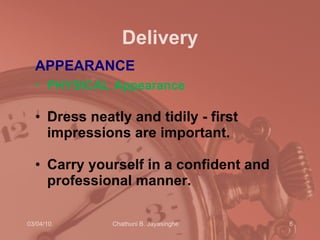
Delivery APPEARANCE PHYSICAL   Appearance   Dress neatly and tidily - first impressions are important.  Carry yourself in a confident and professional manner.
Delivery cont…. Eye   Contact Keep eye contact with the class. This will:  keep them alert.  make them feel that they are being directly spoken to.  make them feel part of the class.  give them confidence in you as the instructor/presenter.  Monitor the class' reactions to what you are saying so that you can adjust your talk accordingly.
Delivery cont…. Do not:  stare (intimidate).  move your eyes from side to side (distraction). look out the window or at the clock (indicates boredom).  look only at the training aids or chalk board (this can be perceived as impolite).  look at your feet or at the ceiling (indication of nervousness or timidity).
Delivery cont…. Body   Movements Be natural - don't move around too much or too little. move forward for emphasis (e.g. when standing at a podium).  relax when talking from behind a desk -this creates some intimacy with a group.  slowly and on occasion move from side to side to engage all parts of the class.
Delivery cont…. Gestures use meaningful and appropriate gestures to make a point.  Do not, or at least avoid:  play with keys or coins in your pocket.  use your hands too much, touching your nose or ears and excessive coughing.  use a pointer, pen, pencil or chalk to point at an individual may be perceived as offensive.
Delivery cont…. Voice   VOICE   Volume   Speak loudly enough to be heard. VOICE   Pitch   Use effectively to convey meaning.  VOICE   Rate   Speak more quickly to convey enthusiasm.  Speak more slowly to emphasize key points or issues.
Delivery cont…. Voice   cont … Do  not :  speak so quickly that no one can understand.  speak so quickly that materials are glossed over rather than well explained so that they are understood.  speak so slowly that people become bored or drowsy.
Delivery cont…. Articulation  Speak clearly, pronouncing words carefully -don't mumble. Control your lips, teeth and tongue to assist you.  Language Avoid   " expressions (e.g."O.K.","Like", "You know").  Do not use profanity. Humor   Use humor but only appropriately .
Presentations…. Who is the best?? Men or women??? If you were to meet Ranil Wickramasinghe Girls and boys should get married before 25…. You are the opponent candidate for Mervin Silva Bachelor degree without assignments
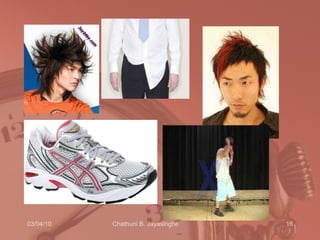
Looking Good Smile  Attire Not distracting Comfortable A good file


Dealing with questions Answer briefly and move on Answer partially Refer them to a source See them at a break Turn it back to the questioner Find the answer and get back to the questioner Simply say “I don’t know.”
Ending  Summerize Have to end on time Say something that they have to think about
Types of Visual Aids Chalkboards Overhead transparencies Posters and flip charts 35 mm slides Paper handouts Physical models Videotape, film Computer projection ISSUES: Cost Lead Time Flexibility Visibility Attractiveness
Group Presentations  Introduction Body Conclusion Coordination
Why Use Visual Aids People are 43% more likely to be persuaded Makes your ideas easier to understand People will remember – 85% of everything we learn comes from information taken in visually One picture is worth 8 minutes of talking They are your notes!
VA Guidelines Ensure all can see Speak to the audience Make them  Big  and Simple Make  C o l or f u l  and  eye catching
The outline 1 st  or 2 nd  slide should have an outline Follow outline for your presentation Place main points on outline slide
Slide layout  Use point form, not complete sentences Maximum of six points per slide Avoid wordiness: key words only
Slide layout This page contains too many words for a presentation slide. It is not written in point form, making it difficult both for your audience to read and for you to present each point. Although there are exactly the same number of points on this slide as the previous slide, it looks much more complicated.  In short, your audience will spend too much time trying to read this paragraph instead of listening to you.
Slide layout Showing one point at a time will: focus attention on one point prevent reading ahead help keep your presentation focused
Slide layout Do not use distracting animation Do not go overboard with the animation Use consistent animation
Slide layout Slide transitions should not be distracting Be consistent with transitions – never Random Worst effects –  ‘Checkerboard or Comb’
Effective PowerPoint presentations Excited By Animations, sound and Clip art In PowerPoint? You Are ?
Fonts – good Use different size to show hierarchy the  Title  font is 36-point  the  main point  font is 28-point this font is 24-point Use a standard font like Arial Use at least an 18-point font and Bold
Fonts - bad If you use a small font, your audience won’t be able to read what you have written CAPITALISE ONLY WHEN NECESSARY.  IT IS DIFFICULT TO READ AND LOOKS LIKE YOU ARE SHOUTING. Don’t use a complicated font  in your presentation
Spacing - bad If you have a set of points space them out on the slide rather than in one corner
Spacing - good If you have a set of points space them out on the slide rather than in one corner
Colour - good Use a font colour that contrasts sharply with the background Use colour to reinforce the logic of your structure Use colour to emphasise a point But only use this  occasionally
Colour - bad Don’t use non-contrasting font colours  Using colour for decoration is  distracting  and  annoying Using a different colour for each point is unnecessary Using a different colour for secondary points is also unnecessary T r y i n g  t o   b e  c r e a t i v e   c a n  a l s o   b e  b a d
Background - good Use a simple background Use backgrounds that contrast with text/imagery Use the same background consistently throughout your presentation
Background – bad Avoid backgrounds that are distracting or difficult to read from Always be consistent with the background that you use
Red Background A red background is not very effective
Graphs Use graphs rather than just charts and words Data in graphs is easier to comprehend and retain than raw data Trends are easier to visualise in graph form Always title your graphs
Graphs
Graphs
Graphs- bad
Spelling and Grammar Proof your slides for: speling mistakes the use of of repeated words grammatical errors you might have make  Have someone check your presentation
On the day Get there early Handouts Does everything work? Can your audience read the slides? Keep an eye on the time Don’t read directly from the slides
Conclusion slide Use an effective and strong closing Use a conclusion slide
Questions? End your presentation with a simple question slide to: Invite your audience to ask questions Provide a visual aid during question period Avoid ending a presentation abruptly