Using SET Operator  http://ecomputernotes.com
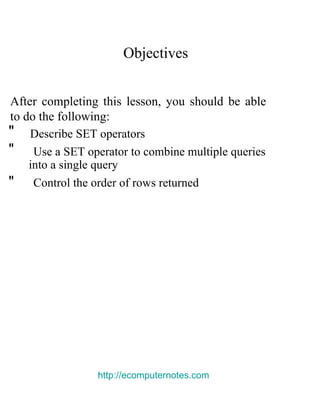
Objectives  After completing this lesson, you should be able to do the following:  "  Describe   SET   operators  "  Use a   SET   operator to combine multiple queries  into a single query  "  Control the order of rows returned  http://ecomputernotes.com
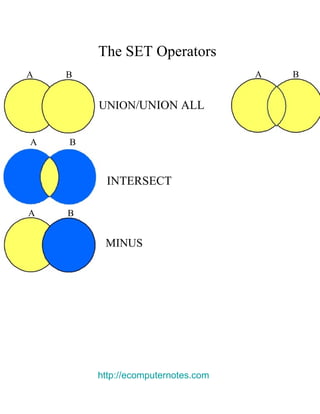
The   SET   Operators  A  B  A  B  UNION /UNION ALL  A  B  INTERSECT  A  B  MINUS  http://ecomputernotes.com
Tables Used in This Lesson  The tables used in this lesson are:  "  EMPLOYEES : Provides details regarding all current employees  "J OB_HISTORY:  Records the details of the start date  and end date of the former job, and the job  identification number and department when an  employee switches jobs  http://ecomputernotes.com
The   UNION   Operator  A  B  The   UNION   operator returns results from both queries after eliminating duplications.  http://ecomputernotes.com
Using the   UNION   Operator  Display the current and previous job details of all employees. Display each employee only once.  SELECT employee_id, job_id  FROM  employees  UNION  SELECT employee_id, job_id  FROM  job_history;  «  «  http://ecomputernotes.com
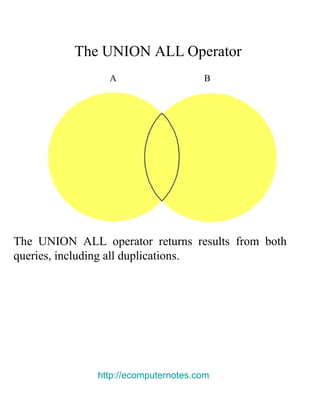
The   UNION ALL   Operator  A  B  The   UNION ALL   operator returns results from both queries, including all duplications.  http://ecomputernotes.com
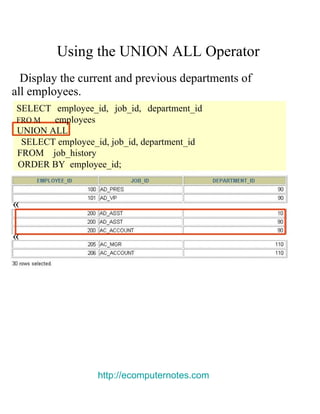
Using the   UNION ALL   Operator  Display the current and previous departments of  all employees.  SELECT employee_id, job_id, department_id  FRO M   employees  UNION ALL  SELECT employee_id, job_id, department_id  FROM  job_history  ORDER BY  employee_id;  «  «  http://ecomputernotes.com
The   INTERSECT   Operator  A  B  http://ecomputernotes.com
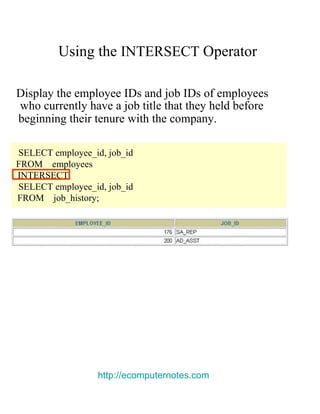
Using the   INTERSECT   Operator  Display the employee IDs and job IDs of employees  who currently have a job title that they held before  beginning their tenure with the company.  SELECT employee_id, job_id  FROM  employees  INTERSECT  SELECT employee_id, job_id  FROM  job_history;  http://ecomputernotes.com
The   MINUS   Operator  A  B
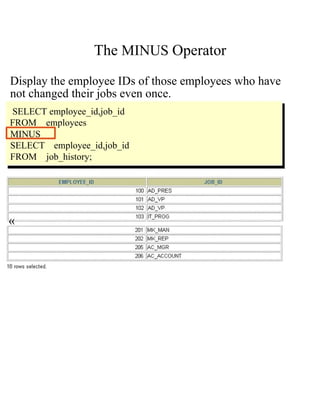
The   MINUS   Operator  Display the employee IDs of those employees who have  not changed their jobs even once.  SELECT employee_id,job_id  FROM  employees  MINUS  SELECT employee_id,job_id FROM  job_history;  «
SET Operator Guidelines  "T he expressions in the  S ELECT  l ists must match in  number and data type.  "P arentheses can be used to alter the sequence of  execution.  "  The   ORDER BY   clause:  Can appear only at the very end of the statement Will accept the column name, aliases from the first SELECT statement, or the positional notation
The Oracle Server and   SET   Operators  "D uplicate rows are automatically eliminated except  in   UNION ALL.  "C olumn names from the first query appear in the  result.  "T he output is sorted in ascending order by default  except in   UNION ALL.
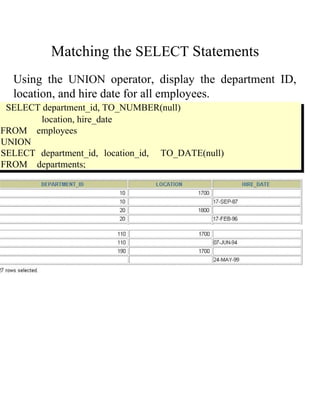
Matching the   SELECT   Statements  Using the   UNION   operator, display the department ID, location, and hire date for all employees.  SELECT department_id, TO_NUMBER(null)  location, hire_date  FROM  employees  UNION  SELECT department_id, location_id,  TO_DATE(null) FROM  departments;
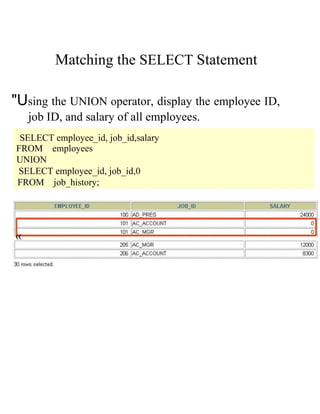
Matching the   SELECT   Statement  "U sing the  U NION  o perator, display the employee ID, job ID, and salary of all employees.  SELECT employee_id, job_id,salary  FROM  employees  UNION  SELECT employee_id, job_id,0  FROM  job_history;  «
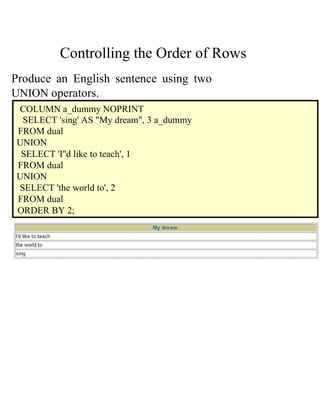
Controlling the Order of Rows  Produce an English sentence using two  UNION   operators.  COLUMN a_dummy NOPRINT  SELECT 'sing' AS "My dream", 3 a_dummy  FROM dual  UNION  SELECT 'I''d like to teach', 1  FROM dual  UNION  SELECT 'the world to', 2  FROM dual  ORDER BY 2;