Recommended
PPTX
PPT
Database Management System Concepts and Applications
PPT
sql_data_manipulation.ppt
PPT
Chapter 6 SQL data manipulation System analysis
PPTX
Comprehensive Guide to Advanced SQL Queries and Database Management
PPTX
PPTX
PPTX
Comprehensive Guide to Advanced SQL Queries and Operations
PPTX
12. Basic SQL Queries (2).pptx
PDF
PDF
PPTX
Unit 3-Select Options and Aggregate Functions in SQL (1).pptx
PPTX
Interactive SQL and Advance SQL SQL Performance Tuning.pptx
PPTX
Subqueries, Backups, Users and Privileges
PPTX
1. dml select statement reterive data
PPT
SQL || overview and detailed information about Sql
PPT
Lecture 06- Reading-SQLDataManipulation.ppt
PPT
Lecture 06- Reading-SQLDataManipulation.ppt
PDF
PPT
PDF
Data base management system presentation
DOC
PPTX
Data Base Management Slides SQL with example
PPTX
DBMS: Week 07 - Advanced SQL Queries in MySQL
PPTX
Week 2-Sub Query and Views Advance Database System
PPT
PPTX
PPTX
Lec8_Lab_CSC371_Database Systems course.pptx
PDF
DB Systems : Mapping ER Models to Relational Schema
PPTX
DSDL : Database System Development Lifecycle
More Related Content
PPTX
PPT
Database Management System Concepts and Applications
PPT
sql_data_manipulation.ppt
PPT
Chapter 6 SQL data manipulation System analysis
PPTX
Comprehensive Guide to Advanced SQL Queries and Database Management
PPTX
PPTX
PPTX
Comprehensive Guide to Advanced SQL Queries and Operations
Similar to DML in SQL : Data Manipulation Using SQL
PPTX
12. Basic SQL Queries (2).pptx
PDF
PDF
PPTX
Unit 3-Select Options and Aggregate Functions in SQL (1).pptx
PPTX
Interactive SQL and Advance SQL SQL Performance Tuning.pptx
PPTX
Subqueries, Backups, Users and Privileges
PPTX
1. dml select statement reterive data
PPT
SQL || overview and detailed information about Sql
PPT
Lecture 06- Reading-SQLDataManipulation.ppt
PPT
Lecture 06- Reading-SQLDataManipulation.ppt
PDF
PPT
PDF
Data base management system presentation
DOC
PPTX
Data Base Management Slides SQL with example
PPTX
DBMS: Week 07 - Advanced SQL Queries in MySQL
PPTX
Week 2-Sub Query and Views Advance Database System
PPT
PPTX
PPTX
Lec8_Lab_CSC371_Database Systems course.pptx
More from ShivaniTyagi385316
PDF
DB Systems : Mapping ER Models to Relational Schema
PPTX
DSDL : Database System Development Lifecycle
PPTX
Database designs Concept in Database Systems
PPTX
Transactions Management and Concurrency and Recovery
PPT
The Relational Data Model and Relational Database Constraints
PPT
ER(Entity-Relationship) MODEL in Database Management System(DBMS)
Recently uploaded
PPTX
GIS Survey Services: Accurate Mapping & Land Survey Solutions by Simbi Labs
PDF
Historical Trends in the Percentage of Jewish Billionaires Globally (1450-2026)
PDF
Navigating the Era of Automated Insights
PDF
Alternatives To Buying Yelp Reviewsb.pdf
DOCX
Best Sites to Buy Verified Apple Pay Accounts Salefy & Guide.docx
PPTX
Novel Methods for Automated Choice Model Specification in Transport Systems
PPTX
Using Salesforce Data Analytics Hidden Revenue Opportunities
DOCX
Google_Credentials_Setup_Complete_Guide.docx
PPTX
Hadoop Analyst Course for Beginners Your First Step into Big Data Analytics
PDF
From Semantics to Just Enough Ontology: Building the New Semantic Layer for E...
PDF
How does the language use affect geo-politics in LLM?
DML in SQL : Data Manipulation Using SQL 1. 2. 2
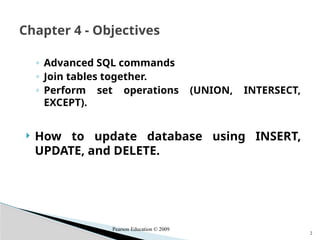
◦ Advanced SQL commands
◦ Join tables together.
◦ Perform set operations (UNION, INTERSECT,
EXCEPT).
How to update database using INSERT,
UPDATE, and DELETE.
Chapter 4 - Objectives
Pearson Education © 2009
3. 4
List all managers and supervisors.
SELECT staffNo, fName, lName, position
FROM Staff
WHERE position IN (‘Manager’, ‘Supervisor’);
Example 4.8 Set Membership
Pearson Education © 2009
4. 5
There is a negated version (NOT IN).
IN does not add much to SQL’s expressive
power. Could have expressed this as:
SELECT staffNo, fName, lName, position
FROM Staff
WHERE position=‘Manager’ OR
position=‘Supervisor’;
IN is more efficient when set contains many
values.
Example 4.8 Set Membership
Pearson Education © 2009
5. 6
Find all owners with the string ‘Glasgow’ in
their address.
SELECT ownerNo, fName, lName, address,
telNo
FROM PrivateOwner
WHERE address LIKE ‘%Glasgow%’;
Example 4.9 Pattern Matching
Pearson Education © 2009
6. 7
SQL has two special pattern matching
symbols:
◦ %: sequence of zero or more characters;
◦ _ (underscore): any single character.
LIKE ‘%Glasgow%’ means a sequence of
characters of any length containing
‘Glasgow’.
Example Pattern Matching
Pearson Education © 2009
7. 8
List details of all viewings on property PG4
where a comment has not been supplied.
There are 2 viewings for property PG4, one
with and one without a comment.
Have to test for null explicitly using special
keyword IS NULL:
SELECT clientNo, viewDate
FROM Viewing
WHERE propertyNo = ‘PG4’ AND
comment IS NULL;
Example NULL Search Condition
Pearson Education © 2009
8. 9
List salaries for all staff, arranged in
descending order of salary.
SELECT staffNo, fName, lName, salary
FROM Staff
ORDER BY salary DESC;
Example Single Column Ordering
Pearson Education © 2009
9. 10
Produce abbreviated list of properties in
order of property type.
SELECT propertyNo, type, rooms, rent
FROM PropertyForRent
ORDER BY type;
Example : Multiple Column Ordering
Pearson Education © 2009
10. 11
Four flats in this list - as no minor sort key
specified, system arranges these rows in
any order it chooses.
To arrange in order of rent, specify minor
order:
SELECT propertyNo, type, rooms, rent
FROM PropertyForRent
ORDER BY type, rent DESC;
Example : Multiple Column Ordering
Pearson Education © 2009
11. 12
ISO standard defines five aggregate
functions:
COUNT returns number of values in specified
column.
SUM returns sum of values in specified
column.
AVG returns average of values in specified
column.
MIN returns smallest value in specified
column.
MAX returns largest value in specified
SELECT Statement - Aggregates
Pearson Education © 2009
12. 13
Each operates on a single column of a table
and returns a single value.
COUNT, MIN, and MAX apply to numeric
and non-numeric fields, but SUM and AVG
may be used on numeric fields only.
Apart from COUNT(*), each function
eliminates nulls first and operates only on
remaining non-null values.
SELECT Statement - Aggregates
Pearson Education © 2009
13. 14
COUNT(*) counts all rows of a table,
regardless of whether nulls or duplicate
values occur.
Can use DISTINCT before column name to
eliminate duplicates.
DISTINCT has no effect with MIN/MAX, but
may have with SUM/AVG.
SELECT Statement - Aggregates
Pearson Education © 2009
14. 15
Aggregate functions can be used only in
SELECT list and in HAVING clause.
If SELECT list includes an aggregate
function and there is no GROUP BY clause,
SELECT list cannot reference a column out
with an aggregate function. For example,
the following is illegal:
SELECT staffNo, COUNT(salary)
FROM Staff;
SELECT Statement - Aggregates
Pearson Education © 2009
15. 16
Example : Use of COUNT(*)
How many properties cost more than £350
per month to rent?
SELECT COUNT(*) AS myCount
FROM PropertyForRent
WHERE rent > 350;
Pearson Education © 2009
16. 17
Example : Use of COUNT(DISTINCT)
How many different properties viewed in
May ‘04?
SELECT COUNT(DISTINCT propertyNo) AS
myCount
FROM Viewing
WHERE viewDate BETWEEN ‘1-May-04’
AND ‘31-May-04’;
Pearson Education © 2009
17. 18
Example : Use of COUNT and SUM
Find number of Managers and sum of
their salaries.
SELECT COUNT(staffNo) AS myCount,
SUM(salary) AS mySum
FROM Staff
WHERE position = ‘Manager’;
Pearson Education © 2009
18. 19
Example : Use of MIN, MAX, AVG
Find minimum, maximum, and average
staff salary.
SELECT MIN(salary) AS myMin,
MAX(salary) AS myMax,
AVG(salary) AS myAvg
FROM Staff;
Pearson Education © 2009
19. 20
Use GROUP BY clause to get sub-totals.
SELECT and GROUP BY closely integrated:
each item in SELECT list must be single-
valued per group, and SELECT clause may
only contain:
◦ column names
◦ aggregate functions
◦ constants
◦ expression involving combinations of the
above.
SELECT Statement - Grouping
Pearson Education © 2009
20. 21
All column names in SELECT list must
appear in GROUP BY clause unless name is
used only in an aggregate function.
If WHERE is used with GROUP BY, WHERE is
applied first, then groups are formed from
remaining rows satisfying predicate.
ISO considers two nulls to be equal for
purposes of GROUP BY.
SELECT Statement - Grouping
Pearson Education © 2009
21. 22
Find number of staff in each branch and
their total salaries.
SELECT branchNo,
COUNT(staffNo) AS myCount,
SUM(salary) AS mySum
FROM Staff
GROUP BY branchNo
ORDER BY branchNo;
Example : Use of GROUP BY
Pearson Education © 2009
22. 23
HAVING clause is designed for use with
GROUP BY to restrict groups that appear in
final result table.
Similar to WHERE, but WHERE filters
individual rows whereas HAVING filters
groups.
Column names in HAVING clause must also
appear in the GROUP BY list or be contained
within an aggregate function.
Restricted Groupings – HAVING clause
Pearson Education © 2009
23. 24
For each branch with more than 1 member
of staff, find number of staff in each
branch and sum of their salaries.
SELECT branchNo,
COUNT(staffNo) AS myCount,
SUM(salary) AS mySum
FROM Staff
GROUP BY branchNo
HAVING COUNT(staffNo) > 1
ORDER BY branchNo;
Example : Use of HAVING
Pearson Education © 2009
24. 25
Some SQL statements can have a SELECT
embedded within them.
A subselect can be used in WHERE and
HAVING clauses of an outer SELECT, where
it is called a subquery or nested query.
Subselects may also appear in INSERT,
UPDATE, and DELETE statements.
Subqueries
Pearson Education © 2009
25. 26
List staff who work in branch at ‘163 Main St’.
SELECT staffNo, fName, lName,
position
FROM Staff
WHERE branchNo =
(SELECT branchNo
FROM Branch
WHERE street = ‘163 Main St’);
Example : Subquery with Equality
Pearson Education © 2009
26. 27
Inner SELECT finds branch number for
branch at ‘163 Main St’ (‘B003’).
Outer SELECT then retrieves details of all
staff who work at this branch.
Outer SELECT then becomes:
SELECT staffNo, fName, lName, position FROM
Staff WHERE branchNo = ‘B003’;
Example : Subquery with Equality
Pearson Education © 2009
27. 28
List all staff whose salary is greater than the
average salary, and show by how much.
SELECT staffNo, fName, lName, position,
salary – (SELECT AVG(salary) FROM Staff) As
SalDiff
FROM Staff
WHERE salary >
(SELECT AVG(salary)
FROM Staff);
Example : Subquery with Aggregate
Pearson Education © 2009
28. 29
Cannot write ‘WHERE salary > AVG(salary)’
Instead, use subquery to find average
salary (17000), and then use outer SELECT to
find those staff with salary greater than
this:
SELECT staffNo, fName, lName, position,
salary – 17000 As salDiff
FROM Staff WHERE salary > 17000;
Example : Subquery with Aggregate
Pearson Education © 2009
29. 30
ORDER BY clause may not be used in a subquery (although
it may be used in outermost SELECT).
Subquery SELECT list must consist of a single column
name or expression, except for subqueries that use
EXISTS.
By default, column names refer to table name in FROM
clause of subquery. Can refer to a table in FROM using an
alias.
When subquery is an operand in a comparison, subquery
must appear on right-hand side.
A subquery may not be used as an operand in an
expression.
Subquery Rules
Pearson Education © 2009
30. 31
List properties handled by staff at ‘163 Main
St’.
SELECT propertyNo, street, city, postcode, type,
rooms, rent FROM PropertyForRent
WHERE staffNo IN
(SELECT staffNo FROM Staff
WHERE branchNo =
(SELECT branchNo FROM Branch
WHERE street = ‘163 Main St’));
Example : Nested subquery: use of IN
Pearson Education © 2009
31. 32
ANY and ALL may be used with subqueries
that produce a single column of numbers.
With ALL, condition will only be true if it is
satisfied by all values produced by
subquery.
With ANY, condition will be true if it is
satisfied by any values produced by
subquery.
If subquery is empty, ALL returns true, ANY
returns false.
SOME may be used in place of ANY.
ANY and ALL
Pearson Education © 2009
32. 33
Find staff whose salary is larger than salary
of at least one member of staff at branch
B003.
SELECT staffNo, fName, lName, position, salary
FROM Staff
WHERE salary > SOME
(SELECT salary
FROM Staff
WHERE branchNo = ‘B003’);
*Inner query produces set {12000, 18000, 24000} and outer query
selects those staff whose salaries are greater than any of the
values in this set.
Example 6.22 Use of ANY/SOME
Pearson Education © 2009
33. 34
Find staff whose salary is larger than salary
of every member of staff at branch B003.
SELECT staffNo, fName, lName, position,
salary
FROM Staff
WHERE salary > ALL
(SELECT salary
FROM Staff
WHERE branchNo = ‘B003’);
Example : Use of ALL
Pearson Education © 2009
34. 35
Can use subqueries provided result columns
come from same table.
If result columns come from more than one
table must use a join.
To perform join, include more than one
table in FROM clause.
Use comma as separator and typically
include WHERE clause to specify join
column(s).
Multi-Table Queries
Pearson Education © 2009
35. 36
Also possible to use an alias for a table
named in FROM clause.
Alias is separated from table name with a
space.
Alias can be used to qualify column names
when there is ambiguity.
Multi-Table Queries
Pearson Education © 2009
36. 37. 38
DCL commands are used to assign security
levels in database, which involves multiple user
setups.
There are two types of DCL commands in
Oracle:
1. GRANT
2. REVOKE
TCL – transaction control commands
◦ Commit
◦ Rollback
◦ Savepoint
Data Control Statements
38. 39
There are 2 types of privileges:
System privilege – Schema level privilege granted by
DBA to the users to issue commands like CREATE
(cluster, database link, directory, job, procedure, role,
synonym, table, trigger, tablespace, types, view,
database), ALTER, DROP, DEBUG, FLASHBACK, LOCK,
CONNECT, RESOURCE etc.
Object privilege - object owner can grant to other
user an access on a specific object like DELETE,
SELECT, INSERT, UPDATE, EXECUTE, INDEX, READ,
WRITE, ALTER (table, sequence).
Priviledges
39. 40
To allow the privileges
◦ GRANT SELECT ON T1 TO U2;
To dis-allow, revoke is used to take away an
existing privilege from a user.
◦ REVOKE SELECT ON T1 FROM U1;
Examples
40. 41
Transaction control statements manage changes
made by DML statements.
COMMIT : Make changes done in
transaction permanent.
ROLLBACK : Rollbacks the state of database
to the last commit point.
SAVEPOINT : Use to specify a point in
transaction to which later you can rollback.
Transaction Control Language (TCL)
41. 42
insert into emp (empno,ename,sal) values
(101,’Abid’,2300);
commit;
◦ Will save it permanently
delete from emp;
rollback; /* undo the changes */
Examples
42. 43
Set the savepoints and then undo up there, as:
insert into emp (empno,ename,sal) values
(109,’Sami’,3000);
savepoint a;
insert into dept values (10,’Sales’,’Hyd’);
savepoint b;
insert into salgrade values (‘III’,9000,12000);
Now if you give
rollback to a;
alter table branch01 rename column brachcode
to branchcode;
Examples
43. 44. 45
List names of all clients who have viewed a
property along with any comment supplied.
SELECT c.clientNo, fName, lName,
propertyNo, comment
FROM Client c, Viewing v
WHERE c.clientNo = v.clientNo;
Create view all_data as
Select s.staffcode, s.lname, s.fname, s.salary,
b.address, b.city, b.yearofopening
From staff s, branch b
Where b.branchCode = s.branchCode;
Example : Simple Join
Pearson Education © 2009
45. 46
Only those rows from both tables that
have identical values in the clientNo
columns (c.clientNo = v.clientNo) are
included in result.
Equivalent to equi-join in relational
algebra.
Example : Simple Join
Pearson Education © 2009
46. 47
SQL provides alternative ways to specify
joins in some SQL:
Select * FROM Client c JOIN Viewing v ON
c.clientNo = v.clientNo
Oracle allows:
select * from staff01 s inner join branch01 b on
s.branchcode = b.branchcode;
Alternative JOIN Constructs
Pearson Education © 2009
47. 48
For each branch, list numbers and names
of staff who manage properties, and
properties they manage.
SELECT s.branchNo, s.staffNo, fName,
lName,
propertyNo
FROM Staff s, PropertyForRent p
WHERE s.staffNo = p.staffNo
ORDER BY s.branchNo, s.staffNo,
propertyNo;
Example : Sorting a join
Pearson Education © 2009
48. 49
For each branch, list staff who manage
properties, including city in which branch
is located and properties they manage.
SELECT b.branchNo, b.city, s.staffNo, fName,
lName,
propertyNo
FROM Branch b, Staff s, PropertyForRent p
WHERE b.branchNo = s.branchNo AND
s.staffNo = p.staffNo
ORDER BY b.branchNo, s.staffNo, propertyNo;
Example : Three Table Join
Pearson Education © 2009
49. 50
Alternative formulation for FROM and WHERE:
FROM (Branch b JOIN Staff s USING branchNo) AS
bs JOIN PropertyForRent p USING staffNo
Example : Three Table Join
Pearson Education © 2009
50. 51
Find number of properties handled by each
staff member.
SELECT s.branchNo, s.staffNo, COUNT(*) AS
myCount
FROM Staff s, PropertyForRent p
WHERE s.staffNo = p.staffNo
GROUP BY s.branchNo, s.staffNo
ORDER BY s.branchNo, s.staffNo;
Example : Multiple Grouping Columns
Pearson Education © 2009
51. 52
Procedure for generating results of a join
are:
1. Form Cartesian product of the tables
named in FROM clause.
2. If there is a WHERE clause, apply the search
condition to each row of the product table,
retaining those rows that satisfy the
condition.
3. For each remaining row, determine value of
each item in SELECT list to produce a single
row in result table.
Computing a Join
Pearson Education © 2009
52. 53
4. If DISTINCT has been specified, eliminate
any duplicate rows from the result table.
6. If there is an ORDER BY clause, sort result
table as required.
SQL provides special format of SELECT for
Cartesian product:
SELECT [DISTINCT | ALL] {* | columnList}
FROM Table1 CROSS JOIN Table2
Computing a Join
Pearson Education © 2009
53. 54
If one row of a joined table is
unmatched, row is omitted from
result table.
Outer join operations retain rows
that do not satisfy the join condition.
Consider following tables:
Outer Joins
Pearson Education © 2009
54. 55
The (inner) join of these two tables:
SELECT b.*, p.*
FROM Branch1 b, PropertyForRent1 p
WHERE b.bCity = p.pCity;
Outer Joins
Pearson Education © 2009
55. 56
Result table has two rows where cities are
same.
There are no rows corresponding to
branches in Bristol and Aberdeen.
To include unmatched rows in result table,
use an Outer join.
Outer Joins
Pearson Education © 2009
56. 57
List branches and properties that are in
same city along with any unmatched
branches.
SELECT b.*, p.*
FROM Branch1 b LEFT JOIN
PropertyForRent1 p ON b.bCity = p.pCity;
Example : Left Outer Join
Pearson Education © 2009
57. 58
Includes those rows of first (left) table
unmatched with rows from second (right)
table.
Columns from second table are filled with
NULLs.
Example : Left Outer Join
Pearson Education © 2009
58. 59
List branches and properties in same city
and any unmatched properties.
SELECT b.*, p.*
FROM Branch1 b RIGHT JOIN
PropertyForRent1 p ON b.bCity = p.pCity;
Example : Right Outer Join
Pearson Education © 2009
59. 60
Right Outer join includes those rows of
second (right) table that are unmatched
with rows from first (left) table.
Columns from first table are filled with
NULLs.
Example : Right Outer Join
Pearson Education © 2009
60. 61
List branches and properties in same city
and any unmatched branches or properties.
SELECT b.*, p.*
FROM Branch1 b FULL JOIN
PropertyForRent1 p ON b.bCity = p.pCity;
Example : Full Outer Join
Pearson Education © 2009
61. 62
A general rule is that joins are faster in most
cases (99%).
The more data tables have, the subqueries are
slower. The less data tables have, the
subqueries have equivalent speed as joins.
The subqueries are simpler, easier to
understand, and easier to read.
Rule
62. 63
EXISTS and NOT EXISTS are for use only
with subqueries.
Produce a simple true/false result.
True if and only if there exists at least one
row in result table returned by subquery.
False if subquery returns an empty result
table.
NOT EXISTS is the opposite of EXISTS.
EXISTS and NOT EXISTS
Pearson Education © 2009
63. 64
As (NOT) EXISTS check only for existence or
non-existence of rows in subquery result
table, subquery can contain any number of
columns.
Common for subqueries following (NOT)
EXISTS to be of form:
(SELECT * ...)
EXISTS and NOT EXISTS
Pearson Education © 2009
64. 65
Find all staff who work in a London branch.
SELECT staffNo, fName, lName, position
FROM Staff s
WHERE EXISTS
(SELECT *
FROM Branch b
WHERE s.branchNo = b.branchNo
AND
city = ‘London’);
Example : Query using EXISTS
Pearson Education © 2009
65. 66
Note, search condition s.branchNo =
b.branchNo is necessary to consider correct
branch record for each member of staff.
If omitted, would get all staff records listed
out because subquery:
SELECT * FROM Branch WHERE city=‘London’
would always be true and query would be:
SELECT staffNo, fName, lName, position FROM
Staff
WHERE true;
Example : Query using EXISTS
Pearson Education © 2009
66. 67
Could also write this query using join
construct:
SELECT staffNo, fName, lName, position
FROM Staff s, Branch b
WHERE s.branchNo = b.branchNo AND
city = ‘London’;
Example : Query using EXISTS
Pearson Education © 2009
67. 68
Can use normal set operations of Union,
Intersection, and Difference to combine
results of two or more queries into a single
result table.
Union of two tables, A and B, is table
containing all rows in either A or B or both.
Intersection is table containing all rows
common to both A and B.
Difference is table containing all rows in A
but not in B.
Two tables must be union compatible.
Union, Intersect, and Difference (Except)
Pearson Education © 2009
68. 69
select * from staff01 c where exists
(select * from branch01 v where c.branchcode =
v.branchcode and managerCode is not null);
69. 70
Format of set operator clause in each case is:
op [ALL] [CORRESPONDING [BY {column1
[, ...]}]]
If CORRESPONDING BY specified, set
operation performed on the named
column(s).
If CORRESPONDING specified but not BY
clause, operation performed on common
columns.
If ALL specified, result can include duplicate
Union, Intersect, and Difference (Except)
Pearson Education © 2009
70. 71. 72
List all cities where there is either a branch
office or a property.
(SELECT city
FROM Branch
WHERE city IS NOT NULL) UNION
(SELECT city
FROM PropertyForRent
WHERE city IS NOT NULL);
Example : Use of UNION
Pearson Education © 2009
72. 73
Or
(SELECT *
FROM Branch
WHERE city IS NOT NULL)
UNION CORRESPONDING BY city
(SELECT *
FROM PropertyForRent
WHERE city IS NOT NULL);
Example : Use of UNION
Pearson Education © 2009
73. 74
List all cities where there is both a branch
office and a property.
(SELECT city FROM Branch)
INTERSECT
(SELECT city FROM PropertyForRent);
Example : Use of INTERSECT
Pearson Education © 2009
74. 75
Or
(SELECT * FROM Branch)
INTERSECT CORRESPONDING BY city
(SELECT * FROM PropertyForRent);
Example 6.33 Use of INTERSECT
Pearson Education © 2009
75. 76
Could rewrite this query without INTERSECT
operator:
SELECT b.city
FROM Branch b PropertyForRent p
WHERE b.city = p.city;
Or:
SELECT DISTINCT city FROM Branch b
WHERE EXISTS
(SELECT * FROM PropertyForRent p
WHERE p.city = b.city);
Example : Use of INTERSECT
Pearson Education © 2009
76. 77
List of all cities where there is a branch
office but no properties.
(SELECT city FROM Branch)
EXCEPT
(SELECT city FROM PropertyForRent);
Or
(SELECT * FROM Branch)
EXCEPT CORRESPONDING BY city
(SELECT * FROM PropertyForRent);
Example : Use of EXCEPT
Pearson Education © 2009
77. 78
Could rewrite this query without EXCEPT:
SELECT DISTINCT city FROM Branch
WHERE city NOT IN
(SELECT city FROM PropertyForRent);
Or
SELECT DISTINCT city FROM Branch b
WHERE NOT EXISTS
(SELECT * FROM PropertyForRent p
WHERE p.city = b.city);
Example : Use of EXCEPT
Pearson Education © 2009
78. 79
UPDATE TableName
SET columnName1 = dataValue1
[, columnName2 = dataValue2...]
[WHERE searchCondition]
TableName can be name of a base table or
an updatable view.
SET clause specifies names of one or more
columns that are to be updated.
UPDATE
Pearson Education © 2009
79. 80
WHERE clause is optional:
◦ if omitted, named columns are updated for all
rows in table;
◦ if specified, only those rows that satisfy
searchCondition are updated.
New dataValue(s) must be compatible with
data type for corresponding column.
UPDATE
Pearson Education © 2009


![53
4. If DISTINCT has been specified, eliminate
any duplicate rows from the result table.
6. If there is an ORDER BY clause, sort result
table as required.
SQL provides special format of SELECT for
Cartesian product:
SELECT [DISTINCT | ALL] {* | columnList}
FROM Table1 CROSS JOIN Table2
Computing a Join
Pearson Education © 2009](/p?url=https%3A%2F%2Fimage.slidesharecdn.com%2Flecture04-dml-260128143959-2527d13d%2F85%2FDML-in-SQL-Data-Manipulation-Using-SQL-52-320.jpg&__src=https%3A%2F%2Fwww.slideshare.net%2Fslideshow%2Fdml-in-sql-data-manipulation-using-sql%2F285620617%2337&__type=image)


![70
Format of set operator clause in each case is:
op [ALL] [CORRESPONDING [BY {column1
[, ...]}]]
If CORRESPONDING BY specified, set
operation performed on the named
column(s).
If CORRESPONDING specified but not BY
clause, operation performed on common
columns.
If ALL specified, result can include duplicate
Union, Intersect, and Difference (Except)
Pearson Education © 2009](/p?url=https%3A%2F%2Fimage.slidesharecdn.com%2Flecture04-dml-260128143959-2527d13d%2F85%2FDML-in-SQL-Data-Manipulation-Using-SQL-69-320.jpg&__src=https%3A%2F%2Fwww.slideshare.net%2Fslideshow%2Fdml-in-sql-data-manipulation-using-sql%2F285620617%2337&__type=image)


![79
UPDATE TableName
SET columnName1 = dataValue1
[, columnName2 = dataValue2...]
[WHERE searchCondition]
TableName can be name of a base table or
an updatable view.
SET clause specifies names of one or more
columns that are to be updated.
UPDATE
Pearson Education © 2009](/p?url=https%3A%2F%2Fimage.slidesharecdn.com%2Flecture04-dml-260128143959-2527d13d%2F85%2FDML-in-SQL-Data-Manipulation-Using-SQL-78-320.jpg&__src=https%3A%2F%2Fwww.slideshare.net%2Fslideshow%2Fdml-in-sql-data-manipulation-using-sql%2F285620617%2337&__type=image)


