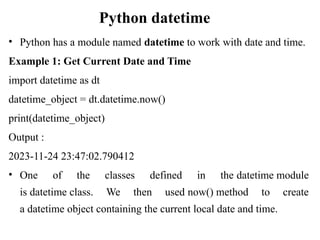
Python datetime
• Pythonhas a module named datetime to work with date and time.
Example 1: Get Current Date and Time
import datetime as dt
datetime_object = dt.datetime.now()
print(datetime_object)
Output :
2023-11-24 23:47:02.790412
• One of the classes defined in the datetime module
is datetime class. We then used now() method to create
a datetime object containing the current local date and time.
2.
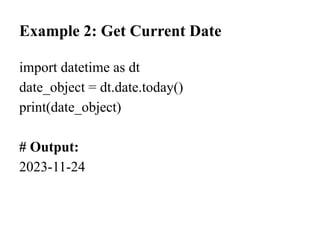
Example 2: GetCurrent Date
import datetime as dt
date_object = dt.date.today()
print(date_object)
# Output:
2023-11-24
3.
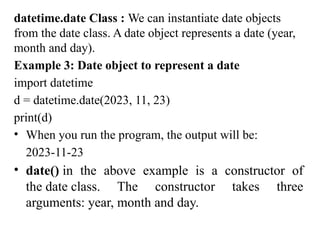
datetime.date Class :We can instantiate date objects
from the date class. A date object represents a date (year,
month and day).
Example 3: Date object to represent a date
import datetime
d = datetime.date(2023, 11, 23)
print(d)
• When you run the program, the output will be:
2023-11-23
• date() in the above example is a constructor of
the date class. The constructor takes three
arguments: year, month and day.
4.
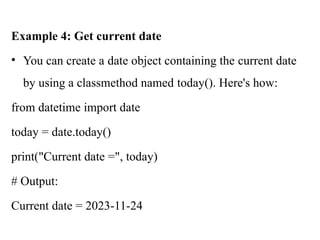
Example 4: Getcurrent date
• You can create a date object containing the current date
by using a classmethod named today(). Here's how:
from datetime import date
today = date.today()
print("Current date =", today)
# Output:
Current date = 2023-11-24
5.
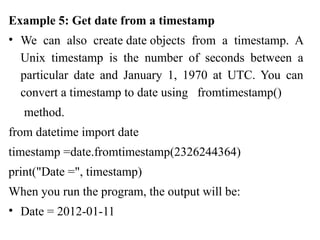
Example 5: Getdate from a timestamp
• We can also create date objects from a timestamp. A
Unix timestamp is the number of seconds between a
particular date and January 1, 1970 at UTC. You can
convert a timestamp to date using fromtimestamp()
method.
from datetime import date
timestamp =date.fromtimestamp(2326244364)
print("Date =", timestamp)
When you run the program, the output will be:
• Date = 2012-01-11
6.
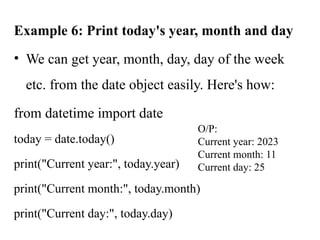
Example 6: Printtoday's year, month and day
• We can get year, month, day, day of the week
etc. from the date object easily. Here's how:
from datetime import date
today = date.today()
print("Current year:", today.year)
print("Current month:", today.month)
print("Current day:", today.day)
O/P:
Current year: 2023
Current month: 11
Current day: 25
7.
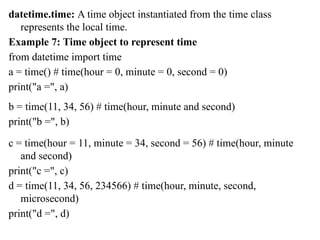
datetime.time: A timeobject instantiated from the time class
represents the local time.
Example 7: Time object to represent time
from datetime import time
a = time() # time(hour = 0, minute = 0, second = 0)
print("a =", a)
b = time(11, 34, 56) # time(hour, minute and second)
print("b =", b)
c = time(hour = 11, minute = 34, second = 56) # time(hour, minute
and second)
print("c =", c)
d = time(11, 34, 56, 234566) # time(hour, minute, second,
microsecond)
print("d =", d)
8.
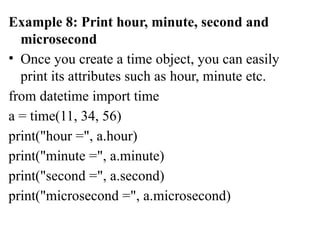
Example 8: Printhour, minute, second and
microsecond
• Once you create a time object, you can easily
print its attributes such as hour, minute etc.
from datetime import time
a = time(11, 34, 56)
print("hour =", a.hour)
print("minute =", a.minute)
print("second =", a.second)
print("microsecond =", a.microsecond)
9.
datetime.datetime
• The datetimemodule has a class
named dateclass that can contain information
from both date and time objects.
10.
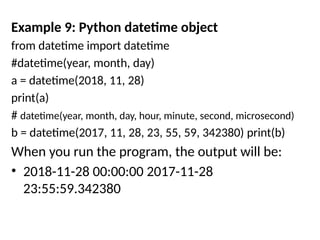
Example 9: Pythondatetime object
from datetime import datetime
#datetime(year, month, day)
a = datetime(2018, 11, 28)
print(a)
# datetime(year, month, day, hour, minute, second, microsecond)
b = datetime(2017, 11, 28, 23, 55, 59, 342380) print(b)
When you run the program, the output will be:
• 2018-11-28 00:00:00 2017-11-28
23:55:59.342380
11.
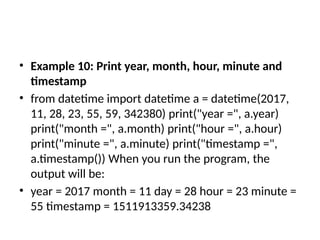
• Example 10:Print year, month, hour, minute and
timestamp
• from datetime import datetime a = datetime(2017,
11, 28, 23, 55, 59, 342380) print("year =", a.year)
print("month =", a.month) print("hour =", a.hour)
print("minute =", a.minute) print("timestamp =",
a.timestamp()) When you run the program, the
output will be:
• year = 2017 month = 11 day = 28 hour = 23 minute =
55 timestamp = 1511913359.34238
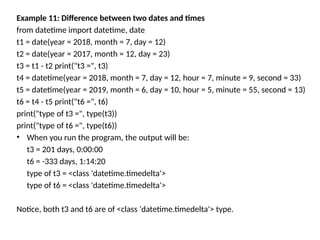
Example 11: Differencebetween two dates and times
from datetime import datetime, date
t1 = date(year = 2018, month = 7, day = 12)
t2 = date(year = 2017, month = 12, day = 23)
t3 = t1 - t2 print("t3 =", t3)
t4 = datetime(year = 2018, month = 7, day = 12, hour = 7, minute = 9, second = 33)
t5 = datetime(year = 2019, month = 6, day = 10, hour = 5, minute = 55, second = 13)
t6 = t4 - t5 print("t6 =", t6)
print("type of t3 =", type(t3))
print("type of t6 =", type(t6))
• When you run the program, the output will be:
t3 = 201 days, 0:00:00
t6 = -333 days, 1:14:20
type of t3 = <class 'datetime.timedelta'>
type of t6 = <class 'datetime.timedelta'>
Notice, both t3 and t6 are of <class 'datetime.timedelta'> type.
14.
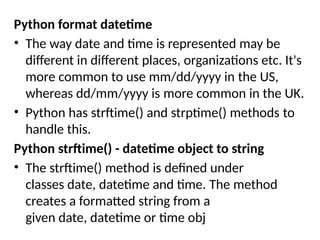
Python format datetime
•The way date and time is represented may be
different in different places, organizations etc. It's
more common to use mm/dd/yyyy in the US,
whereas dd/mm/yyyy is more common in the UK.
• Python has strftime() and strptime() methods to
handle this.
Python strftime() - datetime object to string
• The strftime() method is defined under
classes date, datetime and time. The method
creates a formatted string from a
given date, datetime or time obj
15.
Example 15: Formatdate using strftime()
from datetime import datetime
# current date and time
now = datetime.now()
t = now.strftime("%H:%M:%S")
print("time:", t)
s1 = now.strftime("%m/%d/%Y, %H:%M:%S")
# mm/dd/YY H:M:S format
print("s1:", s1)
s2 = now.strftime("%d/%m/%Y, %H:%M:%S")
# dd/mm/YY H:M:S format
print("s2:", s2)
When you run the program, the output will be something like:
time: 04:34:52
s1: 12/26/2018, 04:34:52
s2: 26/12/2018, 04:34:52
16.
• Here, %Y,%m, %d, %H etc. are format codes.
The strftime() method takes one or more format
codes and returns a formatted string based on
it.
In the above program, t, s1 and s2 are strings.
• %Y - year [0001,..., 2018, 2019,..., 9999]
• %m - month [01, 02, ..., 11, 12]
• %d - day [01, 02, ..., 30, 31]
• %H - hour [00, 01, ..., 22, 23
• %M - minute [00, 01, ..., 58, 59]
• %S - second [00, 01, ..., 58, 59]
17.
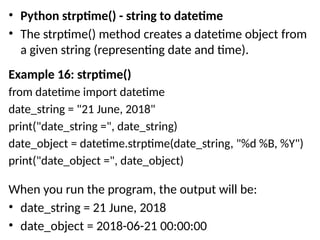
• Python strptime()- string to datetime
• The strptime() method creates a datetime object from
a given string (representing date and time).
Example 16: strptime()
from datetime import datetime
date_string = "21 June, 2018"
print("date_string =", date_string)
date_object = datetime.strptime(date_string, "%d %B, %Y")
print("date_object =", date_object)
When you run the program, the output will be:
• date_string = 21 June, 2018
• date_object = 2018-06-21 00:00:00
18.
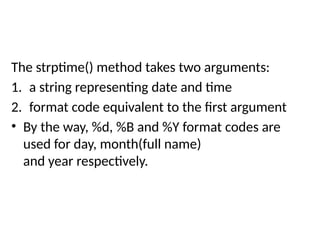
The strptime() methodtakes two arguments:
1. a string representing date and time
2. format code equivalent to the first argument
• By the way, %d, %B and %Y format codes are
used for day, month(full name)
and year respectively.
19.
• Use theweekday() Method to Get the Name
of the Day in Python
• Use the isoweekday() Method to Get the
Name of the Day in Python
• Use the calendar Module to Get the Name of
the Day in Python
• Use the strftime() Method to Get the Name of
the Day in Python
20.
• In Python,weekday() can be used to retrieve the
day of the week. The datetime.today() method
returns the current date, and the weekday()
method returns the day of the week as an integer
where Monday is indexed as 0 and Sunday is 6.
An example code of this method is given below:
from datetime import datetime
print(datetime.today().weekday())
Output:
1
21.
• The isoweekday()method works similarly to
the weekday() method. This method is used
when Monday is to be marked with 1 instead
of 0 like in weekday().
Below is the code example.
from datetime import datetime
print(datetime.today().isoweekday())
Output:
• 2
22.
• When thename of the day is required in English in Python,
the calendar library can be used. It uses the day_name() method
that manages an array of the days of the week. In this array,
Monday is placed at the 0th index.
An example of using this method is given below:
from datetime import date import calendar
curr_date = date.today()
print(calendar.day_name[curr_date.weekday()])
Output:
Tuesday

![• Here, %Y, %m, %d, %H etc. are format codes.
The strftime() method takes one or more format
codes and returns a formatted string based on
it.
In the above program, t, s1 and s2 are strings.
• %Y - year [0001,..., 2018, 2019,..., 9999]
• %m - month [01, 02, ..., 11, 12]
• %d - day [01, 02, ..., 30, 31]
• %H - hour [00, 01, ..., 22, 23
• %M - minute [00, 01, ..., 58, 59]
• %S - second [00, 01, ..., 58, 59]](https://image.slidesharecdn.com/dateandtimeppt-260106024016-f6aff1c1/85/DateandTime-presentation-in-python-programming-16-320.jpg)


![• Here, %Y, %m, %d, %H etc. are format codes.
The strftime() method takes one or more format
codes and returns a formatted string based on
it.
In the above program, t, s1 and s2 are strings.
• %Y - year [0001,..., 2018, 2019,..., 9999]
• %m - month [01, 02, ..., 11, 12]
• %d - day [01, 02, ..., 30, 31]
• %H - hour [00, 01, ..., 22, 23
• %M - minute [00, 01, ..., 58, 59]
• %S - second [00, 01, ..., 58, 59]](/p?url=https%3A%2F%2Fimage.slidesharecdn.com%2Fdateandtimeppt-260106024016-f6aff1c1%2F85%2FDateandTime-presentation-in-python-programming-16-320.jpg&__src=https%3A%2F%2Fwww.slideshare.net%2Fslideshow%2Fdateandtime-presentation-in-python-programming%2F285018348&__type=image)


![• When the name of the day is required in English in Python,
the calendar library can be used. It uses the day_name() method
that manages an array of the days of the week. In this array,
Monday is placed at the 0th index.
An example of using this method is given below:
from datetime import date import calendar
curr_date = date.today()
print(calendar.day_name[curr_date.weekday()])
Output:
Tuesday](/p?url=https%3A%2F%2Fimage.slidesharecdn.com%2Fdateandtimeppt-260106024016-f6aff1c1%2F85%2FDateandTime-presentation-in-python-programming-22-320.jpg&__src=https%3A%2F%2Fwww.slideshare.net%2Fslideshow%2Fdateandtime-presentation-in-python-programming%2F285018348&__type=image)


