Chapter 1
ICT 2073
Prepare by : Ms. Siti Hajar Binti Ismail
Learning Objective
 Define Database Management System (DBMS) and
database
 Describe the advantages and disadvantages of DBMS
to file based system.
 Analyses structure models in Database
Definitions
Database:
 A very large, integrated collection of data.
 Models real-world enterprise.
 Entities (e.g., students, courses)
 Relationships (e.g., Madonna is taking CS564)
Database Management System (DBMS)
 a software package designed to store and manage databases.
 Examples of Database Applications:
• Banking: all transactions
• Airlines: reservations, schedules
• Universities: registration, grades
Purpose of Database Systems
 In the early days, database applications were built directly on top of
file systems
 Drawbacks of using file systems to store data:
 Data redundancy and inconsistency
 Multiple file formats, duplication of information in different files
 Difficulty in accessing data
 Need to write a new program to carry out each new task
 Data isolation — multiple files and formats
 Drawbacks of using file systems (cont.)
 Integrity problems
 Integrity constraints (e.g. account balance > 0) become
“buried” in program code rather than being stated explicitly
 Hard to add new constraints or change existing ones
 Atomicity of updates
 Failures may leave database in an inconsistent state with
partial updates carried out
 E.g. transfer of funds from one account to another should either
complete or not happen at all
 Concurrent access by multiple users
 Concurrent accessed needed for performance
 Uncontrolled concurrent accesses can lead to inconsistencies
 E.g. two people reading a balance and updating it at the
same time
 Security problems
 Database systems offer solutions to all the above problems
Why Use a DBMS?
 Separation of the Data definition and the Program
 Abstraction into a simple model
 Data independence and efficient access.
 Reduced application development time – ad-hoc queries
 Data integrity and security.
 Uniform data administration.
 Concurrent access, recovery from crashes.
 Support for multiple different views
Why Study Databases??
 Shift from computation to information
 at the “low end”: scramble to webspace (a mess!)
 at the “high end”: scientific applications
 Datasets increasing in diversity and volume.
 Digital libraries, interactive video, Human Genome project, EOS
project
 ... need for DBMS exploding
 DBMS encompasses most of CS
 OS, languages, theory, “AI”, multimedia, logic
?
Levels of Abstraction
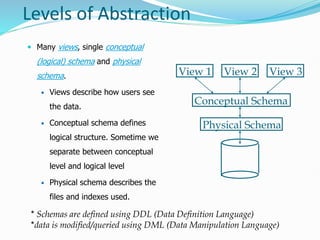
 Many views, single conceptual
(logical) schema and physical
schema.
 Views describe how users see
the data.
 Conceptual schema defines
logical structure. Sometime we
separate between conceptual
level and logical level
 Physical schema describes the
files and indexes used.
* Schemas are defined using DDL (Data Definition Language)
*data is modified/queried using DML (Data Manipulation Language)
Physical Schema
Conceptual Schema
View 1 View 2 View 3
Levels of Abstraction
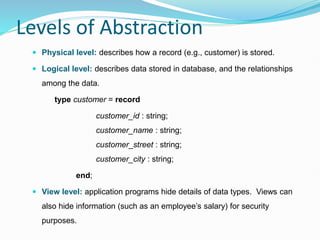
 Physical level: describes how a record (e.g., customer) is stored.
 Logical level: describes data stored in database, and the relationships
among the data.
type customer = record
customer_id : string;
customer_name : string;
customer_street : string;
customer_city : string;
end;
 View level: application programs hide details of data types. Views can
also hide information (such as an employee’s salary) for security
purposes.
Instances and Schemas
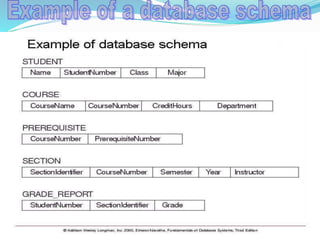
 Schema – the logical structure of the database
 Example: The database consists of information about a set of
customers and accounts and the relationship between them)
 Analogous to type information of a variable in a program
 Physical schema: database design at the physical level
 Logical schema: database design at the logical level
 Instance – the actual content of the database at a particular point in
time
 Analogous to the value of a variable
 Physical Data Independence – the ability to modify the physical
schema without changing the logical schema
 Applications depend on the logical schema
 In general, the interfaces between the various levels and
components should be well defined so that changes in some
parts do not seriously influence others.
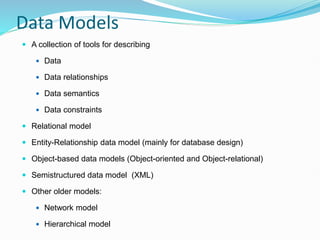
Data Models
 A collection of tools for describing
 Data
 Data relationships
 Data semantics
 Data constraints
 Relational model
 Entity-Relationship data model (mainly for database design)
 Object-based data models (Object-oriented and Object-relational)
 Semistructured data model (XML)
 Other older models:
 Network model
 Hierarchical model
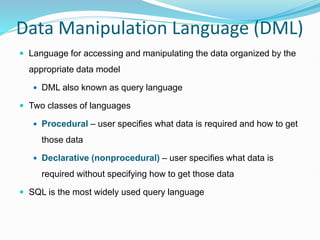
Data Manipulation Language (DML)
 Language for accessing and manipulating the data organized by the
appropriate data model
 DML also known as query language
 Two classes of languages
 Procedural – user specifies what data is required and how to get
those data
 Declarative (nonprocedural) – user specifies what data is
required without specifying how to get those data
 SQL is the most widely used query language
Data Definition Language (DDL)
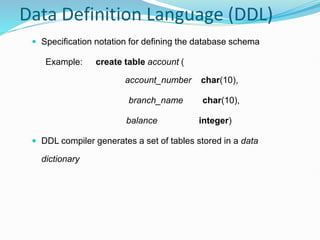
 Specification notation for defining the database schema
Example: create table account (
account_number char(10),
branch_name char(10),
balance integer)
 DDL compiler generates a set of tables stored in a data
dictionary
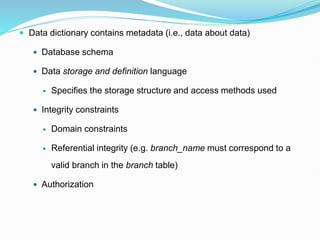
 Data dictionary contains metadata (i.e., data about data)
 Database schema
 Data storage and definition language
 Specifies the storage structure and access methods used
 Integrity constraints
 Domain constraints
 Referential integrity (e.g. branch_name must correspond to a
valid branch in the branch table)
 Authorization
SQL
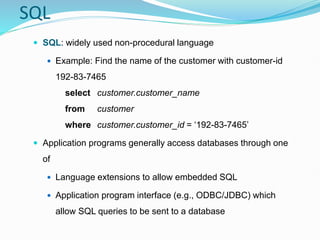
 SQL: widely used non-procedural language
 Example: Find the name of the customer with customer-id
192-83-7465
select customer.customer_name
from customer
where customer.customer_id = ‘192-83-7465’
 Application programs generally access databases through one
of
 Language extensions to allow embedded SQL
 Application program interface (e.g., ODBC/JDBC) which
allow SQL queries to be sent to a database
Database Design
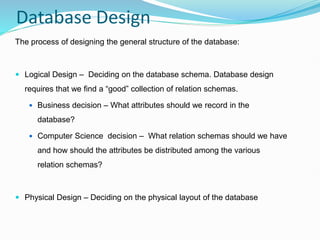
The process of designing the general structure of the database:
 Logical Design – Deciding on the database schema. Database design
requires that we find a “good” collection of relation schemas.
 Business decision – What attributes should we record in the
database?
 Computer Science decision – What relation schemas should we have
and how should the attributes be distributed among the various
relation schemas?
 Physical Design – Deciding on the physical layout of the database
The Entity-Relationship Model
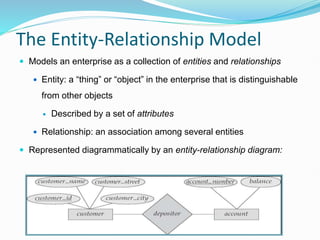
 Models an enterprise as a collection of entities and relationships
 Entity: a “thing” or “object” in the enterprise that is distinguishable
from other objects
 Described by a set of attributes
 Relationship: an association among several entities
 Represented diagrammatically by an entity-relationship diagram:
Other Data Models
 Object-oriented data model
 Object-relational data model
Database Users
 Users are differentiated by the way they expect to interact with the
system
 Application programmers – interact with system through DML calls
 Sophisticated users – form requests in a database query language
 Specialized users – write specialized database applications that do
not fit into the traditional data processing framework
 Naïve users – invoke one of the permanent application programs that
have been written previously
 E.g. people accessing database over the web, bank tellers,
clerical staff
Database Administrator
 Coordinates all the activities of the database system; the
database administrator has a good understanding of the
enterprise’s information resources and needs.
 Database administrator's duties include:
 Schema definition
 Storage structure and access method definition
 Schema and physical organization modification
 Granting user authority to access the database
 Specifying integrity constraints
 Acting as liaison with users
 Monitoring performance and responding to changes in requirements
Database Management System
Internals
 Storage management
 Query processing
 Transaction processing
Storage Management
 Storage manager is a program module that provides the
interface between the low-level data stored in the
database and the application programs and queries
submitted to the system.
 The storage manager is responsible to the following
tasks:
 interaction with the file manager
 efficient storing, retrieving and updating of data
Concurrency Control
 Concurrent execution of user programs is essential for good DBMS
performance.
 Because disk accesses are frequent, and relatively slow, it is
important to keep the cpu humming by working on several user
programs concurrently.
 Interleaving actions of different user programs can lead to
inconsistency: e.g., check is cleared while account balance is being
computed.
 DBMS ensures such problems don’t arise: users can pretend they
are using a single-user system.
Transaction Management
 A transaction is a collection of operations that performs a single
logical function in a database application
 Transaction-management component ensures that the database
remains in a consistent (correct) state despite system failures (e.g.,
power failures and operating system crashes) and transaction
failures.
 Concurrency-control manager controls the interaction among the
concurrent transactions, to ensure the consistency of the database.
History of Database Systems
 1950s and early 1960s:
 Data processing using magnetic tapes for storage
 Tapes provide only sequential access
 Punched cards for input
 Late 1960s and 1970s:
 Hard disks allow direct access to data
 Network and hierarchical data models in widespread use
 Ted Codd defines the relational data model
 Would win the ACM Turing Award for this work
 IBM Research begins System R prototype
 UC Berkeley begins Ingres prototype
 High-performance (for the era) transaction processing
History (cont.)
 1980s:
 Research relational prototypes evolve into commercial systems
 SQL becomes industry standard
 Parallel and distributed database systems
 Object-oriented database systems
 1990s:
 Large decision support and data-mining applications
 Large multi-terabyte data warehouses
 Emergence of Web commerce
 2000s:
 XML and XQuery standards
 Automated database administration
 Increasing use of highly parallel database systems
 Web-scale distributed data storage systems
Learning outcome
 Differentiate between Database Management System
(DBMS) and database
 Briefly explain advantages and disadvantages of DBMS
to file based system.
 Discuss Database Models
Summary
 DBMS used to maintain, query large datasets.
 Benefits include recovery from system crashes, concurrent access,
quick application development, data integrity and security.
 Levels of abstraction give data independence.
 A DBMS typically has a layered architecture.
 DBAs hold responsible jobs and are well-paid!
 DBMS R&D is one of the broadest,
most exciting areas in CS.
 Advanced databases course at the graduate level