The Training Lifecycle for Large
                                      IT Rollouts
                                     From Project Team to End User:
                                        Who needs what and when


Linda Hills – Director, Education Services, Infor
Mary Beth Kyer – President & CEO, Euphoria Workforce Solutions
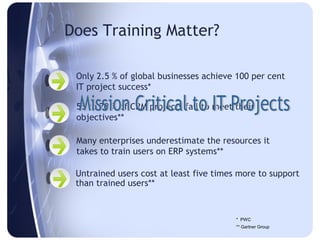
Does Training Matter?

 Only 2.5 % of global businesses achieve 100 per cent
 IT project success*

 55 to 70 % of CRM projects fail to meet their
 objectives**

 Many enterprises underestimate the resources it
 takes to train users on ERP systems**

 Untrained users cost at least five times more to support
 than trained users**


                                         * PWC
                                         ** Gartner Group
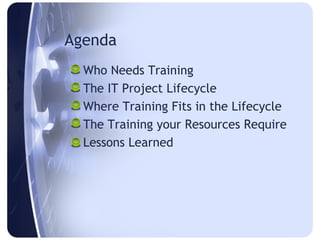
Agenda
  Who Needs Training
  The IT Project Lifecycle
  Where Training Fits in the Lifecycle
  The Training your Resources Require
  Lessons Learned
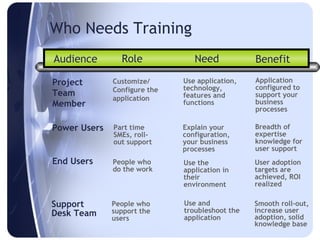
Who Needs Training
Audience        Role             Need            Benefit

Project       Customize/      Use application,   Application
              Configure the   technology,        configured to
Team                          features and       support your
              application
Member                        functions          business
                                                 processes

Power Users   Part time       Explain your       Breadth of
              SMEs, roll-     configuration,     expertise
              out support     your business      knowledge for
                              processes          user support
End Users     People who      Use the            User adoption
              do the work     application in     targets are
                              their              achieved, ROI
                              environment        realized

Support       People who      Use and            Smooth roll-out,
Desk Team     support the     troubleshoot the   increase user
              users           application        adoption, solid
                                                 knowledge base
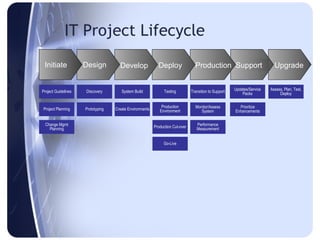
IT Project Lifecycle
 Initiate            Design          Develop               Deploy                Production Support                        Upgrade


Project Guidelines   Discovery        System Build            Testing          Transition to Support   Updates/Service   Assess, Plan, Test,
                                                                                                           Packs              Deploy

                                                             Production          Monitor/Assess          Prioritize
Project Planning     Prototyping   Create Environments      Environment             System             Enhancements


  Change Mgmt                                            Production Cut-over      Performance
    Planning                                                                      Measurement


                                                              Go-Live
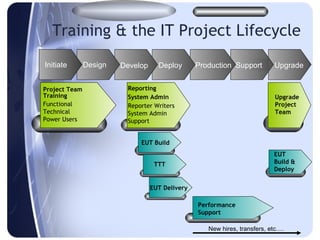
Training & the IT Project Lifecycle
Initiate       Design   Develop     Deploy       Production Support        Upgrade


Project Team             Reporting
Training                 System Admin                                      Upgrade
Functional               Reporter Writers                                  Project
Technical                System Admin                                      Team
Power Users              Support


                             EUT Build
                                                                           EUT
                                   TTT                                     Build &
                                                                           Deploy


                                  EUT Delivery

                                                 Performance
                                                 Support

                                                    New hires, transfers, etc….
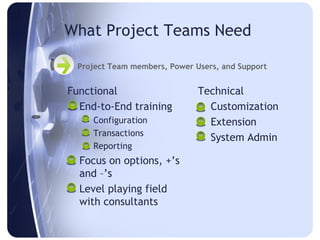
What Project Teams Need

  Project Team members, Power Users, and Support


Functional                     Technical
 End-to-End training            Customization
    Configuration               Extension
    Transactions
                                 System Admin
    Reporting
 Focus on options, +’s
  and –’s
 Level playing field
  with consultants
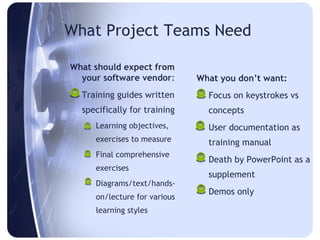
What Project Teams Need

What should expect from
  your software vendor:        What you don’t want:
 Training guides written       Focus on keystrokes vs
  specifically for training      concepts
    Learning objectives,       User documentation as
      exercises to measure       training manual
    Final comprehensive
                                Death by PowerPoint as a
      exercises
                                 supplement
    Diagrams/text/hands-
                                Demos only
      on/lecture for various
      learning styles
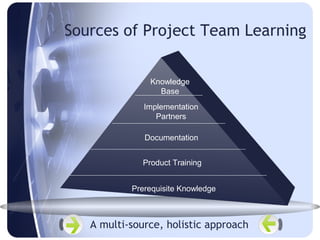
Sources of Project Team Learning


                Knowledge
                  Base
              Implementation
                 Partners

              Documentation


              Product Training


           Prerequisite Knowledge


   A multi-source, holistic approach
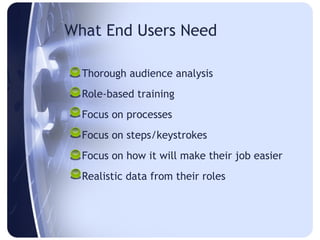
What End Users Need

 Thorough audience analysis
 Role-based training
 Focus on processes
 Focus on steps/keystrokes
 Focus on how it will make their job easier
 Realistic data from their roles
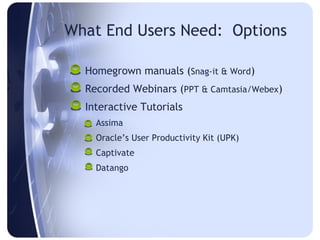
What End Users Need: Options

 Homegrown manuals (Snag-it & Word)
 Recorded Webinars (PPT & Camtasia/Webex)
 Interactive Tutorials
    Assima
    Oracle’s User Productivity Kit (UPK)
    Captivate
    Datango
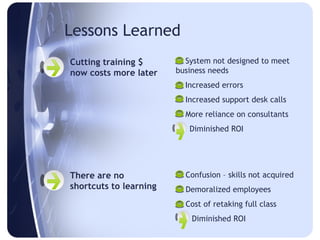
Lessons Learned
Cutting training $       System not designed to meet
now costs more later    business needs
                         Increased errors
                         Increased support desk calls
                         More reliance on consultants
                        = Diminished ROI


There are no             Confusion – skills not acquired
shortcuts to learning    Demoralized employees
                         Cost of retaking full class
                        =   Diminished ROI
Lessons Learned
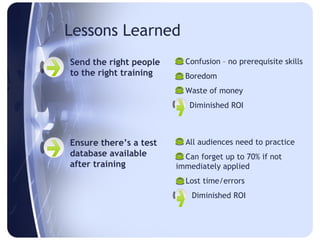
Send the right people    Confusion – no prerequisite skills
to the right training    Boredom
                         Waste of money
                        = Diminished ROI


Ensure there’s a test    All audiences need to practice
database available       Can forget up to 70% if not
after training          immediately applied
                         Lost time/errors
                        =   Diminished ROI
Lessons Learned
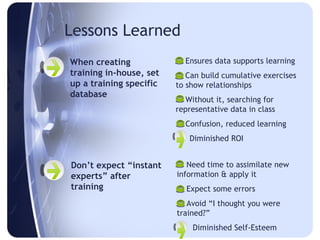
When creating             Ensures data supports learning
training in-house, set    Can build cumulative exercises
up a training specific   to show relationships
database                  Without it, searching for
                         representative data in class
                          Confusion, reduced learning
                         = Diminished ROI


Don’t expect “instant     Need time to assimilate new
experts” after           information & apply it
training                  Expect some errors
                          Avoid “I thought you were
                         trained?”
                         =   Diminished Self-Esteem
Summary
 Training is mission critical to your IT project
 Four audiences to plan for
     Project Team & Super Users during Initiate and
      Design
     Support & End Users before Deploy
 Project Teams/Super Users /Support need end-to-end
  training
 End Users need business process and steps training
 Lessons learned shows that training increases ROI by
  ensuring system meets your needs and high end-user
  adoption
 Learning is a process, not an event
Links

     http://www.techsmith.com/camtasia.asp

     http://www.adobe.com/products/captivate/


http://www.oracle.com/applications/tutor/user-productivity-kit.html

     http://www.assima.net/

     http://www.datango.com/en/index.php

     http://www.webex.com