Submitted by:
Nicole Danielle Mallari
Keith Alison Arellano
 Importance of computers
 What is a computer?
 Computer Programs
 Programming Languages
 Arithmetic Operations
 Comparison (logical) operations
 Storage & retrieval operations
 Speed & Accuracy
 Hardware
 System Unit
 CPU – control unit & arithmetic logic unit
 Main Memory
 Peripheral Devices
 Input
 Output
 Secondary Storage
 Floppy disk, hard drive, CD, DVD, Flash
Drive
 Secondary Storage Devices
 Used to copy data to & from secondary
storage
 Storage space measured in Bytes
 Kilobyte, Megabyte, Gigabyte, Terabyte
Supercomputers
Mainframes
Minicomputers
Microcomputers
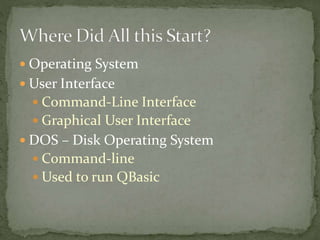
 Operating System
 User Interface
 Command-Line Interface
 Graphical User Interface
 DOS – Disk Operating System
 Command-line
 Used to run QBasic
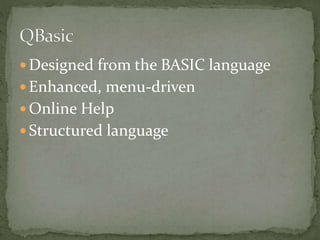
 Designed from the BASIC language
 Enhanced, menu-driven
 Online Help
 Structured language
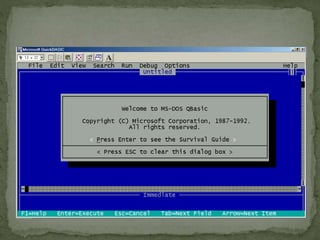
 Installed on your H: drive
 Double click on QB.exe
 Use mouse and arrow keys to navigate
 Menu Bar
 File - Edit
 View - Search
 Run - Debug
 Options - Help
 Title Bar
 Reference Bar
 Immediate Window
Demonstration
 File
 New
 Open
 Save
 Save As
 Print
 Exit
 View
 SUBs
 Split
 Output Screen
 Run
 Start
 Restart
 Continue
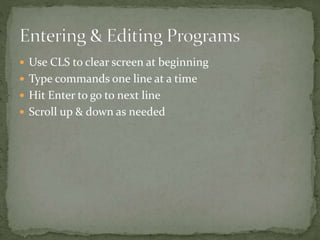
 Use CLS to clear screen at beginning
 Type commands one line at a time
 Hit Enter to go to next line
 Scroll up & down as needed
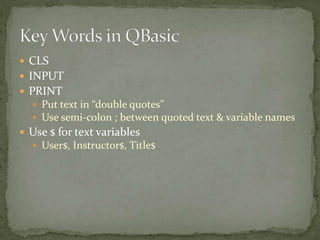
 CLS
 INPUT
 PRINT
 Put text in “double quotes”
 Use semi-colon ; between quoted text & variable names
 Use $ for text variables
 User$, Instructor$, Title$
 Computer Ethics
 Hardware
 Backup data
 Store media properly
 Software
 Commercial Software
 Shareware
 Public-domain Software
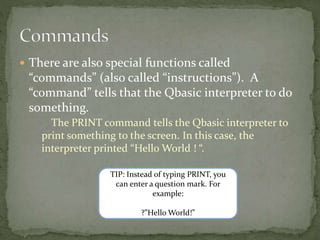
 There are also special functions called
“commands” (also called “instructions”). A
“command” tells that the Qbasic interpreter to do
something.
The PRINT command tells the Qbasic interpreter to
print something to the screen. In this case, the
interpreter printed “Hello World ! “.
TIP: Instead of typing PRINT, you
can enter a question mark. For
example:
?”Hello World!”
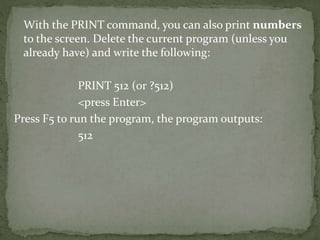
With the PRINT command, you can also print numbers
to the screen. Delete the current program (unless you
already have) and write the following:
PRINT 512 (or ?512)
<press Enter>
Press F5 to run the program, the program outputs:
512
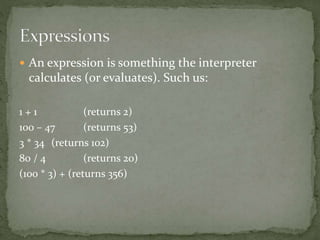
 An expression is something the interpreter
calculates (or evaluates). Such us:
1 + 1 (returns 2)
100 – 47 (returns 53)
3 * 34 (returns 102)
80 / 4 (returns 20)
(100 * 3) + (returns 356)
CLS
- An abbreviation that stands for the words Clear Screen .
In the above program, when you used CLS on line 60, all
the words that were printed to the screen were wiped
away.
PRINT
- Writes the screen. There are commands to other things
like printer, but that’s to be discussed later. Each new
Print command will start printing on a new line. To
insert a blank line, don’t specify a string to print. The
syntax for “PRINT” is PRINT “[whatever you want to be
here]”
END
- It stops the program at that line; that is, anything
that’s added after that won’t show. That’s why the
PRINT command on line 90 didn’t print anything. The
END command can be included in control structures
to end the program if a condition is met. This will be
discussed with control structures.
Given the state of computer speed today you
should not see the paragraph displayed by lines 20
through 50, it should be cleared by the CLS statement
on Line 60 before you have a chance to see it.
An operator is a code element that performs an
operation on one or more code elements that hold
values. Value elements include variables, constants,
literals, properties, returns from function and operator
procedures and expressions.
An expression is a series of value elements
combined with operators which yields a new value. The
operators act on the value elements by performing
calculations, comparisons or other operations.
Visual Basic provides the following types of operators:
 Arithmetic Operators perform familiar calculations on
numeric values, including shifting their bit patterns.
 Comparison Operators Compare two expressions and
return a boolean value representing the result of the
comparison.
 Concatenation operators join multiple strings into
single string.
 Logical and Bitwise Operators in Visual Basic combine
Boolean or numeric values and return a result of the
same data type as the values.
Basic programming