Nobody gets to hold your website hostage.
Instatic is a CMS you run yourself. Design on a real canvas, press publish, and plain HTML lands on your own server — readable in view-source, portable to any host on earth. MIT-licensed, nothing to cancel.
MIT licensedSelf-hostedOne Bun serverSQLite or Postgres
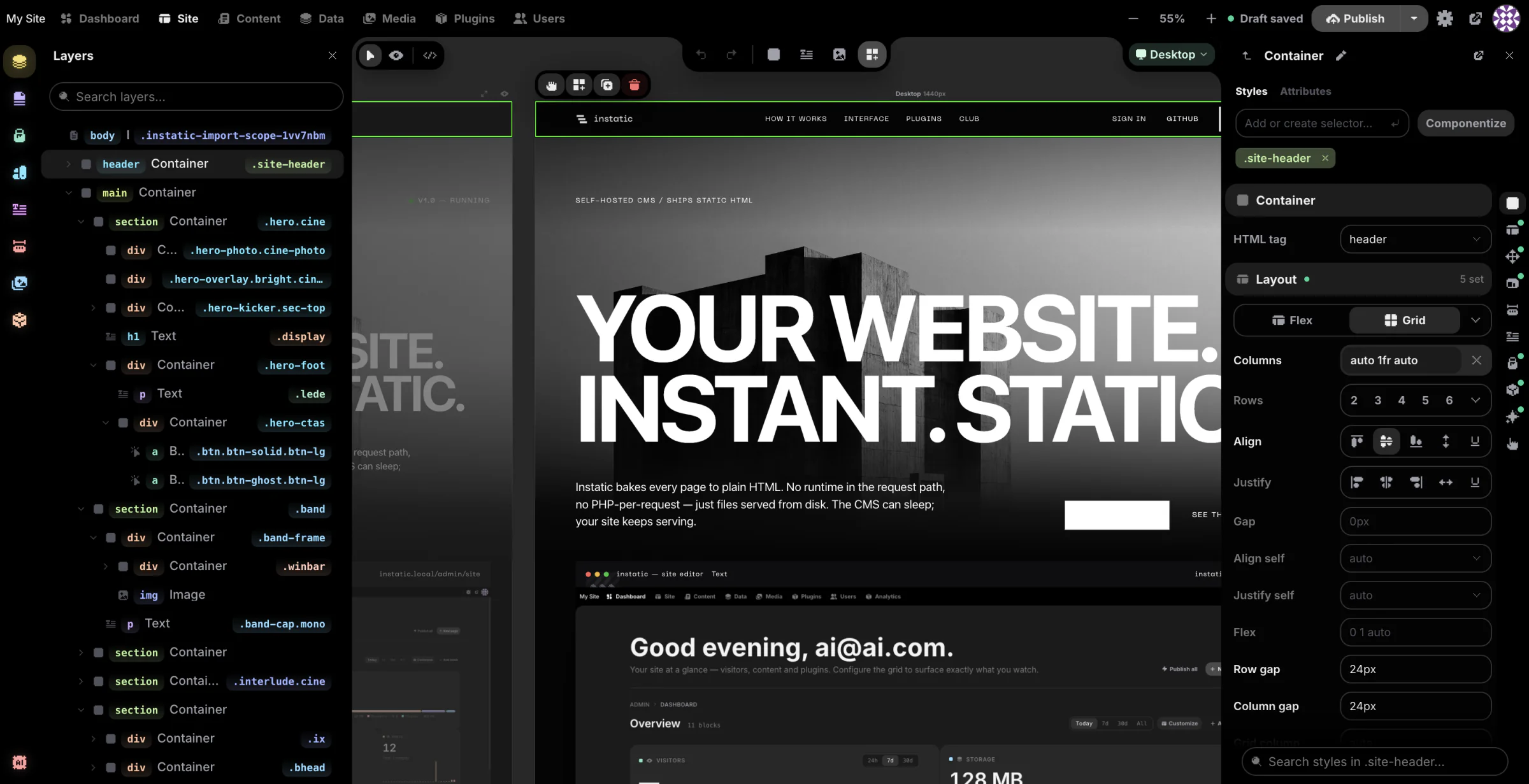
How it works
Most sites today are five services stitched together: a CMS, a framework, a host, a form service, an image CDN. Instatic is one program on one server.
One process A single Bun server answers every request — the editor, the content API, media, auth, forms, plugins and the publisher. One environment variable decides whether it stores data in SQLite or Postgres. Backing the site up means copying the database and the uploads folder.
How publishing works Pressing publish renders every page to an HTML file on disk, then swaps the live folder over in one atomic move. Visitors read finished files, so there's no render step, no database query, and no half-published state.
Why that matters Those files are the site. You can read them, copy them to any host, or keep them the day you stop using Instatic. It's MIT-licensed, so the terms can't change on you later.
01Pillar — Design
Every breakpoint, side by side.
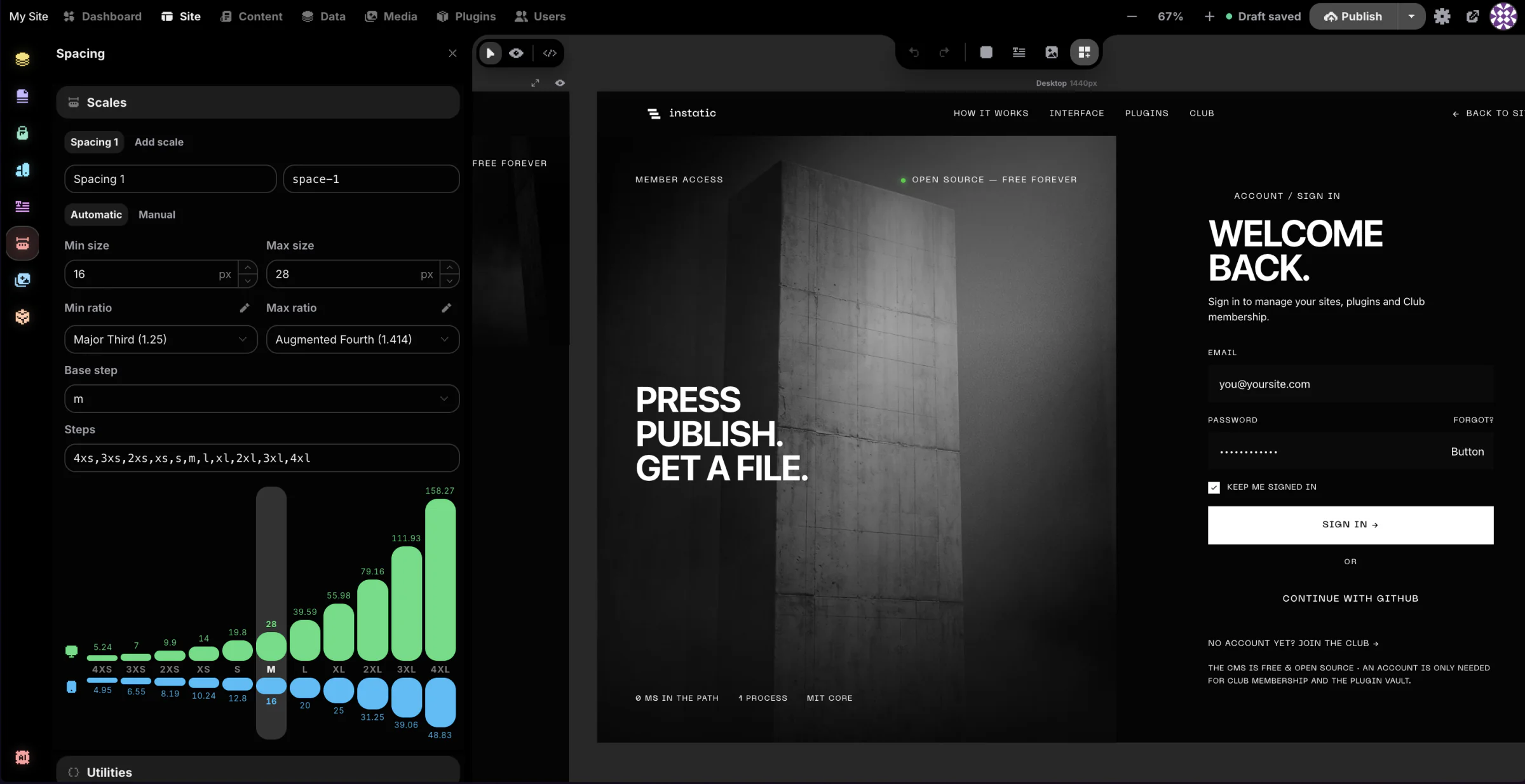
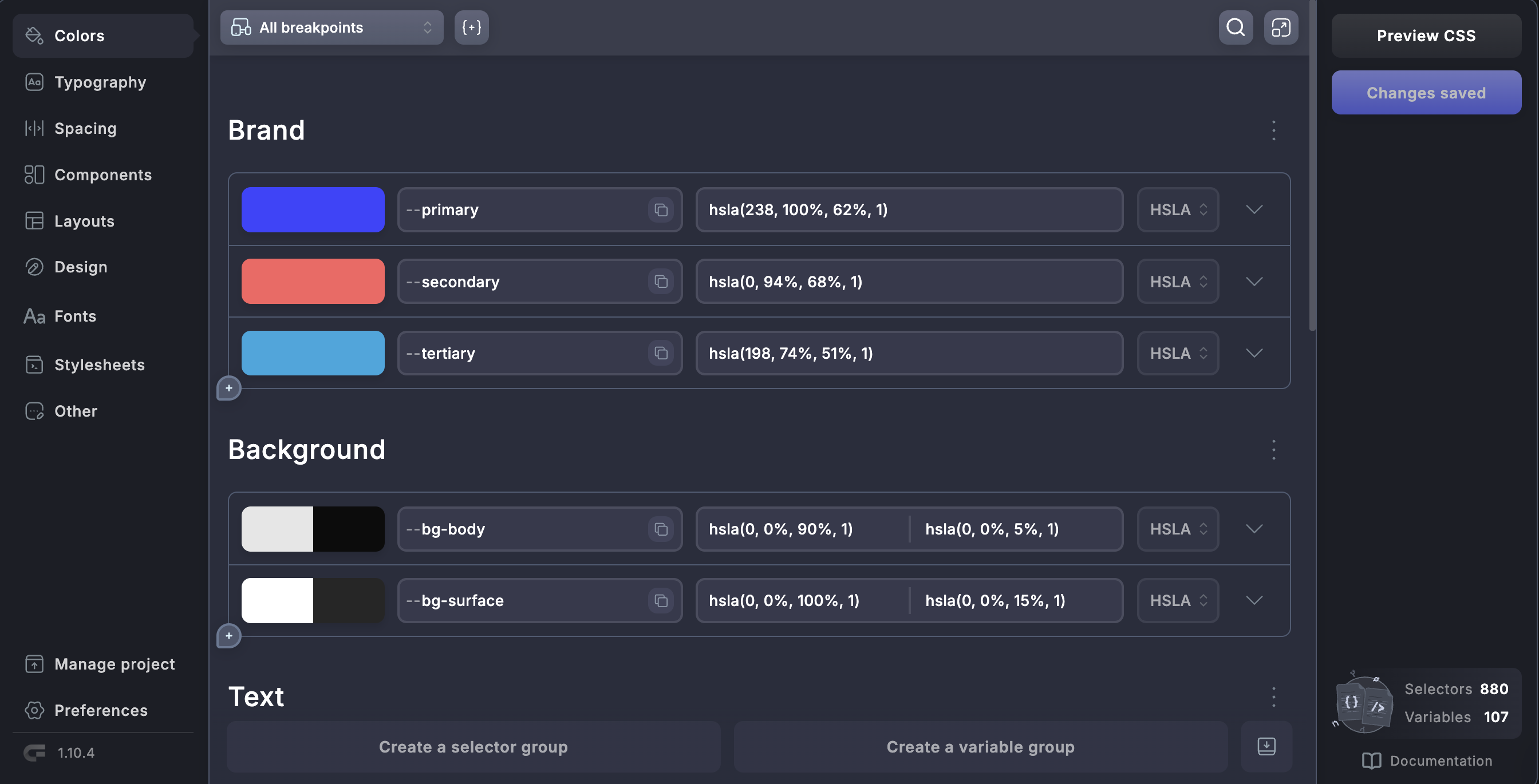
It's a real canvas, not a form with a preview pane stapled on. Line the breakpoint frames up and edit them together: change the desktop, watch mobile react in the same view. Or flip to live mode and work the full-size page in place. And Core Framework — the token engine thousands of WordPress pros already open every day — is wired in as a core system, not a plugin you install and pray over.
- 01 One brand colour in, a full set of tuned tints and shades out.
- 02 Fluid type & spacing scales: one mathematical ramp instead of forty hand-picked sizes to keep in sync.
- 03 Utility classes generated into one small
framework.css— and the design system lives as data, so one token changes every page.

02Pillar — Build
One edit,
every instance.
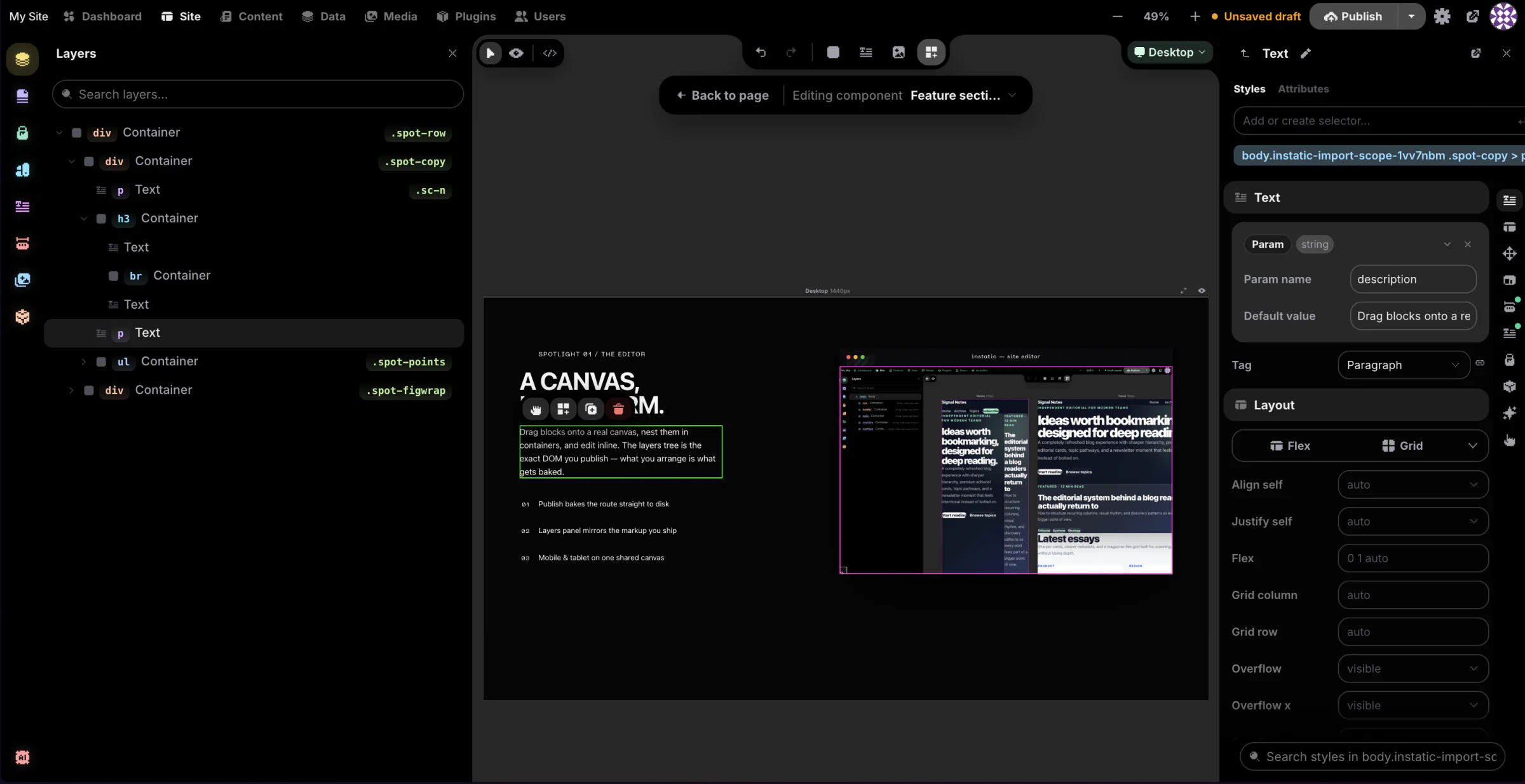
Drag modules onto the canvas, then promote any of it into a Visual Component with typed parameters and named slots — string, number, colour, image, rich text, or a whole slot of content. Edit the component and every instance on the site follows.
- 01 Templates for the shared chrome — one site layout, one per post type, a 404 you design yourself — and loops that repeat a layout over any collection.
- 02 Forms that belong to your CMS. Instatic reads the fields you placed, builds the table, keeps the submissions — so a contact form stops being a monthly bill.
- 03 Paste raw HTML, get editable nodes — the same import pipeline the AI agent writes through.

03Pillar — Manage
One content model under everything.
Pages, posts, components, custom post types and any table you invent all live in the same store — there's no special-cased pages table hiding in a corner. Design a collection, then work the rows in a spreadsheet grid: search, sort, filter, bulk publish, export. Every table is also a source a loop can render: define Team once, loop it onto the about page, done.
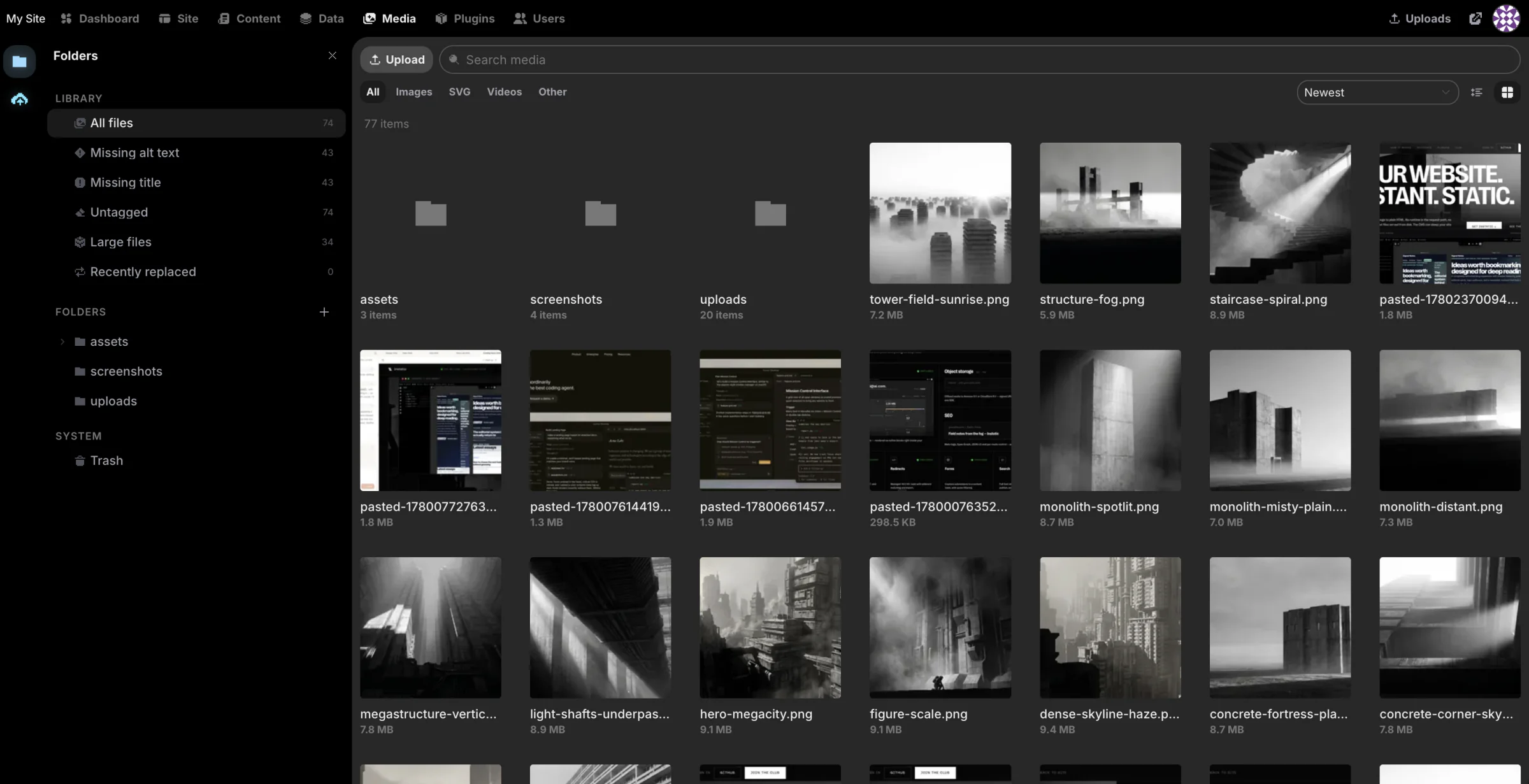
- 01 Media that works like a file manager: folders, bulk operations, replace-in-place, and usage tracking so you know where a file actually appears.
- 02 Access control that isn't decorative: 38 capabilities, TOTP two-factor with secrets encrypted at rest, lockout with backoff, and a step-up prompt before anything destructive.
- 03 ⌘K over the whole admin. And drafts stay drafts — what you didn't publish, nobody sees.

04Pillar — Analyze
Who changed what, and when.
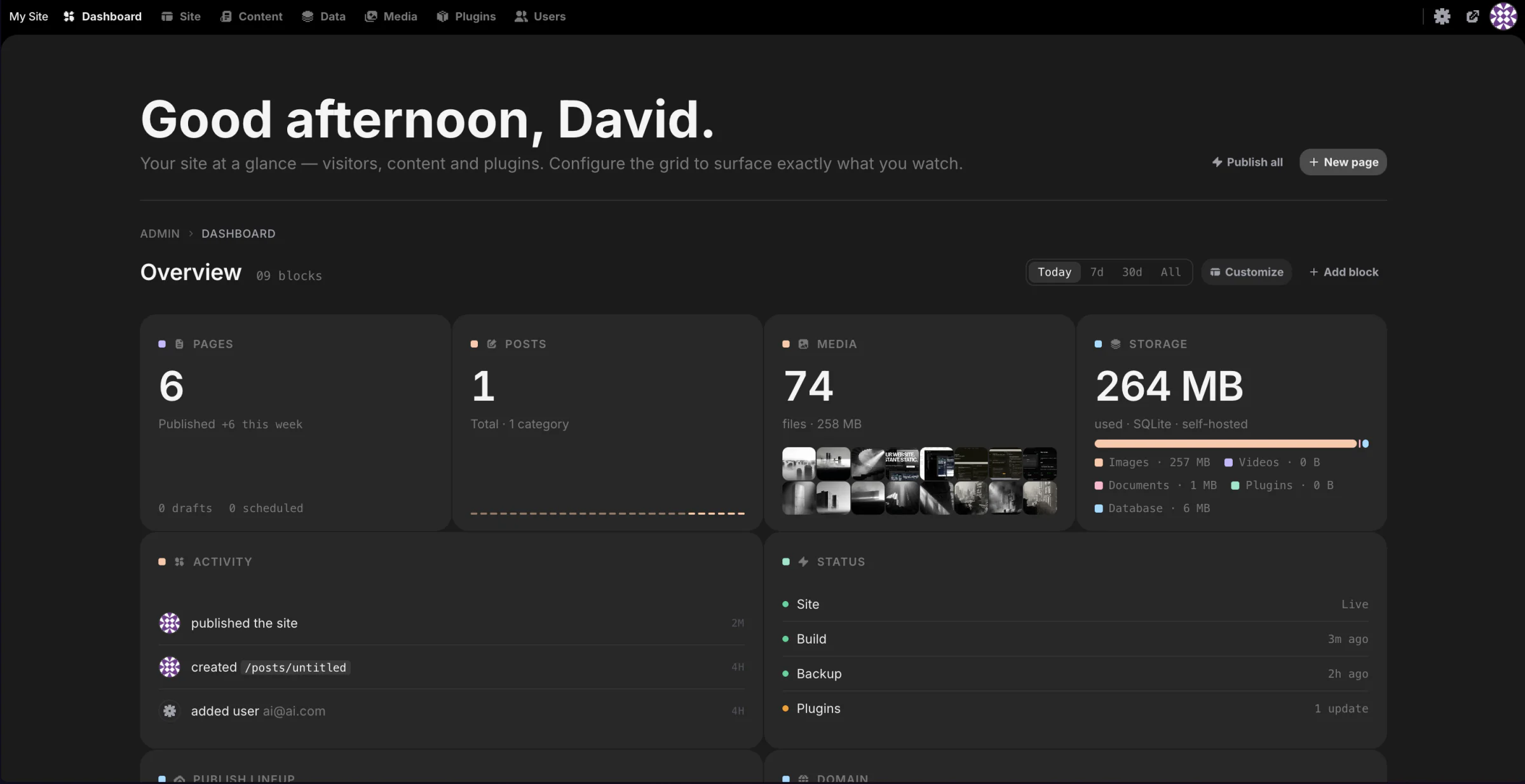
A twelve-column grid of widgets you drag, resize and arrange in customize mode; the layout saves per user, and plugins can ship widgets into it. Behind that, every meaningful admin action writes a row: logins, content edits, role changes, plugin installs.
- 01 An audit log that's append-only — a record of who did what that nobody can quietly rewrite.
- 02 Form data that's yours. Submissions sit in your tables. Query them, export them, build on them.
- 03 The honest gap: there's no visitor analytics yet. First-party and privacy-respecting is next on the roadmap.

05Pillar — Extend
A plugin can't touch your disk.
Every plugin's server code runs outside your site's process. Each active plugin gets its own worker running a QuickJS interpreter compiled to WebAssembly, which has no access to Node, Bun, the filesystem or your environment variables, and can only reach the network if its manifest lists the hosts and you approve them at install. If a plugin crashes, the host restarts that one worker and your pages keep serving.
- 01 Inside the sandbox, a plugin can add HTTP routes, its own admin pages, storage and scheduled jobs.
- 02 It can also register canvas modules and loop data sources, so a page can list content from an external API.
- 03 Extensions that need to run in the admin window are a separate, explicit permission — you see it before installing.

{
  "id": "acme.workflow",
  "apiVersion": 1,

  // approved by the owner at install
  "permissions": [
    "cms.routes",
    "cms.storage"
  ],

  // outbound net needs an allowlist
  "networkAllowedHosts": [
    "api.weather.example.com"
  ]
}
A closer look
Four things a hosted builder can't hand you.
06Spotlight — AI agent
Ask for a section.
Get nodes, not a screenshot.
The built-in agent writes semantic HTML and styles it with your tokens, through the same import pipeline you use when you paste markup. Everything it adds lands as a first-class node you can select, drag and restyle, exactly as if you'd placed it by hand.
- 01 Your key, your model, your bill. Claude, OpenAI, OpenRouter or a local Ollama, each over raw HTTP — no vendor SDK in between.
- 02 It speaks your design system, reusing your colour, type and spacing tokens instead of hardcoding hexes.
- 03 35 tools for building pages, 15 for editing content — and it reads the rendered page back to check its own work.

Add a pricing band with three tiers.
Inserting the section and wiring it to your tokens.
- ✓insertHtml3 tiers → nodes
- ✓applyCss.tier · var(--space-m)
- ✓set_color_tokensaccent
07Spotlight — Open protocol
Or drive it from the tools you already have open.
Instatic is also an MCP server. Point Claude Code, Cursor, Codex or a remote agent at one endpoint and they get the same tools the built-in panel runs: read the site, edit structure, manage content.
- 01 One endpoint, local or remote: a single Streamable-HTTP route at
/_instatic/mcpfor every client. - 02 No second implementation. MCP is just another caller on the engine the built-in agent already runs.
- 03 Scoped and revocable: one bearer token per connector, stored only as a hash, capability-gated, dead the moment you revoke it.

# point any MCP client at your CMS
$ claude mcp add instatic \
    --transport http https://you.com/_instatic/mcp \
    --header "Authorization: Bearer imcp_•••"

✓ connected · 35 tools · capability-scoped08Spotlight — On-ramp
Bring the site you already have.
Drop a folder, a zip or a static export. Super Import turns it into editable pages, reusable classes, real design tokens and media — and shows you every conflict before it writes anything.
- 01 CSS becomes a system. Stylesheets convert to editable classes;
:rootvariables become real colour and font tokens. - 02 Conflicts get a decision, not a guess: rename, skip or overwrite each clashing slug and class, with
var(--…)references rewritten so the design still looks right. - 03 Pages, styles, fonts and media land in one step — and one undo takes all of it back.

- Pages24
- Style rules → classes318
- Colour & font tokens15
- Media & fonts159
09Spotlight — Images
Upload once.
Ship the right file.
Every upload is processed in a background worker: it's resized into a ladder of WebP variants and given a BlurHash placeholder, so a 4-megapixel photo never blocks a request. Then, at publish time, the publisher reads your actual layout — container caps, column fractions, grid tracks, per breakpoint — and writes the matching srcset and sizes into the page.
- 01 A phone downloads a phone-sized file, so you never hand-cut a 640px version again.
- 02 The
sizesattribute is calculated from the layout instead of guessed, which is the part everyone gets wrong by hand. - 03 Images used as CSS backgrounds get the same ladder through
image-set()— so a 20 MB PNG can't become the file a modern browser picks.
- 480w · webp24 kB
- 960w · webp78 kB
- 1440w · webp164 kB
- 1920w · webp268 kB
- original jpg · kept, never served4.2 MB
Watch the whole thing work.
Fig. 06 · the interface tour
We spent years making other people's platforms bearable. Then we built the one we wanted underneath.— Why we built Instatic
The makers
We build sites for a living too.
We're the team behind Motion.page and Core Framework — tools thousands of people use to build websites for a living, mostly in WordPress. After years of working around legacy, markup we weren't allowed to touch, and business models that need your site kept where they can see it, one question wouldn't go away: what if the thing underneath was just right to begin with?
The honest part: this is version 0.0.x, early on purpose — the cheapest time to throw out bad ideas. APIs can still shift before 1.0. If that makes you nervous, wait for 1.0; no hard feelings. MIT licensed, one tier, and never a sales call to sit through.

On the bench
Everything above is the starting line.
Here's what we're building next. We publish the list rather than hint at it — dates are the one thing we won't promise.
- 01Building
SEO & AEO, all the way through
Metadata, structured data and machine-readable answers handled in the editor and emitted by the publisher — so a page reads clearly to a search engine and to the models people now ask instead of searching.
- 02Building
Real-time collaboration
Two people on the same canvas, seeing each other work. The editor's undo history is already patch-based, which is the hard half of the problem.
- 03Next up
A plugin IDE inside Instatic
Write, run and ship a plugin without leaving the admin: editor, sandbox console, install. Extending your CMS stops being a local-toolchain project.
- 04Next up
First-party analytics
Visitor numbers computed from your own server's requests, so nothing has to be loaded into the visitor's browser to count them.
- 05Ongoing
More modules, more SDK surface
More first-party blocks, a wider plugin API, and examples worth copying from.
- 06Ongoing
A sharper agent
More tools, and a deeper read of the site it's actually editing.
Nothing here has a date on it, and the changelog is the honest record. Read the changelog →
Two minutes
to live.
Railway is the fastest route: pick a template, hit the button, wait. It generates the secret keys, attaches the storage volume and wires up the health checks — you never open a terminal. Prefer your own box? It's a single Docker image, or clone the repo and run three commands.
$ git clone https://github.com/corebunch/instatic.git
$ cd instatic && bun install
$ bun run dev

✓ open http://localhost:5173